43
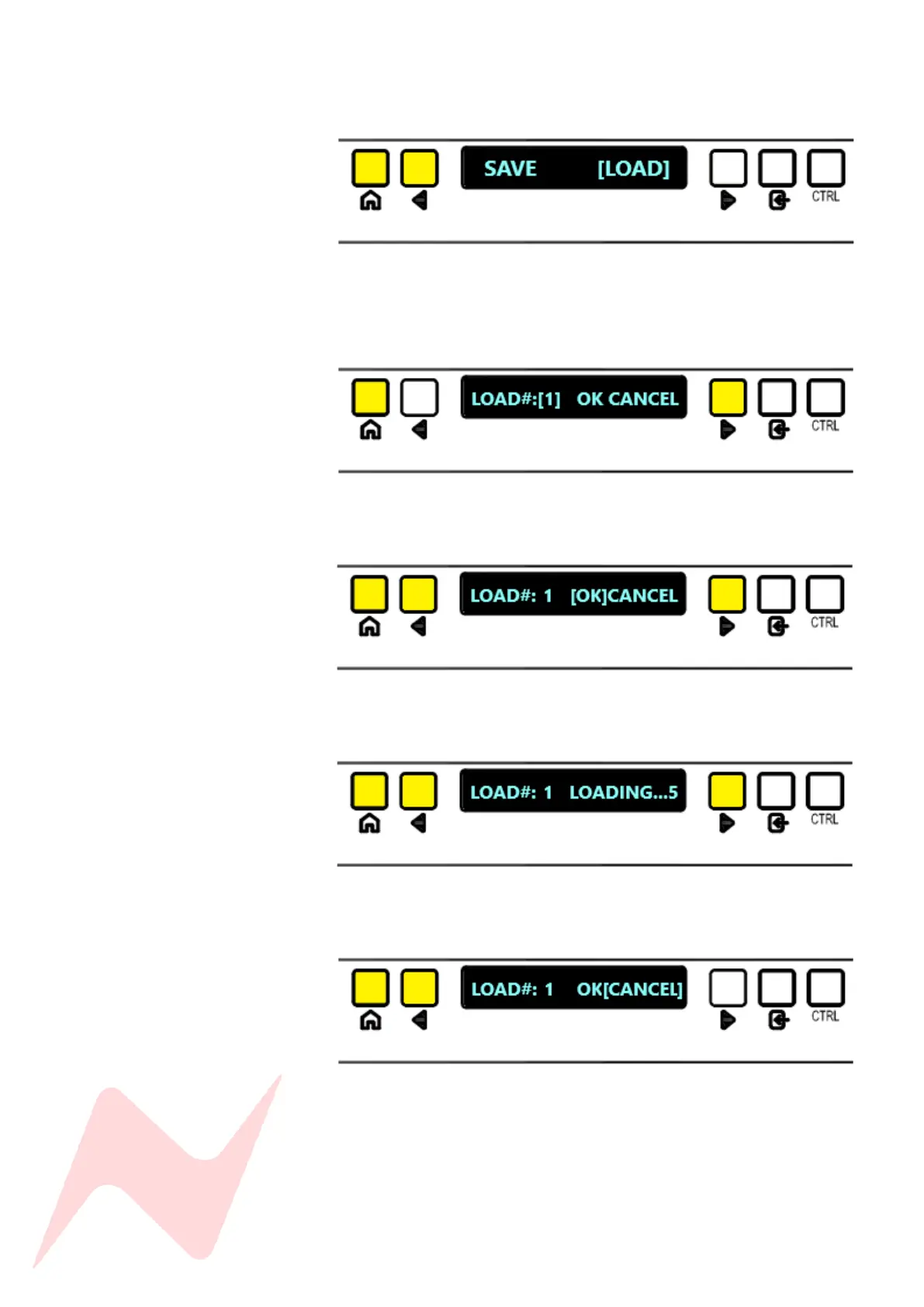
To load a Recall Store –
Enter SYSTEM menu and select [LOAD]
The following window will appear –
Choose a Recall Store from [1] to [99], toggle through stores by
pressing ENTER, or to toggle 10 at a time press CTRL + ENTER.
Once the selected store is found, use the navigation arrows to
select [OK]
Once pressed, a 5 second countdown will begin while the console panels
are preparing to load settings.
If you do not wish to save over the selected store, either press the
HOME button or select CANCEL
Once the countdown is complete, the console snapshot will be automatically
loaded, this includes all console soft-switch settings such as mutes, routing,
aux on/off pre/post state and input trim settings.



 To Next Page