VBA28001-R.3813.A
- A34 ・ D3100 -
#13A
#281
#285
#3
#297A or #297B
#284
#282
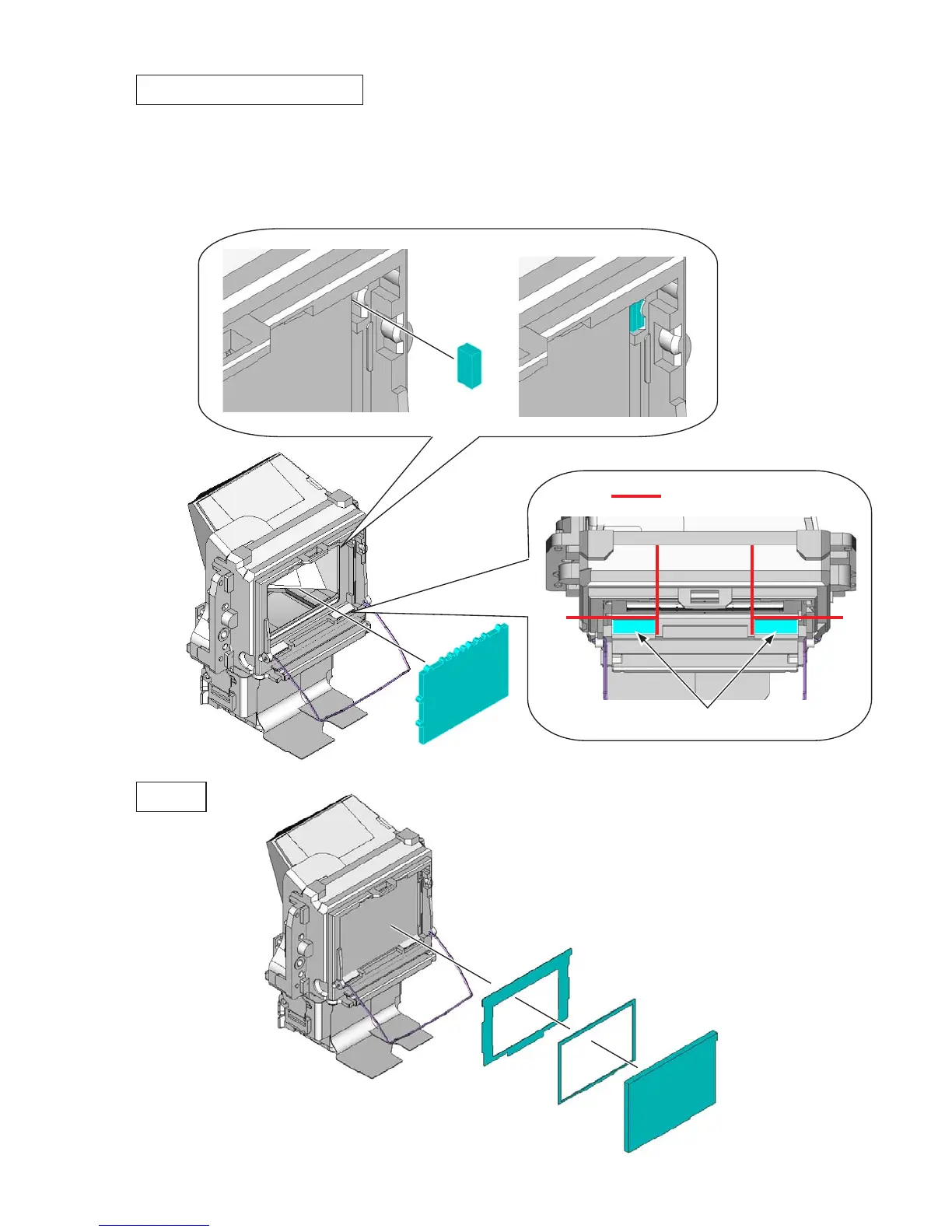
SI (super impose) display plate
Mount the SI display plate (#13A).
Attach the rubbers (#281 and #285).
Caution: The SI display plate (#13A) tends to be scratched easily, so do NOT wipe it out with
alcohol. If dust or dirt is attached, blow it with a blower.
•
•
Attaching position
Screen
Surface with irregularities must face
the prism side, while surface without
irregularities must face front body.



 To Next Page
 Loading...









