VBA28001-R.3813.A
- A14 ・ D3100 -
Adjustment of shutter curtain speed
Connection of the curtain speed adj. dummy body (J61245) to the curtain speed adjuster (J61242).
①
Connect the power connector (EP-5A) to the camera.
②
Connect the camera and PC through the USB cable (UC-E4), and turn the camera ON.
③
On the setup menu of the camera, change the setting when no memory card is inserted from "Release
locked" to "Enable release".
④
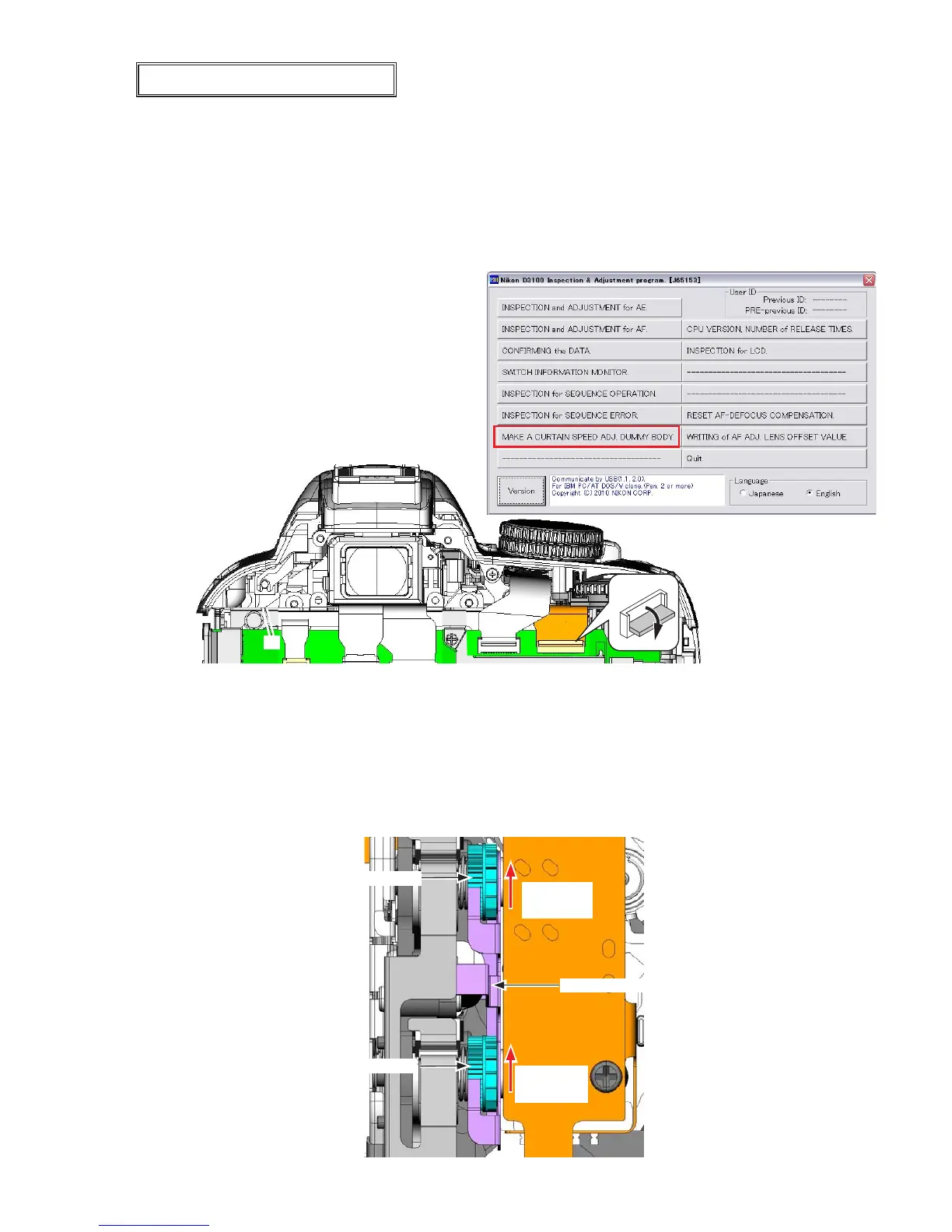
Start the adjustment software for camera body (except imaging) (J65153), and click "MAKE A
CURTAIN SPEED ADJ. DUMMY BODY".
⑤
Select "Yes".
⑥
Turn the camera OFF, and
disconnect the camera from PC.
⑦
Remove the rear cover.
⑧
Remove the FPC of the SQ unit.
•
Refer to "Adjustment of shutter curtain speed" of ADJUSTMENT Separate Volume
①
for details.
Setting: 1/4000 sec.
Standard: Front curtain/Rear curtain: 3.45 - 3.55 ms,
Difference in speed between front and rear curtain: fm -0.02 to +0.02 ms
Caution: When the shutter PCB and MG PCB are replaced/disassembled/reassembled, release the
shutter 20 times, and then make adjustments. Also when the retaining plate is lifted to
avoid the tension of the spring, be careful not to bend the retaining plate.
•
Rear curtain adj. gear
Front curtain adj. gear
Retaining plate
Rotational
direction
Rotational
direction



 To Next Page
 Loading...









