Mode
M (Manuall
In manual exposure mode, you control
both
shutter speed and aperture.
To
take
photographs in manual exposure mode:
1 Rotate
the
mode
dial
to
M.
Mode
dial
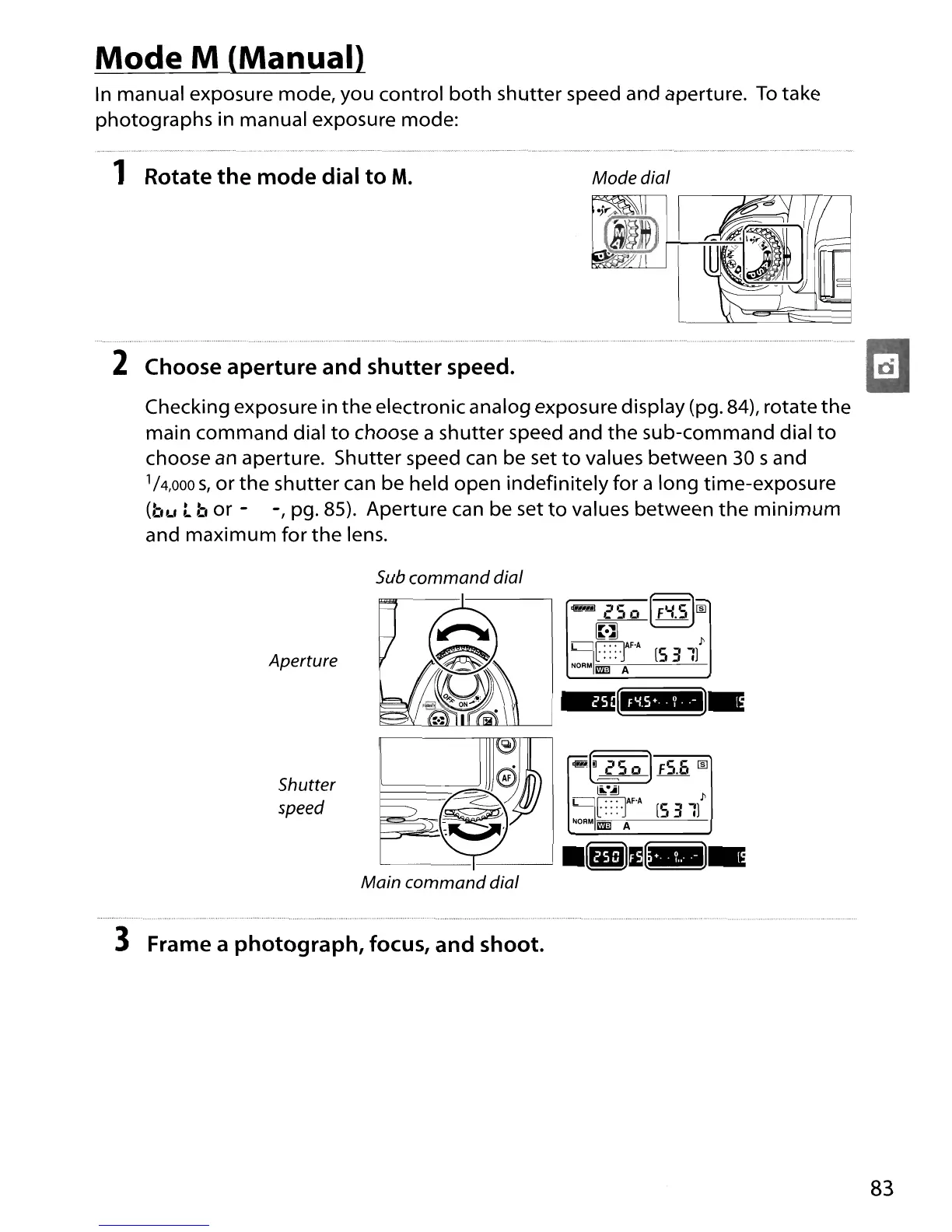
2 Choose
aperture
and
shutter
speed.
Checking exposure in
the
electronic analog exposure display (pg. 84), rotate
the
main
command
dial
to
choose a shutter speed and
the
sub-command dial
to
choose
an
aperture. Shutter speed can be set
to
values between
30
sand
1/
4
,000
s,
or
the
shutter can be held open indefinitely for a long time-exposure
(bL'
t b
or
- -, pg. 85). Aperture can be set
to
values between
the
minimum
and
maximum
for
the
lens.
Aperture
Shutter
speed
3 Frame a
photograph,
focus,
and
shoot.
~(iJ
2
So)
FS.Et
rID
~.~
~
~AF'A
l'
[::::1
[S
311
NOAM
mil A
83





 To Next Page