Choosing a Color Temperature
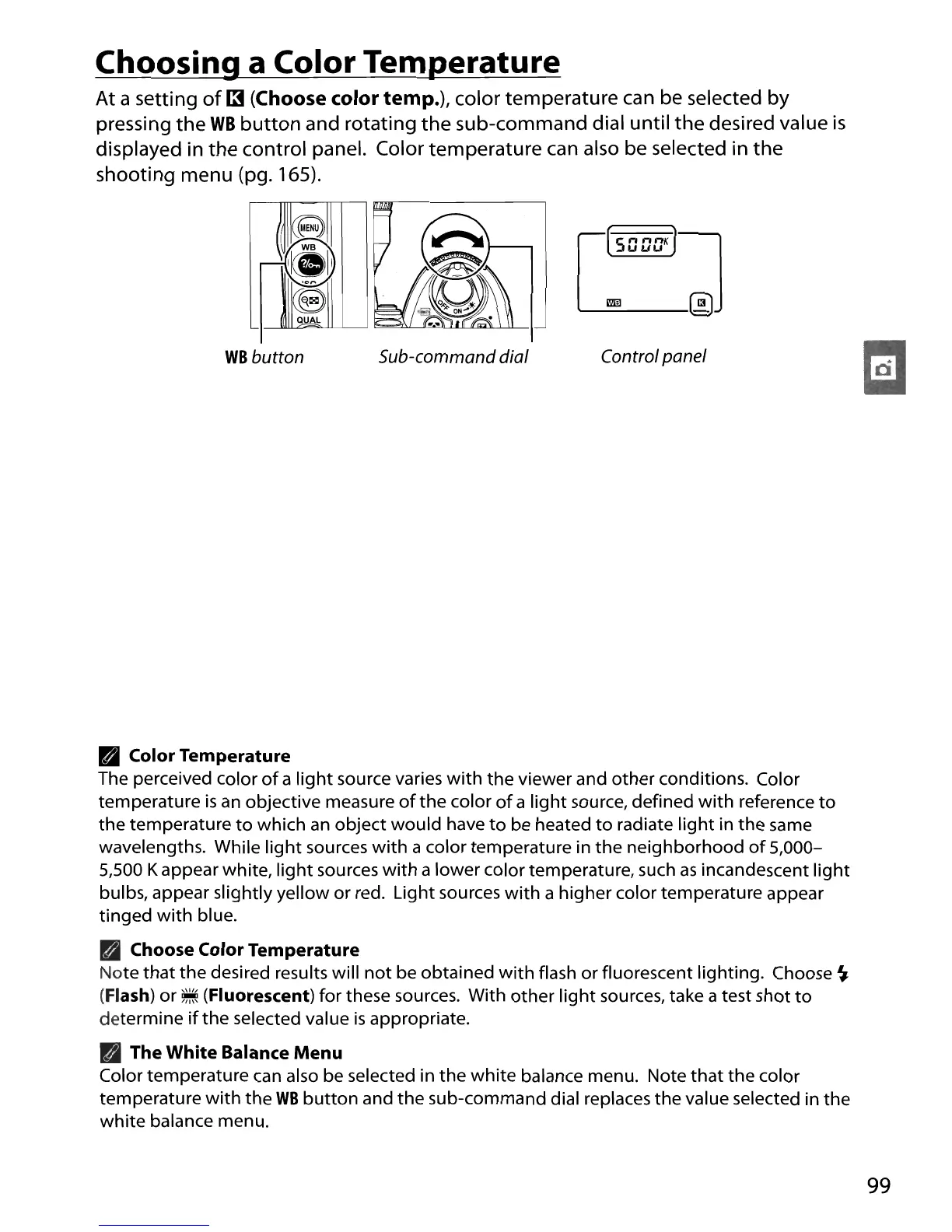
At a setting
of
13
(Choose
color
temp.), color temperature can be selected by
pressing
the
WB
button
and rotating
the
sub-command dial until
the
desired value
is
displayed in
the
control panel. Color temperature can also be selected in
the
shooting menu (pg. 165).
ce
1,"""""---"",,
11(ji11
,~"
(S
QUAL
WB
button
Sub-command dial Control panel
•
Color
Temperature
The perceived color
of
a
light
source varies
with
the
viewer and
other
conditions. Color
temperature
is
an
objective measure
of
the
color
of
a
light
source, defined
with
reference
to
the
temperature
to
which
an
object
would
have
to
be heated
to
radiate
light
in
the
same
wavelengths. While
light
sources
with
a color temperature in
the
neighborhood
of
5,000-
5,500 Kappear white,
light
sources
with
a lower color temperature, such
as
incandescent
light
bulbs, appear slightly yellow
or
red. Light sources
with
a higher color temperature appear
tinged
with
blue.
• Choose
Color
Temperature
Note
that
the
desired results will
not
be obtained
with
flash
or
fluorescent lighting. Choose
~
(Flash) or
~
(Fluorescent) for these sources. With
other
light
sources, take a test shot
to
determine
if
the selected value
is
appropriate.
•
The
White
Balance
Menu
Color temperature can also be selected in
the
white
balance menu. Note
that
the color
temperature
with
the
WB
button
and the sub-command dial replaces the value selected in
the
white
balance menu.
99





 To Next Page