Active D-Lighting
Active D-Lighting preserves details in highlights and shadows, creating photographs
with
natural contrast.
Use
for high contrast scenes, for example when
photographing
brightly
lit
outdoor
scenery
through
a
door
or
window
or taking
pictures
of
shaded subjects on a sunny day.
To
use Active D-Lighting:
1 Select matrix metering.
Matrix metering (::-:, pg.
87)
is
recommended when using Active D-Lighting.
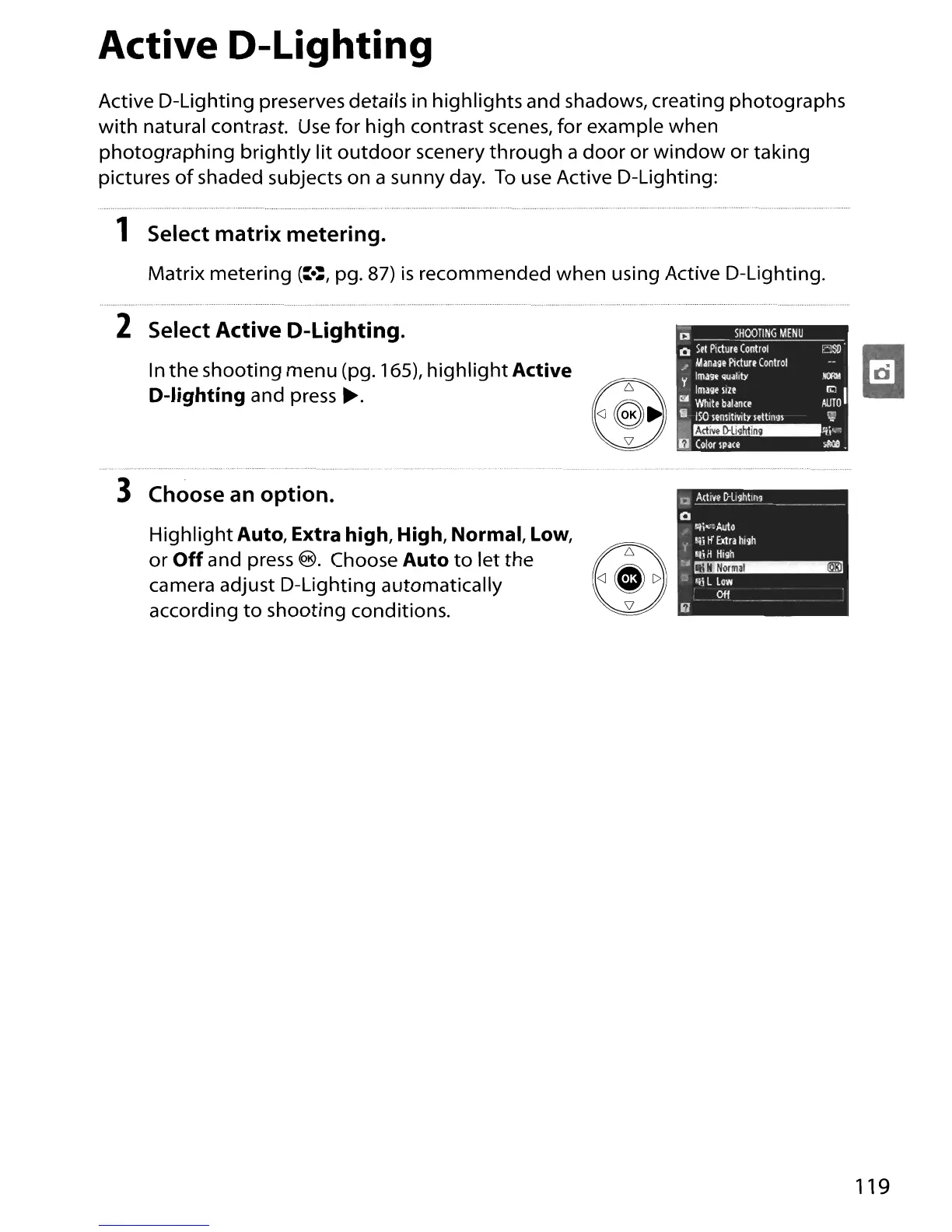
2 Select
Active
D-Lighting.
In
the
shooting menu (pg. 165),
highlight
Active
D-lighting
and press
~.
3 Choose an option.
Highlight
Auto,
Extra
high,
High,
Normal,
Low,
or
Off
and press
®.
Choose
Auto
to
let
the
®6
camera adjust D-Lighting automatically
<J
•
C>
according
to
shooting conditions.
a
Min
D-li~hlin9
--
------------
o
"1i":Au\o
.; Ili
tf
Extra
hl'lh
'Ii H
HI'lh
~~
o "il L
Low
Off
119





 To Next Page