Image Size
Image
size
is
measured in pixels. The
following
options are available.
Image
size
!
Size
(pixels)
····r
...
····················Approximate·siZewhenprlntedai200dpiii
_ _ _ _ N
•••••
".·
••
' "
.-
•••
-
•••
"
,......
••••••••••
••••
•
L(default) 4,288 x 2,848 54.5 x 36.2 em (21.4 x 14.2 in.)
M 3,216 x 2,136
40.8x27.1
em
6.1
x 10.7
..........." -
S 2,144 x 1,424 27.2 x
18.1
em 0.7 x
7.1
*-'ApproxTmate··size·when"pri·ntecfat·
206
Cfpi.·
..
Pri·nTsize·inTn·ches·
eq·uaTs··fmag·e··sTie·1
n-pixe'fs
divided
by
printer
resolution in
dots
per
inch (dpi; 1 inch = approximately 2.54 em). Print
size decreases
as
printer
resolution increases.
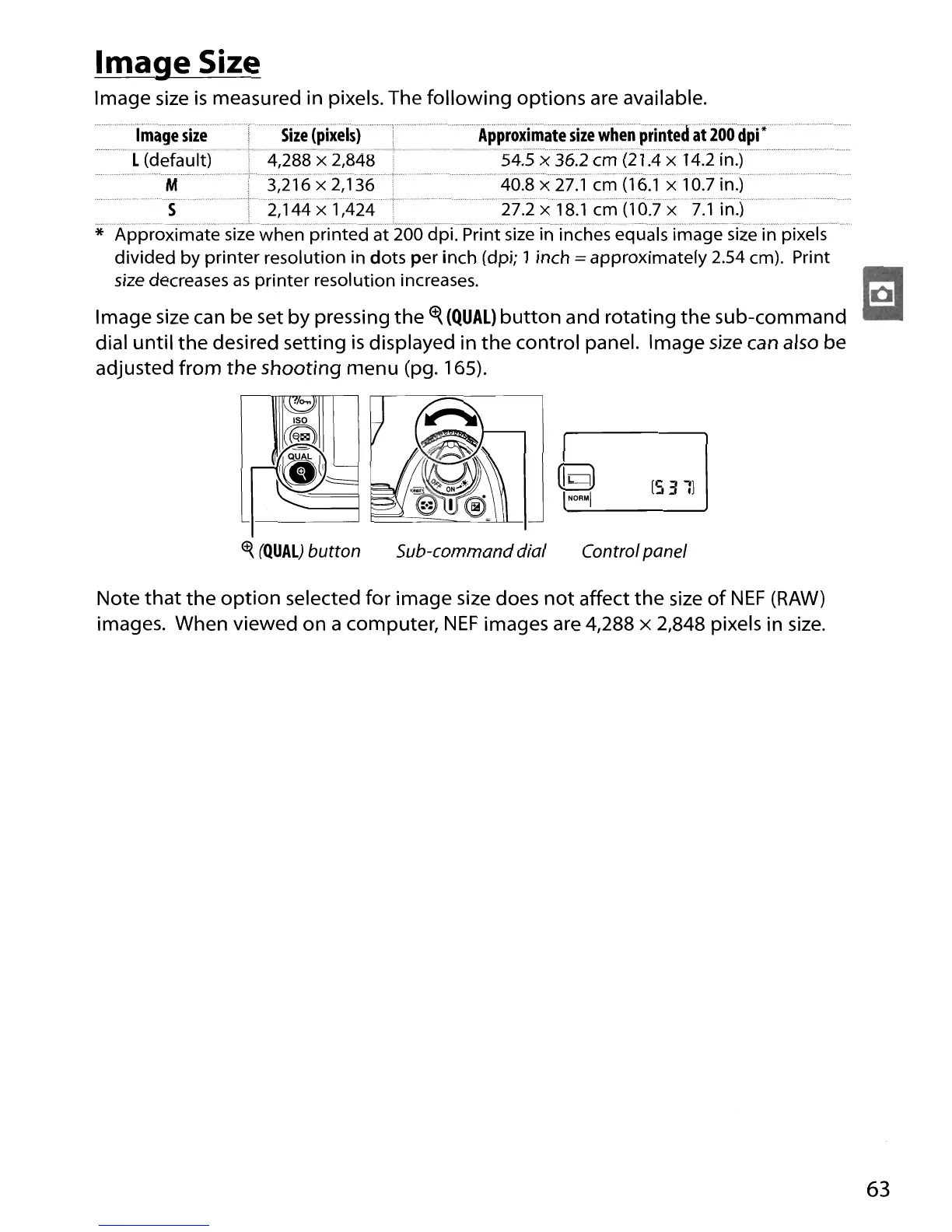
Image
size
can be set
by
pressing
the
Cf{
(QUAL)
button
and rotating
the
sub-command
dial
until
the
desired setting
is
displayed in
the
control panel. Image
size
can also be
adjusted from
the
shooting menu (pg. 165).
[531)
<t{
(QUAL)
button
Sub-command dial Control panel
Note
that
the
option
selected for image size does
not
affect
the
size
of
NEF
(RAW)
images. When viewed
on
a computer,
NEF
images are 4,288 x 2,848 pixels in
size.
63





 To Next Page