Mjust
Viewfinder Focus
The camera
is
equipped with diopter adjustment
to
accommodate individual
~
differences in vision. Check
that
the display in the viewfinder
is
in focus before
~
framing pictures in the viewfinder.
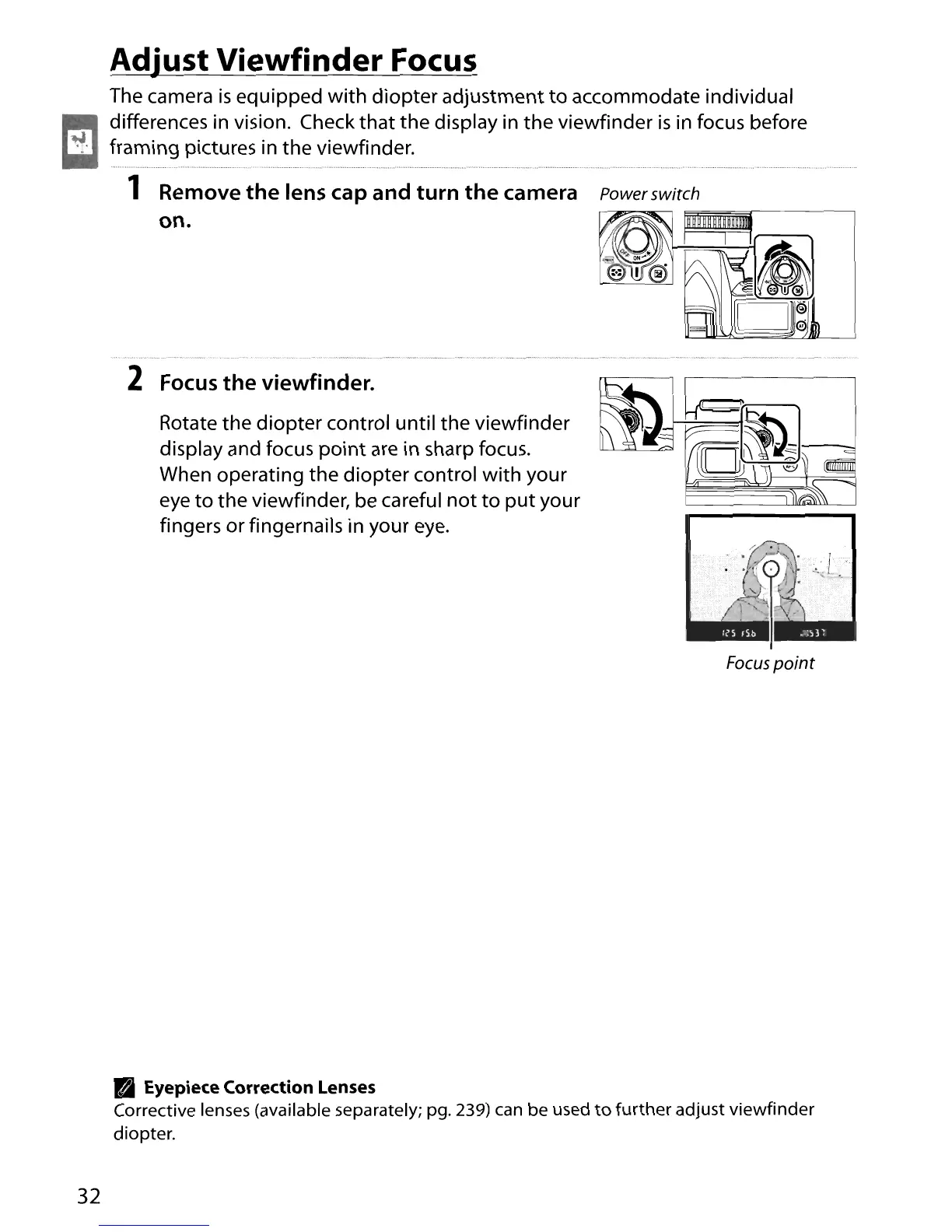
1 Remove
the
lens cap and turn
the
camera Power switch
on.
2
Focus
the
viewfinder.
Rotate the diopter control until the viewfinder
display and focus
point
are
in sharp focus.
When operating the diopter control
with
your
eye
to
the viewfinder, be careful
not
to
put
your
fingers or fingernails in your
eye.
Focus
point
PI
Eyepiece Correction Lenses
Corrective lenses (available separately; pg. 239) can be used
to
further
adjust viewfinder
diopter.
32





 To Next Page