NEF (RAW) Processing
Create
JPEG
copies
of
NEF
(RAW)
photographs.
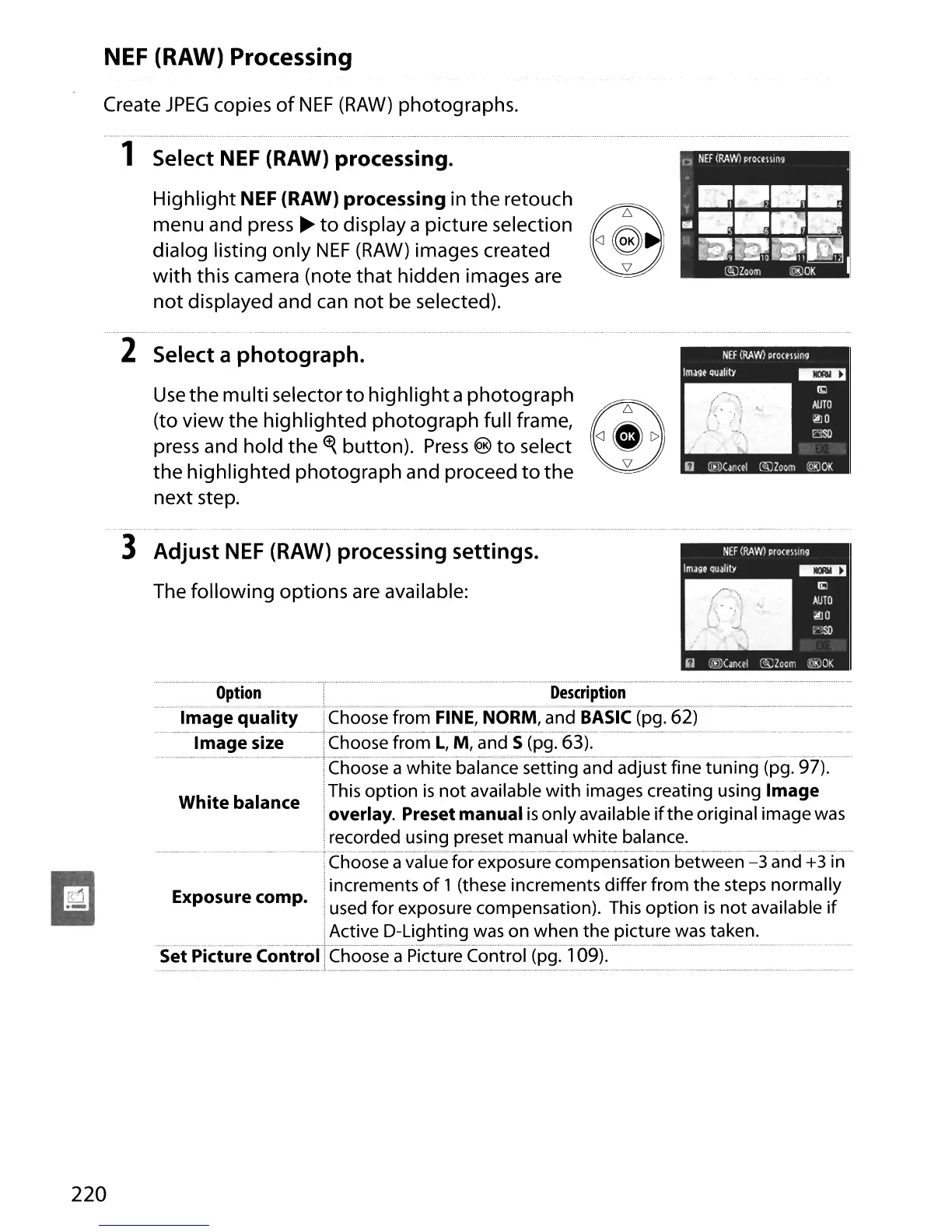
1 Select NEF (RAW) processing.
Highlight NEF (RAW) processing in
the
retouch
menu and press
~
to
display a picture selection
dialog listing only
NEF
(RAW)
images created
with
this camera (note
that
hidden images are
not
displayed and can
not
be selected).
2 Select a photograph.
Use
the multi selector
to
highlight
a photograph
(to view the highlighted photograph full frame,
@~
~
c
press and hold
the
tt{
button).
Press
®
to
select
~
the highlighted photograph and proceed
to
the
next step.
3 Adjust
NEF
(RAW) processing settings.
The following options are available:
~
IIiIiI
220
~~n
~~~oo
.....
_-
- - -
Image quality .Choose from FINE, NORM, and
BASIC
(pg. 62)
Image
size''choose
from
L:M~·andS(pg:·6·3).··'·'
-
---.--·-·khoose
a white balance'settTng-and
adJLlst
fine
tuning
(pg:97).
White balance .This option
is
not
available
with
images creating using Image
'overlay. Preset manual
is
onlyavailable
if
the original image was
:recorded using preset manual white balance.
....
.....
···············Chooseavaiue
for-exposurec'ompensaiionbetween=3and+3Tn
!increments
of
1 (these increments differ from the steps normally
Exposure camp.
:used for exposure compensation). This
option
is
not
available
if
...............................................................,~~!i~~_'?~~i~~5i~g.~~~()~~~~~!~~~icture
was taken.
Set Picture Control. Choose a Picture Control (pg. 109).
n
'·~n_·~n
u
n'",,
__
"",,,_n,'"
"."""."",,,_~
a,,_,
, __
,won_",
""""
"""
••
N
.n"
....
,,,
••





 To Next Page