EasyManua.ls Logo

Nikon D90 - Help

Nikon D90
359 pages
Print Icon
To Next Page IconTo Next Page
To Previous Page IconTo Previous Page
Loading...
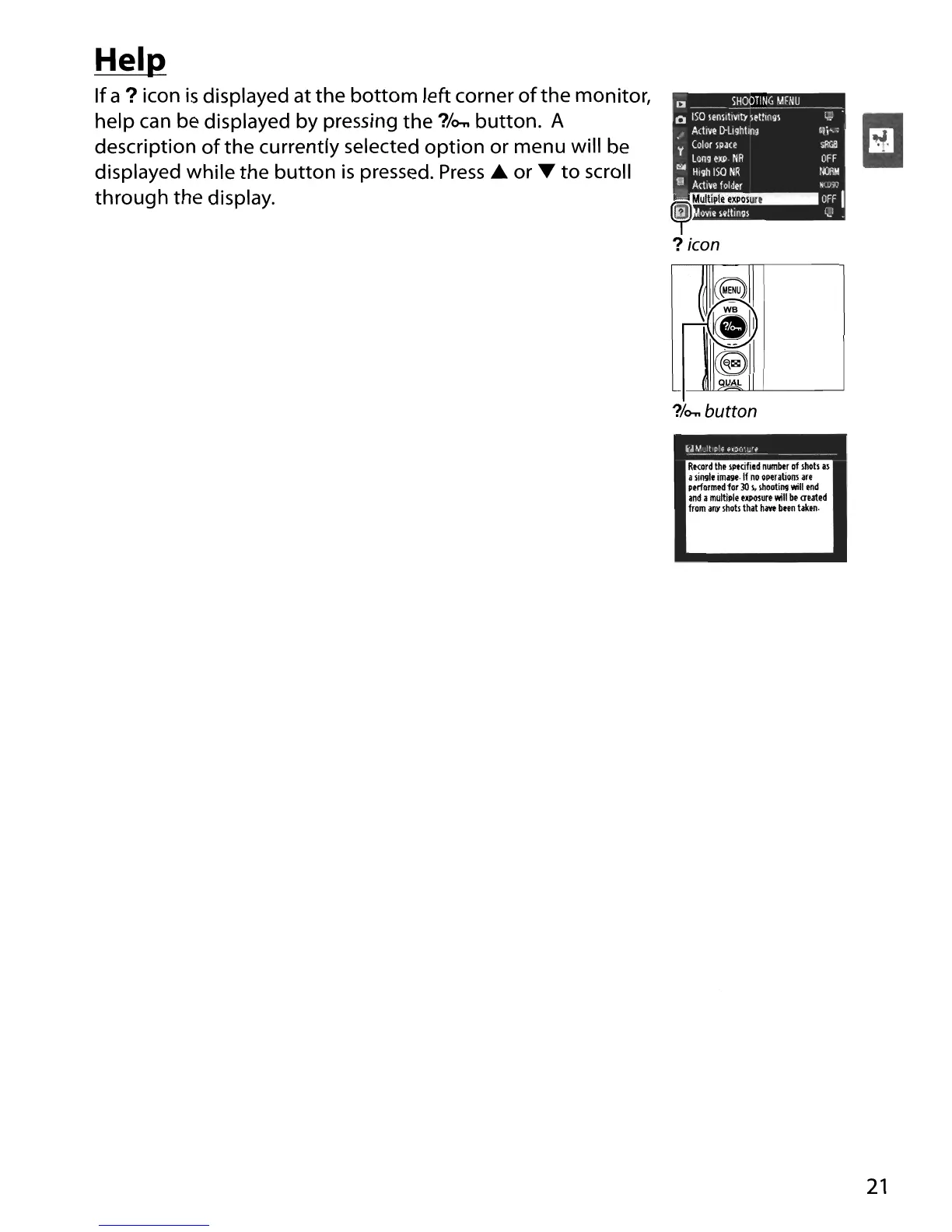
Hel~
If
a?
icon
is
displayed at
the
bottom left corner
of
the monitor,
help can be displayed by pressing
the
?/o-..
button. A
description
of
the
currently selected option or menu will be
displayed while the button
is
pressed.
Press.
or
....
to
scroll
through the display.
[J
SHOO!I~--,G_M_E_NU
,
o
ISO
IfnllllVl!Y
IftlinQl
t,; .
ActIve
D-LIQhlInQ
,Ii""
~
Color
lP~(e
slIf.ll
Lang
exp
NR
OFF
~
HIgh
ISO
NR
1m
S~~Amctiiiv~e
rifO~ld~f~r
rm;
••••
~~J
I
@
OVle
lettingl
1;:.1
.
(
~
~
r--
1(111
1
~
CS
~
?/o-..
button
U~I_lplt~'~~0"_"
_
ReOlrd
the
IPtcifi.d
numbtr
of
lOOts
.1
alill9le
image·
If
no
oPtr.tiolll.re
performed
for
30
\,
u.ootill9
will
end
and
a
multiple
elCPOlure
will
bt
<ruted
from
any
Ihob
that
haw
btln
taken.
21

Table of Contents

Other manuals for Nikon D90

Related product manuals