High-Definition Devices
The camera can be connected
to
HOMI devices using a type C mini-pin HOMI cable
(available separately from
third-party
suppliers).
1 Turn the camera off.
Always
turn
the
camera
off
before connecting or disconnecting an HOMI cable.
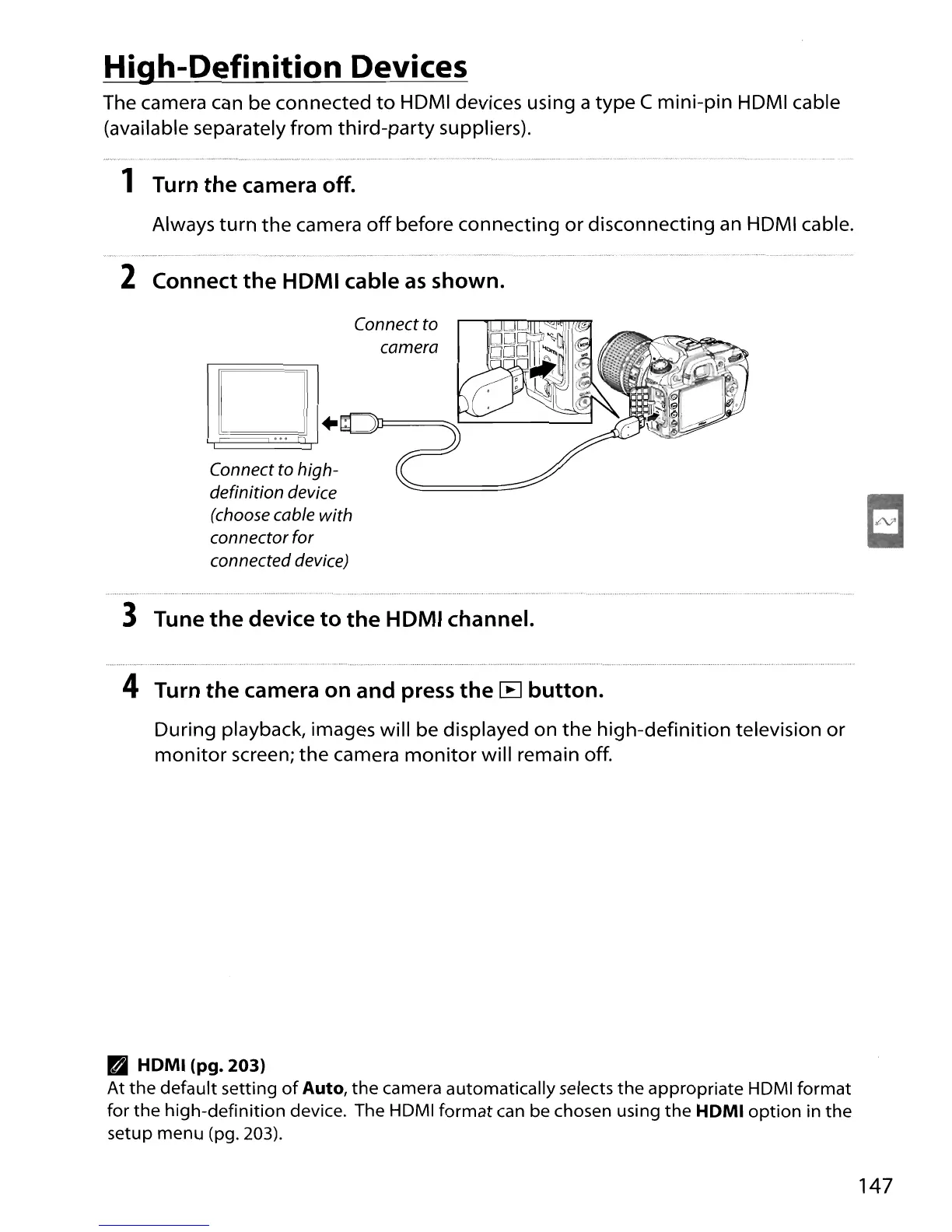
2 Connect the HOMI cable
as
shown.
Connect to
camera
D .
...
7'1
Connect to high-
definition device
(choose cable with
connector for
connected device)
3 Tune
the
device to the HOMI channel.
4 Turn the camera on and press the
[B
button.
During playback, images will be displayed on
the
high-definition television or
monitor
screen;
the
camera
monitor
will remain
off
.
• HOMI (pg. 203)
At
the default setting
of
Auto,
the
camera automatically selects
the
appropriate HDMI
format
for
the
high-definition device. The HDMI
format
can be chosen using
the
HOMI
option
in the
setup menu (pg. 203).
147





 To Next Page