EasyManua.ls Logo

Nikon D90 - Using the Built-In Flash

Nikon D90
359 pages
Print Icon
To Next Page IconTo Next Page
To Previous Page IconTo Previous Page
Loading...
Using
the
Built-in Flash
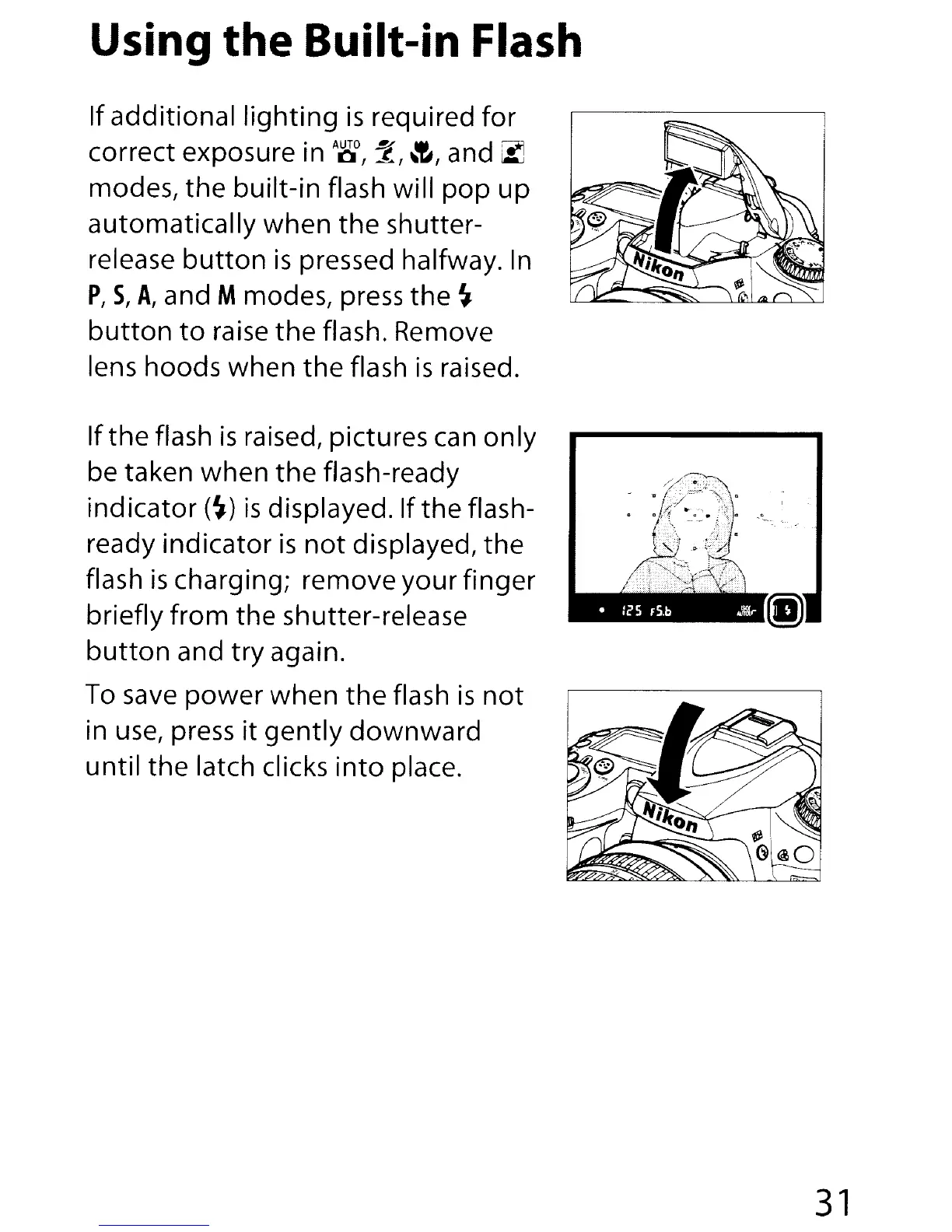
If additional
lighting
is
required for
correct exposure in
A~,
7',
~~,
and
~
modes,
the
built-in
flash will
pop
up
automatically
when
the
shutter-
release
button
is
pressed halfway.
In
P,
S,
A,
and Mmodes, press
the
~
button
to
raise
the
flash. Remove
lens hoods
when
the
flash
is
raised.
If
the
flash
is
raised, pictures can only
be taken
when
the
flash-ready
ind
i
ca
to
r
(~)
is
disPIayed. If
th
e flash-
ready indicator
is
not
displayed,
the
flash
is
charging; remove your finger
briefly
from
the
shutter-release
button
and
try
again.
To
save
power
when
the
flash
is
not
in
use,
press
it
gently
downward
until
the
latch clicks
into
place.
31

Table of Contents

Other manuals for Nikon D90

Related product manuals