EasyManua.ls Logo

Nikon D90 - Insert the Battery

Nikon D90
359 pages
Print Icon
To Next Page IconTo Next Page
To Previous Page IconTo Previous Page
Loading...
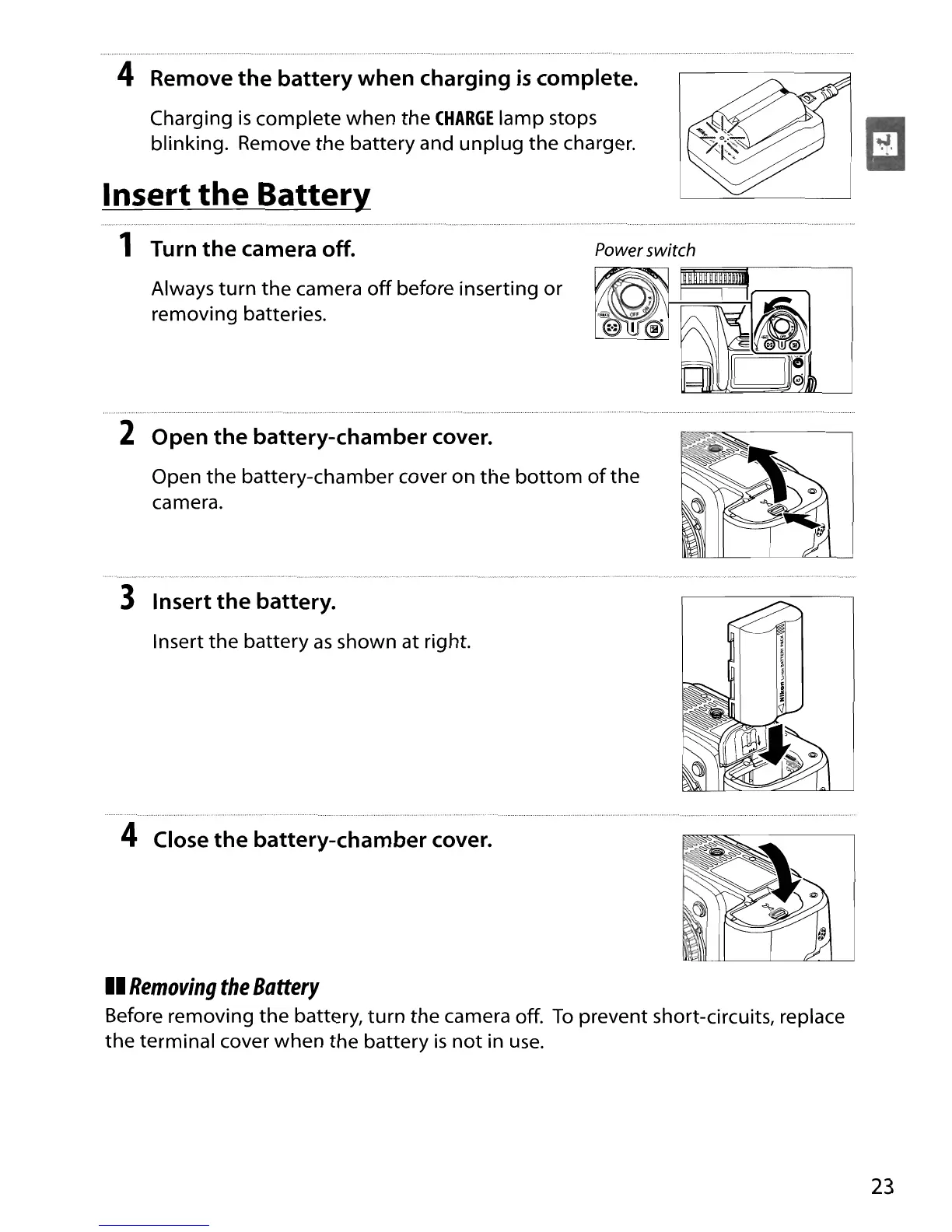
4 Remove the battery when charging
is
complete.
Charging
is
complete when
the
CHARGE
lamp stops
blinking. Remove
the
battery and
unplug
the
charger.
Insert
the
Batter}!
1 Turn the camera off.
Always
turn
the
camera
off
before inserting
or
removing batteries.
Power switch
2 Open
the
battery-chamber cover.
Open
the
battery-chamber cover on
the
bottom
of
the
camera.
3 Insert the battery.
Insert
the
battery
as
shown at right.
4 Close the battery-chamber cover.
II
Removing
the
Battery
Before removing
the
battery,
turn
the
camera off.
To
prevent short-circuits, replace
the
terminal cover when
the
battery
is
not
in
use.
23

Table of Contents

Other manuals for Nikon D90

Related product manuals