D-Lighting
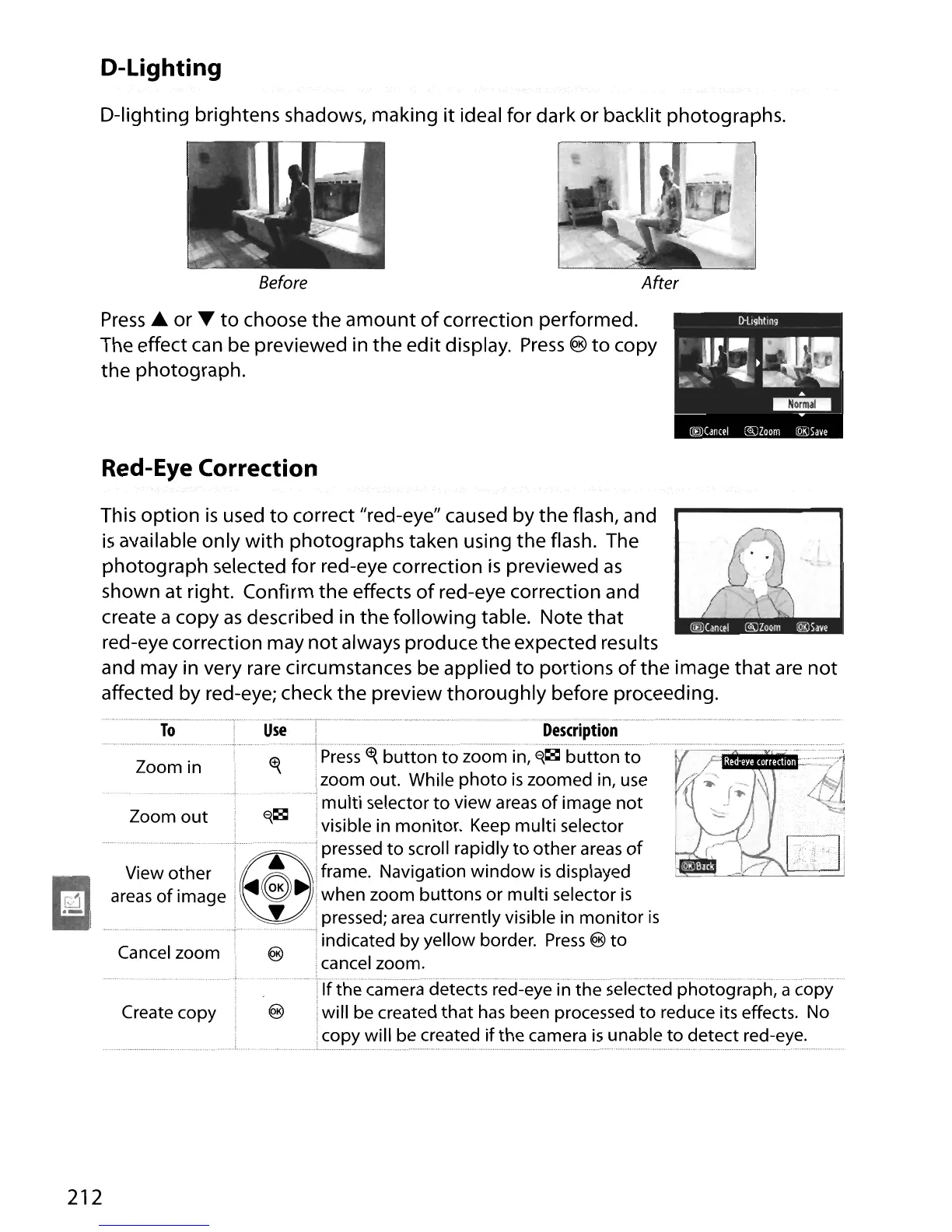
D-lighting brightens shadows, making
it
ideal for dark or backlit photographs.
Before
After
Press
..
or T
to
choose
the
amount
of
correction performed.
The effect can be previewed in the edit display.
Press
®
to
copy
the photograph.
Red-Eye Correction
I .
This option
is
used
to
correct "red-eye" caused by the flash, and
is
available only
with
photographs taken using the flash. The
photograph selected for red-eye correction
is
previewed
as
shown at right. Confirm the effects
of
red-eye correction and
create a copy
as
described in the following table. Note
that
red-eye correction may
not
always produce the expected results
and may in very rare circumstances be applied
to
portions
of
the image that are
not
affected by red-eye; check the preview thoroughly before proceeding.
Zoom in
Zoom
out
View other
areas
of
image
Cancel zoom
Description
Press
tt{
button
to~oomin,~~b~ttonto
zoom out. While
photo
is
zoomed in,
use
multi selector
to
view
areas
of
image
not
E{~
visible in monitor.
Keep
multi selector
pressed
to
scroll rapidly
to
other
areas
of
~
•
frame. Navigation
window
is
displayed
<11II6.
when zoom buttons
or
multi selector
is
• pressed;
area
currently visible in
monitor
is
indicated by yellow border.
Press
®
to
cancel zoom.
.c~
[TIJi
Create copy
ca
merared:eyeinihesefectedph
otograph
,a
co
py
will be created
that
has
been processed
to
reduce its effects. No
copy will be created
if
the camera
is
unable
to
detect red-eye.
212





 To Next Page