[B
The Playback Menu:
Managing Images
The playback menu contains
the
options listed below.
To
display
the
playback menu,
press
MENU
and press
.....
to
highlight
the
tab
for current menu, then
press'"
or T
to
highlight
the
playback menu tab; for more information,
see
page
19
.
Option
See
page
163
..........
_--_
....
;•.....
141
143
...............
!
157
....
. '
...............................•.....•......................................................••.
,...............•....................
Option
Rotate tall
Pictmotion
Slide show
. "
_"~~,,
..
, ·.._
..
·~_A
' .
Print set (DPOF)
.......
_---
- " .
i
Seepage
Delete 162
Playback
folder
162
.........
- - " j .
Hide image 162
'Displaymod'e
'-163
,~·~·
·""'''',,
....
,
....
•
...
<·
..
··_·
__
''
__
..
__
N_
,
Image review 163
Selecting Multiple Pictures
To
select multiple pictures for Delete (pg. 162), Hide image (pg. 162), Pictmotion
(pg. 163), and direct printing (pg. 150):
II
Thumbnail
Selection
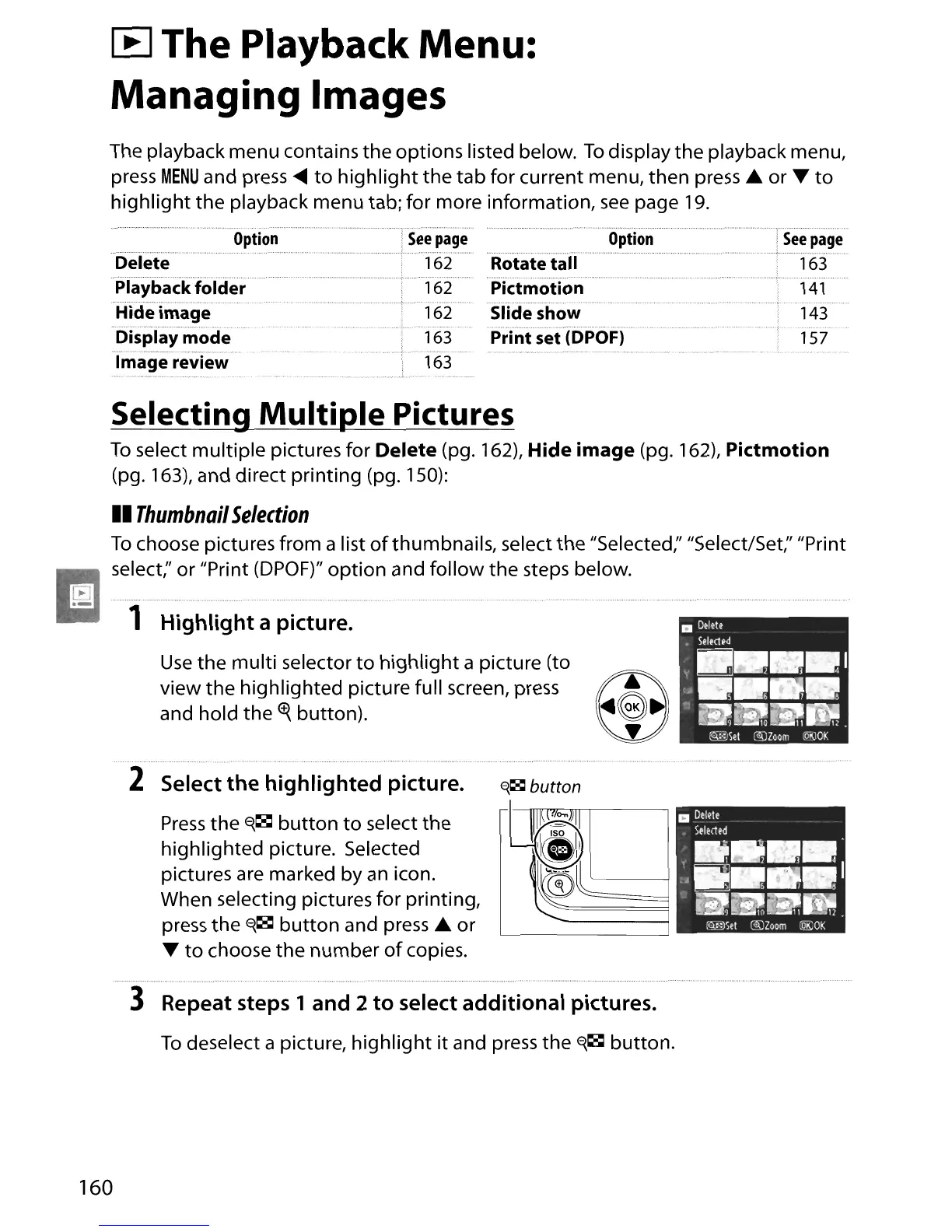
To
choose pictures from a list
of
thumbnails, select
the
"Selected;' "Select/Set;' "Print
I
~
;
sel
ect;'
o.~
'I.~.~.i.~t
(.~.~.~.F.)"
~.~~i.~.~
~.~
..
~
~~I.I.~~
~.~.~
s~.~
..
~.~
~.e
..
1
..
ow .
.- 1 Highlight a picture.
Use
the multi selector
to
highlight
a picture (to
view the highlighted picture full screen, press
and hold
the
<t{
button).
2 Select the highlighted picture.
~~
button
Press
the
E{~
button
to
select
the
highlighted picture. Selected
pictures
are
marked by
an
icon.
When selecting pictures for printing,
press
the
E{~
button
and
press'"
or
T
to
choose the number
of
copies.
3 Repeat steps 1 and 2
to
select additional pictures.
To
deselect a picture,
highlight
it and press
the
E{~
button.
160





 To Next Page