........................
..
.................... .
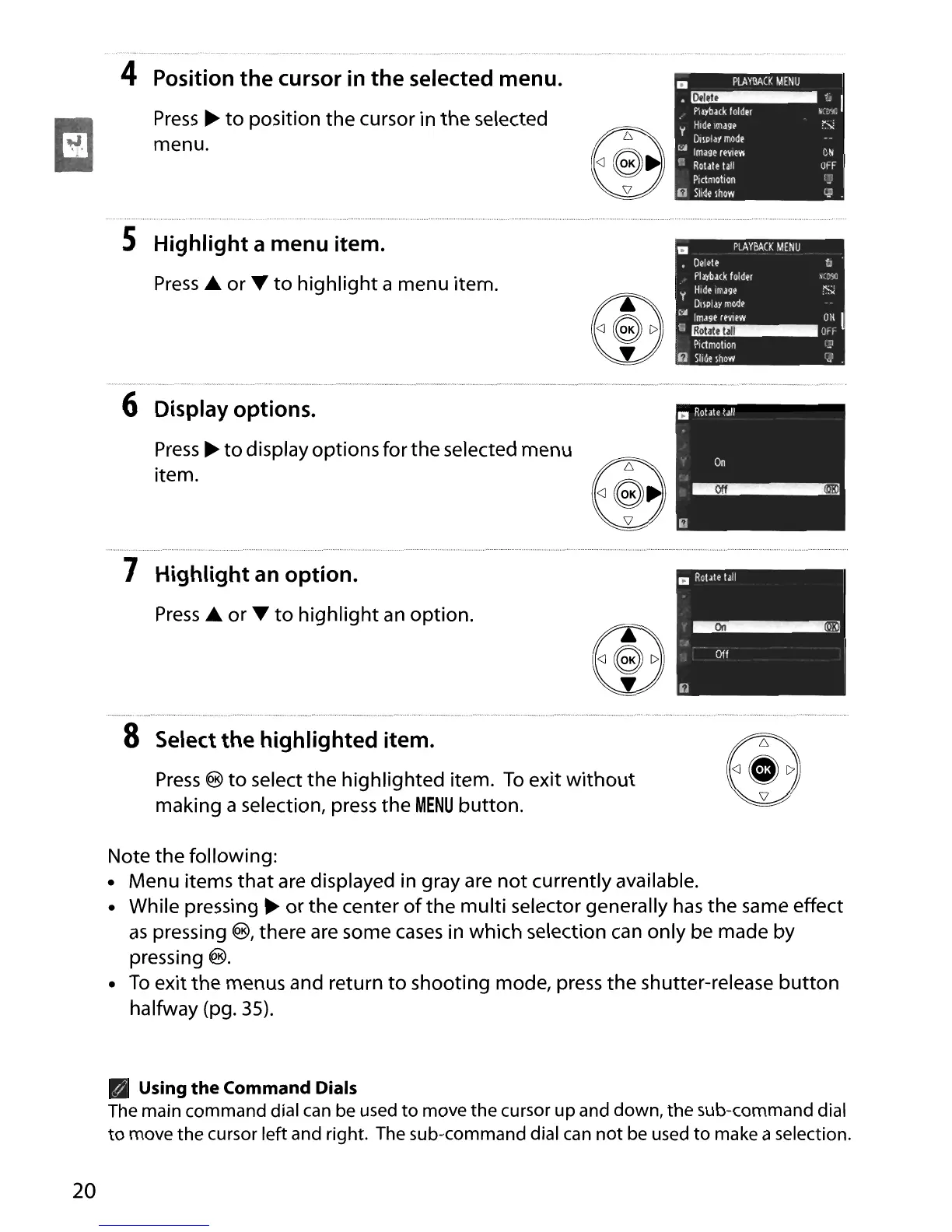
4 Position the cursor in the selected menu.
Press
~
to
position the cursor in
the
selected
menu.
•
a
PlAYBACK
MENU
'~'-'I
.
Playback
folder
':C'£
y
Hide
Image
S
!>lIPlay
mode
[:;j
Image
reView
0N
r:
Rotate
ta!i
OFF
Plctmotion
:J
()
Slide
Ihol'/
CJ
.
S Highlight a menu item.
Press
..
or ...
to
highlight
a menu item.
6 Display options.
Press
~
to
display options for the selected menu
item.
7 Highlight
an
option.
Press
..
or ...
to
highlight
an
option.
8 Select
the
highlighted item.
Press
@
to
select
the
highlighted item.
To
exit
without
making a selection, press the
MENU
button.
20
Note
the
following:
• Menu items
that
are displayed in gray are
not
currently available.
• While pressing
~
or
the
center
of
the
multi
selector generally
has
the same effect
as
pressing ®, there
are
some
cases
in which selection can only be made by
pressing
®.
•
To
exit the menus and return
to
shooting mode, press
the
shutter-release
button
halfway (pg.
35).
Using
the
Command Dials
The main command dial can be used
to
move
the
cursor
up
and down, the sub-command dial
to
move the cursor left and right. The sub-command dial can
not
be used
to
make a selection.





 To Next Page