FS.b
@
3
Press
®.
Press
®
to
save
settings and return
to
the shooting menu.
If
white
balance
has
been fine-tuned on the
A-B
axis,
a
~~
icon
will be displayed in the control panel.
~
:cS
6~
q[777~jAF.A
ISO-AUTO
1>
NOR'(~'~~A)_[_S
_3
_11-J
II
The
WB
Button
At settings other than
13
(Choose color
temp.)
and
PRE
(Preset
manual),
the
WB
button
can
be used
to
fine-tune
white
balance on
the
amber (A)-blue
(B)
axis
(pg.
97;
to
fine-tune
white
balance when
13
or
PRE
is
selected,
use
the shooting menu
as
described on page
97).
Six
settings in
both
directions are available; each increment
is
equivalent
to
about 5 mired
(see
below).
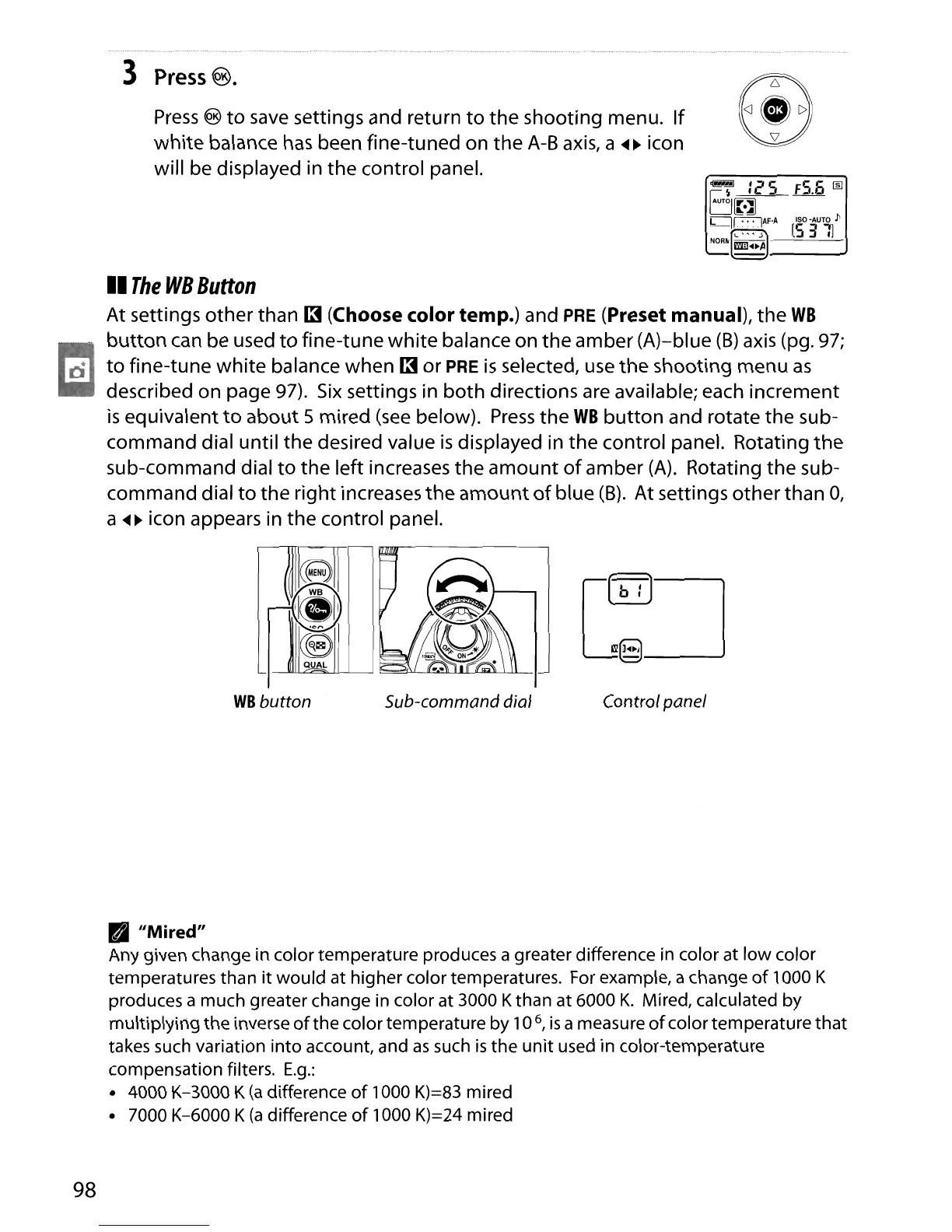
Press
the
WB
button
and rotate the sub-
command dial until the desired value
is
displayed in the control panel. Rotating
the
sub-command dial
to
the left increases
the
amount
of
amber
(A).
Rotating the sub-
command dial
to
the right increases the
amount
of
blue
(B).
At settings other than
0,
a
~~
icon appears in the control panel.
WB
button Sub-commanddial Controlpanel
98
• "Mired"
Any given change in
color
temperature
produces a greater difference in
color
at
low
color
temperatures
than
it
would
at
higher
color
temperatures. For example, a change
of
1000 K
produces a
much
greater change in
color
at 3000 K
than
at
6000
K.
Mired, calculated
by
multiplying
the
inverse
of
the
color
temperature
by
10
6
,
is
a measure
of
color
temperature
that
takes such variation
into
account, and
as
such
is
the
unit
used in
color-temperature
compensation
filters.
E.g.:
• 4000 K-3000 K
(a
difference
of
1000 K)=83 mired
• 7000 K-6000 K
(a
difference
of
1000 K)=24 mired





 To Next Page