4 Measure white balance.
Before the indicators stop flashing, frame
the
reference object
so
that
it
fills the viewfinder and press the shutter-release
button
all
the
way
down. The camera will measure a value for
white
balance and store
it
in preset
d-O.
No photograph will be recorded;
white
balance can be measured
accurately even when the camera
is
not
in focus.
=
no
['d
=
S Check
the
results.
If
the
camera
was
able
to
measure a value for
white
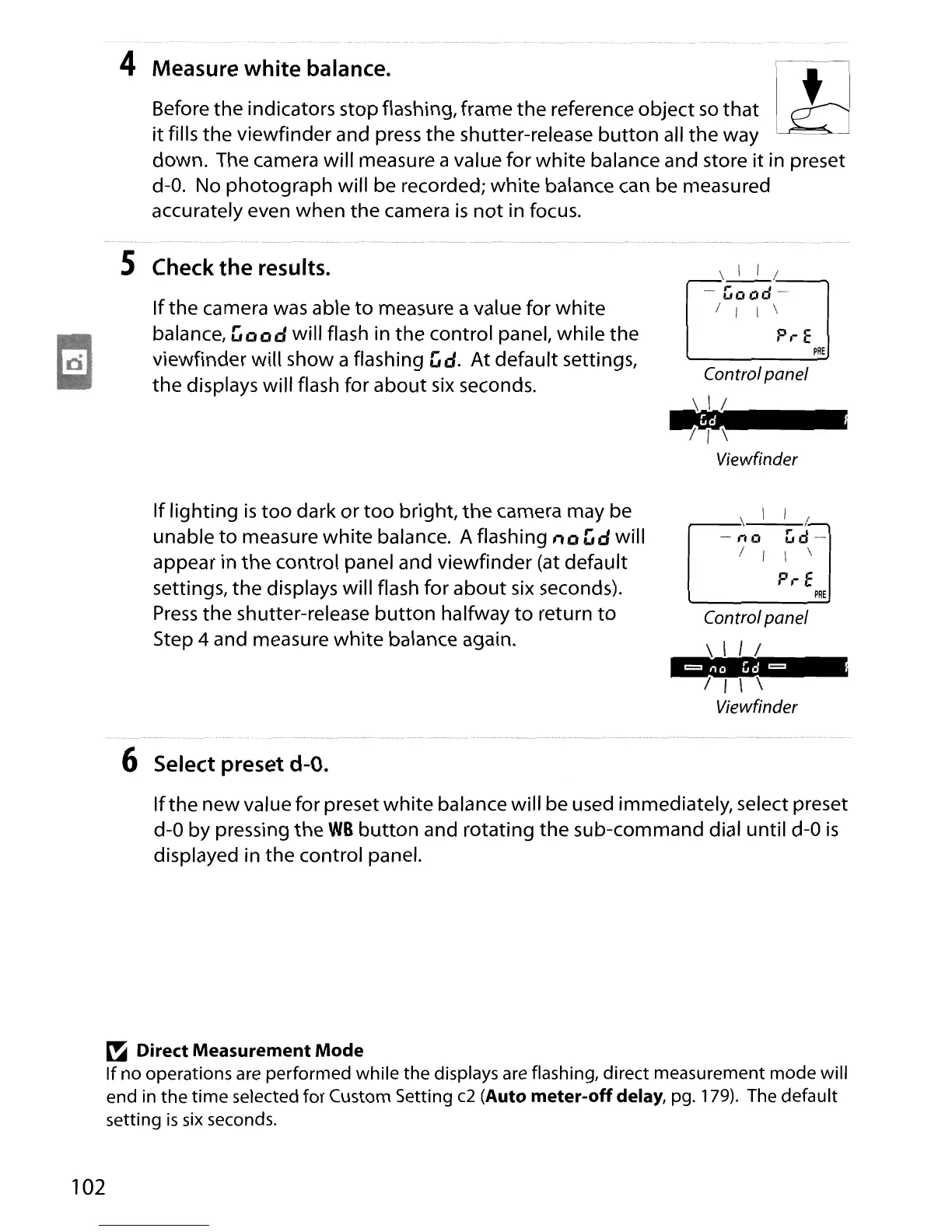
balance, Good will flash in the control panel, while the
viewfinder will show a flashing Gd. At default settings,
the
displays will flash for
about
six
seconds.
If lighting
is
too
dark
or
too
bright,
the
camera may be
unable
to
measure
white
balance. A flashing no
Gd
will
appear in
the
control panel and viewfinder (at default
settings, the displays will flash for
about
six
seconds).
Press
the
shutter-release
button
halfway
to
return
to
Step 4 and measure
white
balance again.
\_1_1
1_---,
......
Good
.....
/ i I \
P,-
E
PRE
,-_~_\_I_/.
-'iO
Gd--
! I \ \
P,.E
PRE
Controlpanel
\.
I I /
7 I \ \
Viewfinder
102
6 Select preset
d-O.
If
the new value for preset
white
balance will be used immediately, select preset
d-O
by pressing the
WB
button
and rotating the sub-command dial until
d-O
is
displayed in the control panel.
~
Direct Measurement Mode
If
no operations
are
performed while the displays are flashing, direct measurement mode will
end in the
time
selected for Custom Setting
c2
(Auto meter-off delay, pg. 179). The default
setting
is
six
seconds.





 To Next Page