5
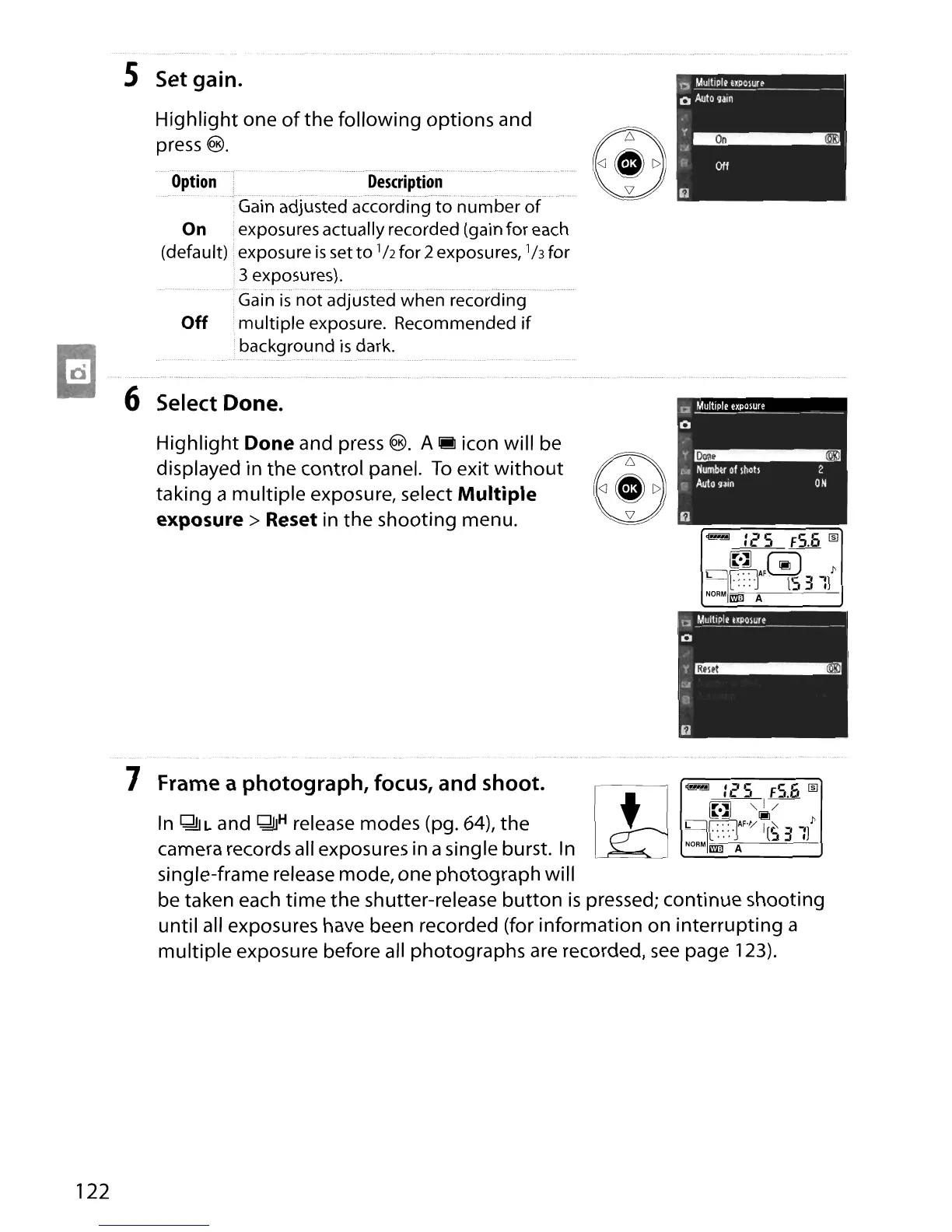
Set gain.
Highlight one
of
the following options and
®
press
@.
Option
Description
.Gain adjusted according
to
number
of
On
exposures actually recorded (gain for each
(default)
exposureissetto
lhfor2exposures,
'hfor
3 exposures).
Gain
is
not
adjusted when recording
Off multiple exposure. Recommended
if
E1
background
is
dark.
6 Select Done.
Highlight Done and press
®.
A
1M
icon will be
®
displayed in the control panel.
To
exit
without
taking a multiple exposure, select Multiple
exposure> Reset in the shooting menu.
l!l
~
:25
F5.6
lID
~
,,1-/-
~.~
~
~
[777lAF'V
I
~
_
l'
-C:::'J
[53
IJ
NORM
1m] A
In
QljL and QjH release modes (pg.
64),
the
camera records all exposures in asingle burst.
In
single-frame release mode, one photograph will
be taken each
time
the shutter-release
button
is
pressed; continue shooting
until all exposures have been recorded (for information on interrupting a
multiple exposure before all photographs are recorded,
see
page 123).
7 Frame a photograph, focus, and shoot.
122





 To Next Page