EasyManua.ls Logo

Nikon D90 - Page 162

Nikon D90
359 pages
Print Icon
To Next Page IconTo Next Page
To Previous Page IconTo Previous Page
Loading...
II
Viewing
the
Pictmotion
Show
To
view
the
show,
highlight
Start
in
the
Pictmotion menu and
press
®.
The following operations can be performed while the
show
is
in progress:
...........................................
To
Use
Pause
slide show
€i
.
.
"Raisevolume"
~
.
Lower volume
~~
.
Exit
to
playback
MENU
menu
Exit
to
playback
mode
Description
..............................................................
Pause
show
(see
below).
.....................................................
Press
~
and
E'{~
to
raise and lowervolume.
See
page 159 for more information.
End
show and return
to
playback mode.
Pictmol<on
.~
S!ltct
pictUf!1
~.i;
Y
6Jek9lound
mUlie
....
0
Effectl
Do
:.",
PJuse-
(QI{)
Exit
to
shooting
'-E
Press
shutter-release
button
halfway
to
mode
;return
to
shooting mode.
L__
_ _
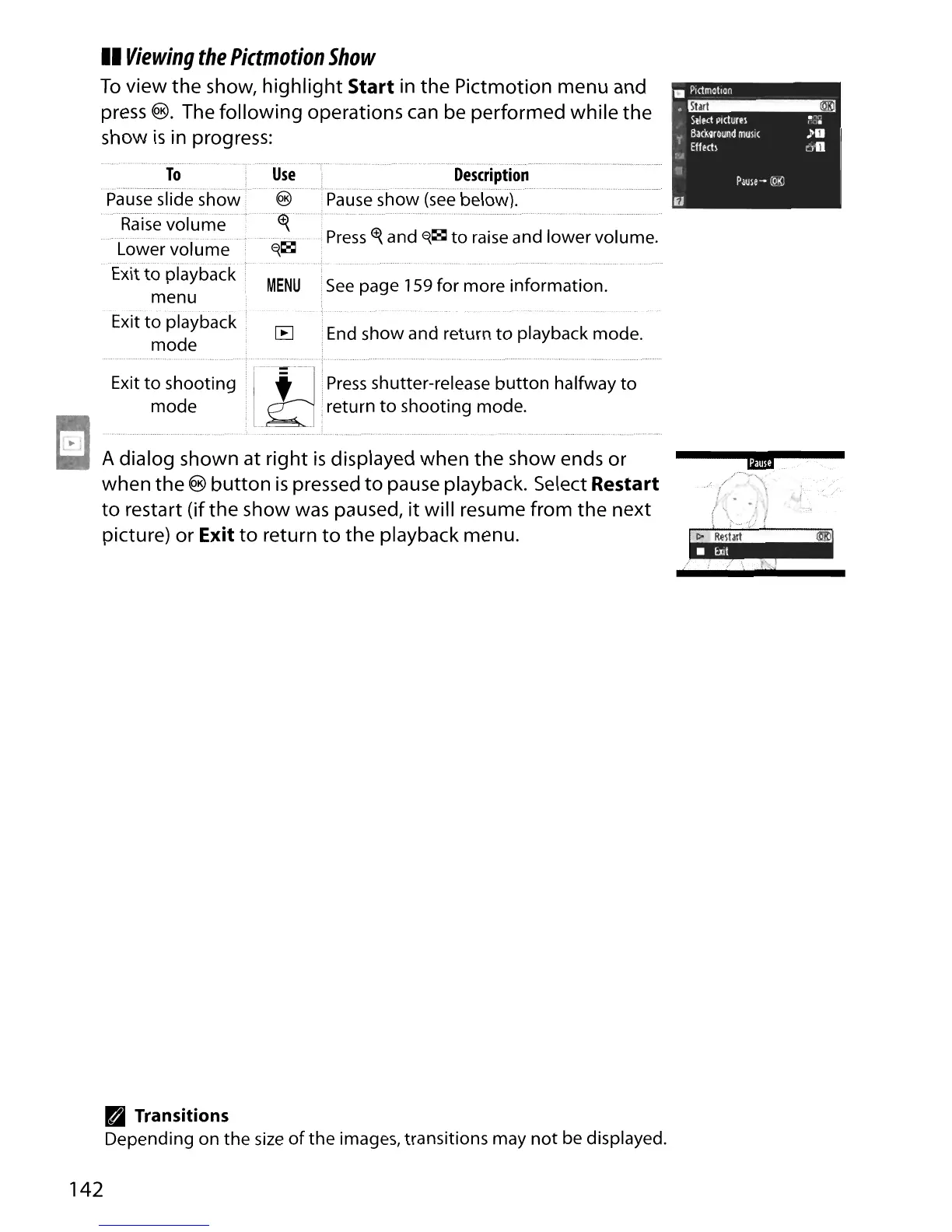
A dialog shown at right
is
displayed when
the
show ends or
when
the
®
button
is
pressed
to
pause playback. Select
Restart
to
restart (if
the
show was paused,
it
will resume from
the
next
picture) or
Exit
to
return
to
the playback menu.
B Transitions
Depending on the
size
of
the
images, transitions may
not
be displayed.
--~.---
/"'._-
. /
f
)...
..
.:
J
l >
..
</!
(~--tm=l
142

Table of Contents

Other manuals for Nikon D90

Related product manuals