~
Recent
Settings/~
My
Menu
The camera offers a choice
of
two
custom menus: arecent settings
menu
consisting
of
the
twenty
most recently used settings, added
to
the
top
of
the menu in the order
they are used, and
My
Menu, acustomized list
of
options from the playback, shooting,
Custom Settings, setup, and retouch menus.
To
display the custom menu, press
MENU
and press
....
to
highlight
the tab for current menu, then press
..
or
~
to
highlight
the
custom menu tab; for more information,
see
page
19.
II
Choose
Tab:
Choosing
a
Custom
Menu
Both
the
recent settings menu and My Menu contain a Choose
tab
option for
choosing the menu displayed.
To
switch back and forth between the recent settings
menu and My Menu, follow the steps below.
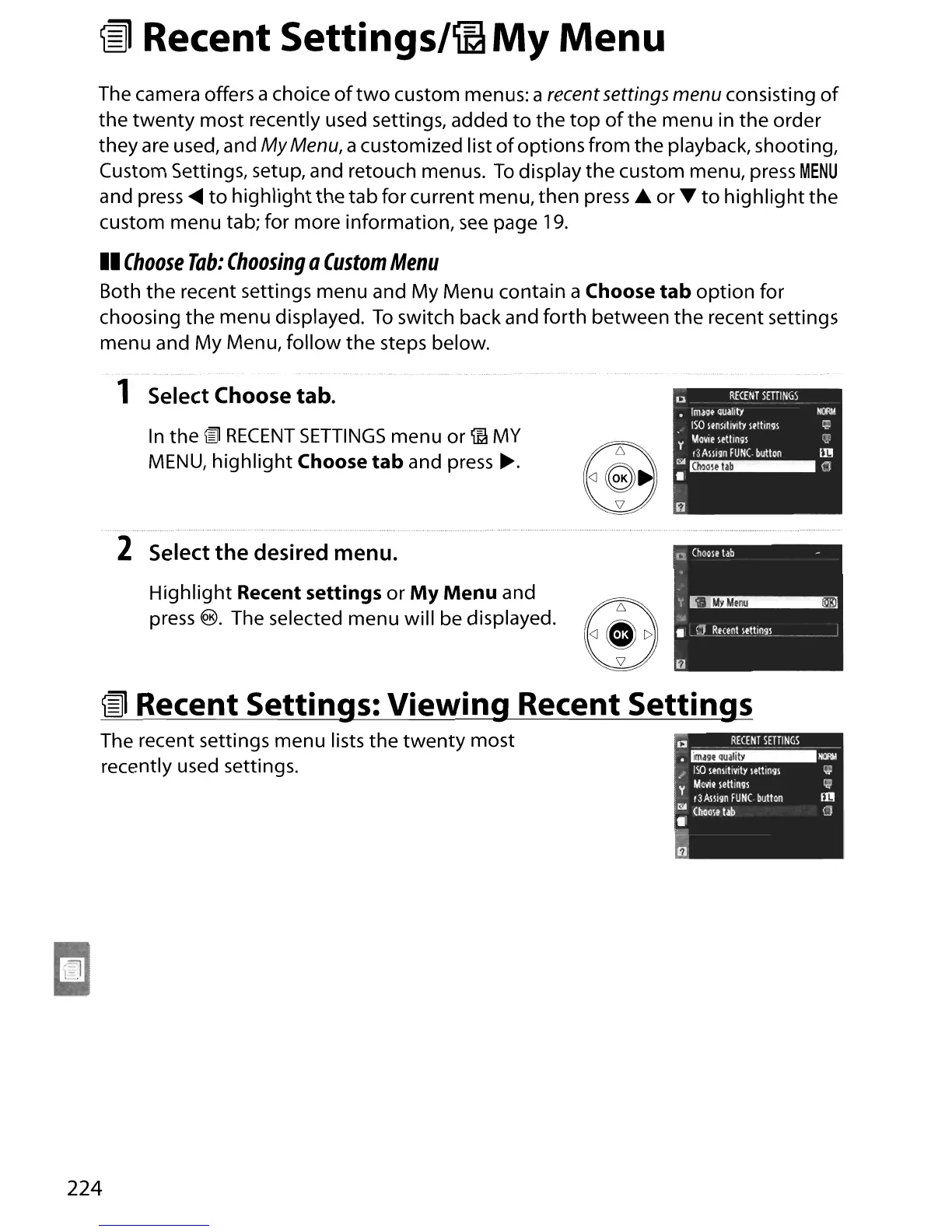
1 Select Choose tab.
In
the
lID
RECENT
SETTINGS
menu or
~
MY
MENU,
highlight
Choose
tab
and press
~.
2 Select
the
desired menu.
Highlight Recent settings
or
My
Menu
and
press
@. The selected menu will be displayed.
~
Recent Settings: Viewing Recent
Settingj
The recent settings menu lists the
twenty
most
recently used settings.
224





 To Next Page