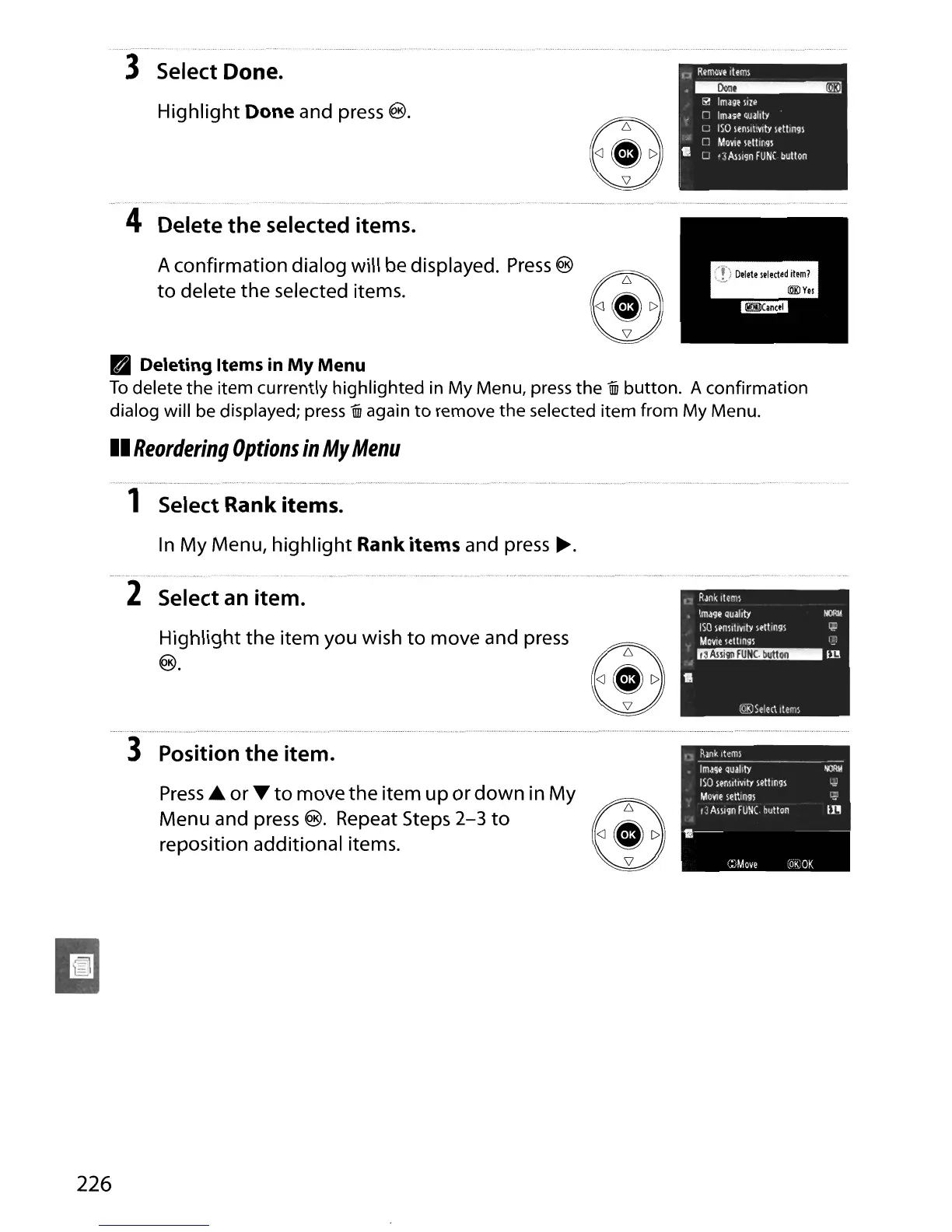
3 Select Done.
Highlight Done and
press
®.
4 Delete
the
selected items.
A confirmation dialog will be displayed.
Press
®
to
delete the selected items.
I.]
R~mov.,teml
.~
Ii!
Image
II/e
n
Image
Quality
C
ISO
sensitivity
letlin9S
[]
/l.O\'1e
lettln91
• U
'3
All19n
fUNe
button
PI
Deleting Items
in
My
Menu
To
delete the item currently highlighted in My Menu, press the j button. A confirmation
dialog will be displayed;
press
j again
to
remove the selected item from My Menu.
II
Reordering
Options
in
My
Menu
1 Select Rank items.
In
My Menu,
highlight
Rank items and
press
~.
"
__
~_
u~"
~.
__
.
__
•.•
~_,
~'''h".,~
.·c_
2 Select an item.
Highlight the item you wish
to
move and
press
®.
3 Position
the
item.
Press.
or
....
to
move the item
up
or
down
in My
Menu and press
®. Repeat Steps
2-3
to
reposition additional items.
226





 To Next Page