EasyManua.ls Logo

Nikon D90 - Page 309

Nikon D90
359 pages
Print Icon
To Next Page IconTo Next Page
To Previous Page IconTo Previous Page
Loading...
.'
1m
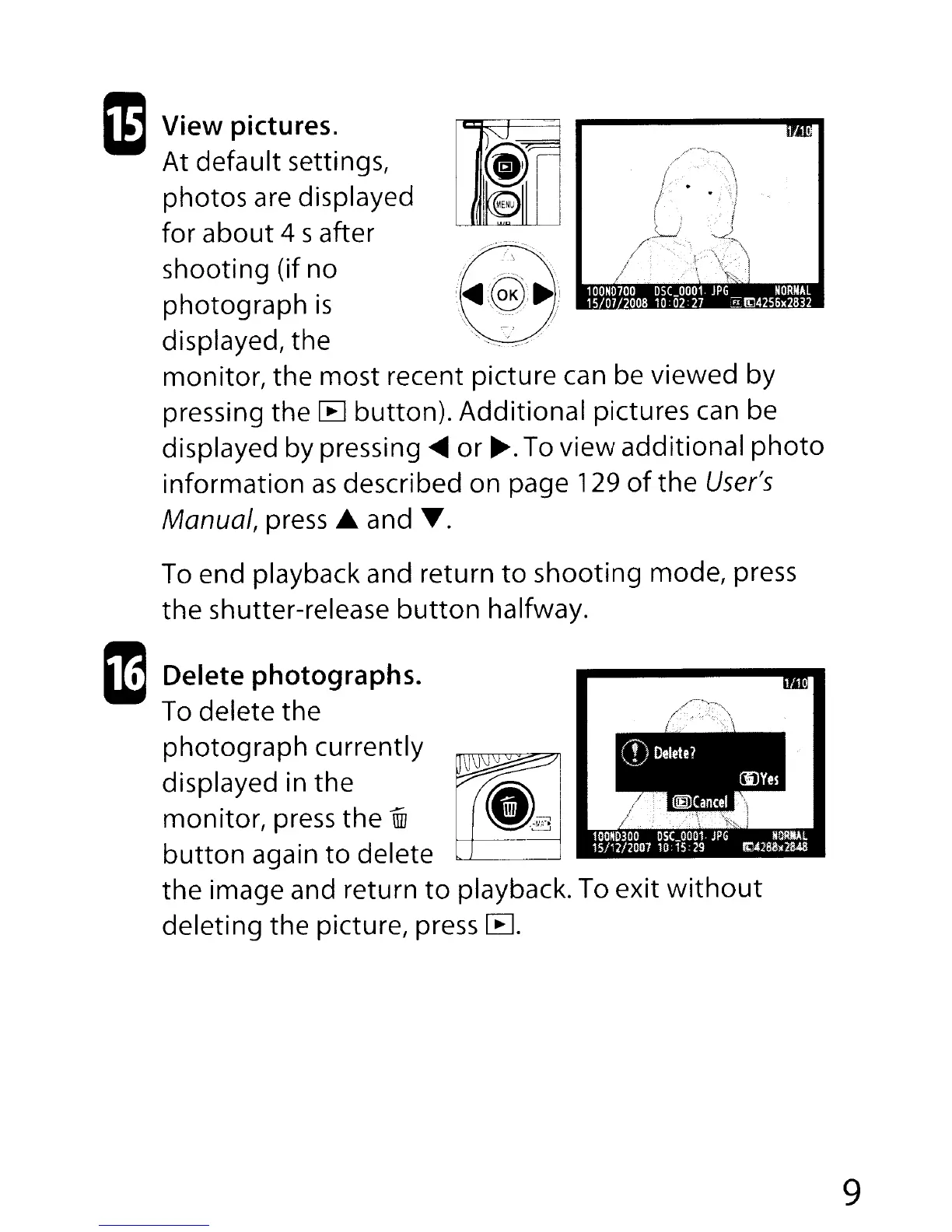
View pictures.
At
default settings,
photos
are displayed
for
about
4 safter
shooting (if no
photograph
is
displayed, the
monitor,
the
most
recent picture can be viewed by
pressing the
[B
button).
Additional
pictures can be
displayed by pressing
~
or
~.
To
view
additional
photo
information
as
described on page 129
of
the
User's
Manual,
press"
and
T.
To end playback and return
to
shooting
mode, press
the
shutter-release
button
halfway.
1m
Delete photographs.
To delete
the
photograph
currently
displayed in the
monitor,
press
the
illI
button
again
to
delete
the
image and return
to
playback. To
exit
without
deleting
the picture, press
CEI.
9

Table of Contents

Other manuals for Nikon D90

Related product manuals