II
Viewing
Movies
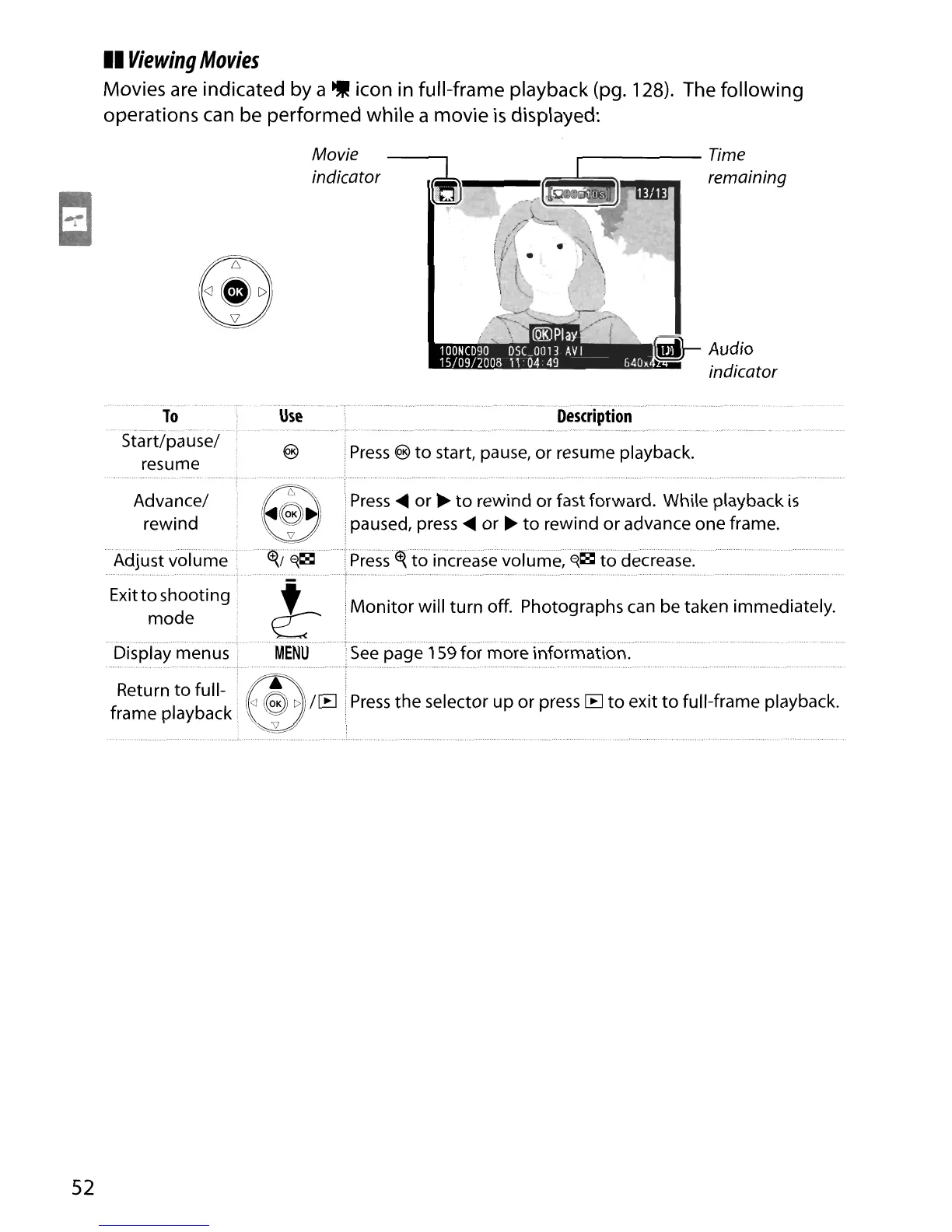
Movies are indicated by a
..
icon in full-frame playback (pg. 128). The following
operations can be performed while a movie
is
displayed:
----Time
remaining
Movie
indicator
ltiJ----
-"""';;:'--:-':::;;;:;:::'t;'
To
..
,
..
",,,,,,,':
Start/pause/
resume
Use
Description
Press
@
to
start, pause, or resume playback.
Press
the selector up or press
CE]
to
exit
to
full-frame playback.
See
page 159
moreinformaiion:
Monitor will turn off. Photographs
can
be taken immediately.
Press
....
or
~
to
rewind or fast forward. While playback
is
paused,
press
....
or
~
to
rewind
or
advance one frame.
to
increase
vofume;E{~t:oaecrease:"
Advance/
rewind
Display
menus'
,
,:
..
,,,
, "
..
",
,
"",
, ,
..
,
""
..
,
..
, " , ,
..
" '
..
',
..
, , ,
..
,
..
,
..
,
,,'
, , ,
..
",
, "
..
,
..
Return
to
full-
~~
/CE]
frame playback
'\
I
"",,:5?
Exitto shooting
mode
52





 To Next Page