Chapter 13 Changing Settings
162
Changing
Settings
13.2.1
Configuring Menu Display
— [MENU SETTING] Area —
Configure the following settings in the [MENU SETTING] area of the [SETUP MENU: MAIN] screen.
Item Choice Initial Setting See
(1) Calling custom settings on startup [OFF], [CUSTOM1] to [CUSTOM7] [OFF] p.162
(2) Changing preset of scene mode [IND], [BIO], [OTHERS] [BIO] p.163
(3) Configuring the menu location [LEFT], [RIGHT] [LEFT] p.163
(4) Switching the language [ENG], [日本語] [ENG] p.164
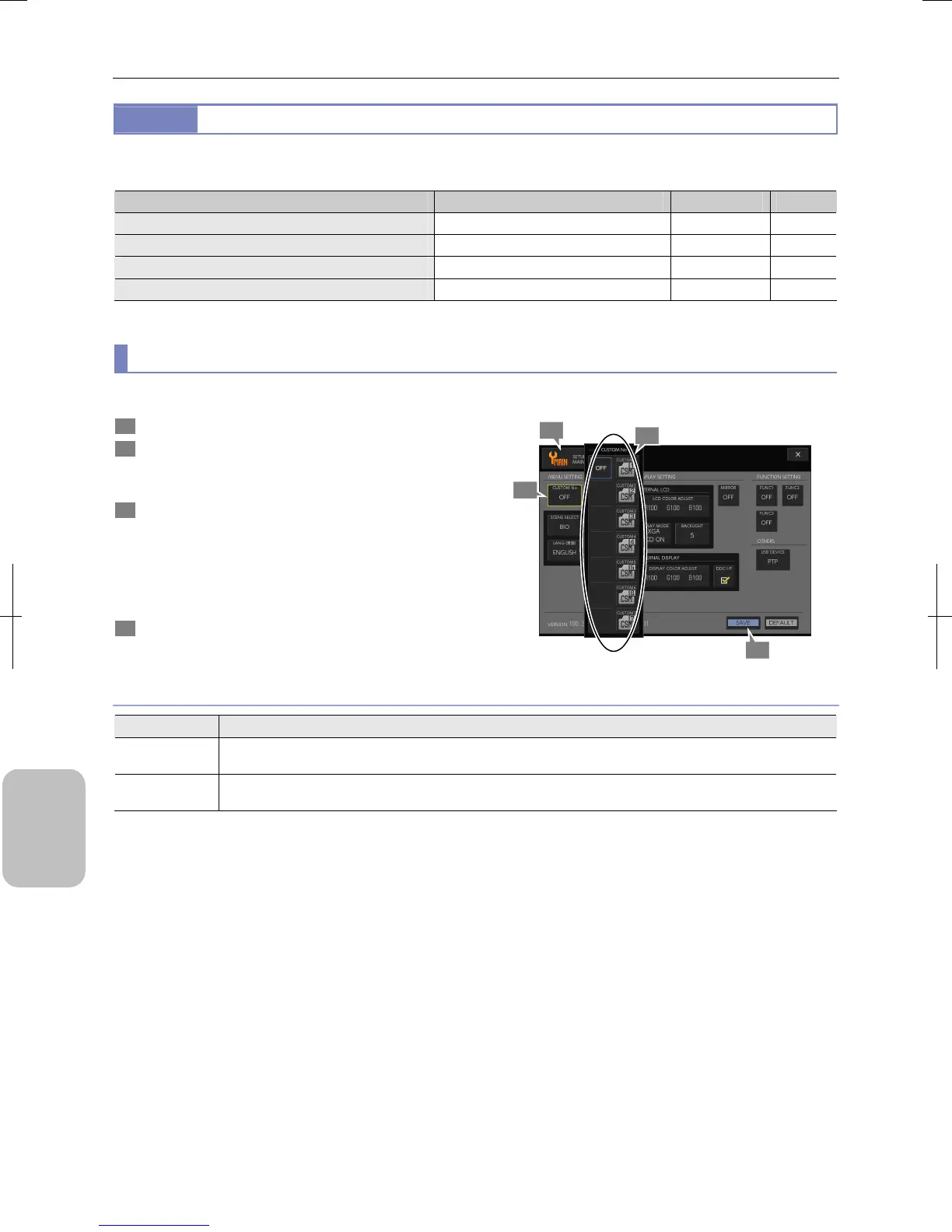
(1) Calling custom settings on startup
Desired custom settings can be automatically called when the DS-L3 is turned on.
1 Display the [SETUP MENU: MAIN] screen.
2 Press the [CUSTOM No.] button on the [MENU
SETTING] area.
The [CUSTOM No.] submenu appears.
3 Select the custom settings tto be called on startup.
• [CUSTOM1] to [CUSTOM7]
• [OFF] (initial setting)
When a custom number is selected, the submenu closes
and the selected content is displayed in the [CUSTOM No.]
button.
4 Press the [SAVE] button.
Custom Settings for Setup
Choice for Custom Settings
Choice Setting
OFF
No custom setting is used during startup. The capture conditions at the last power-off are applied. (Initial
setting)
CUSTOM1 to
CUSTOM7
When the DS-L3 is turned on, the selected custom settings are called and are set for the [SCENE/CUSTOM]
button in the [CAMERA MENU] screen.
4
3
1
2











 To Next Page