Chapter 3 Installation and Connection
18
Please Read
First t
3.2.6
Connecting to Network (LAN)
The following two ways of connecting to the network are supported:
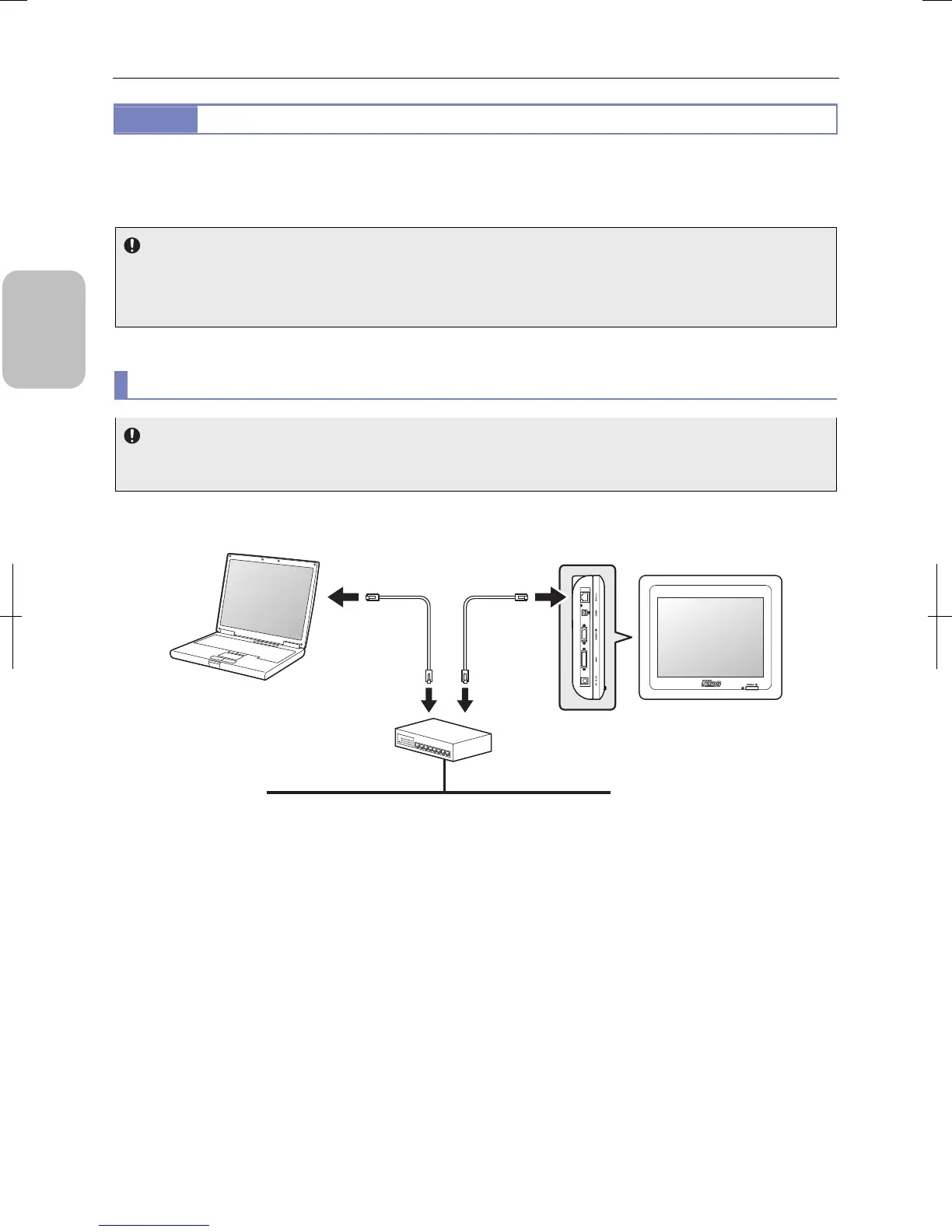
(1) Connecting to LAN through a network hub
(2) Connecting to the PC directly without using LAN
Network cable
• Use 10/100 Base-TX cable (category 5 or 5e) for network connection.
• Use a shield type network cable to satisfy the EMC standards.
• Use a straight cable when connecting to LAN. Use a crossover cable when connecting to PC.
(1) Connecting to LAN through a network hub
Before connecting to the network
When you connect DS-L3 to a network, you need to do the network setting properly according to the network
configuration. Consult the network administrator of your organization for details.
Connect DS-L3 to your network (LAN) through a network hub. Refer to the figure below for connecting network cables.
Connecting to LAN through a network hub
Network hub
Network (LAN)
PC
Network cable
(category 5 or 5e,
straight cable)
DS-L3
Left side
Connected to
Ethernet
connector
Connected to
10/100M
connector
(LAN
connector)











 To Next Page