Chapter 13 Changing Settings
158
Changing
Settings
13
Changing Settings
— SETUP MENU —
This chapter describes the initial settings of the DS-L3.
13.1
Operating Setup Menu
Displaying the Setup menu
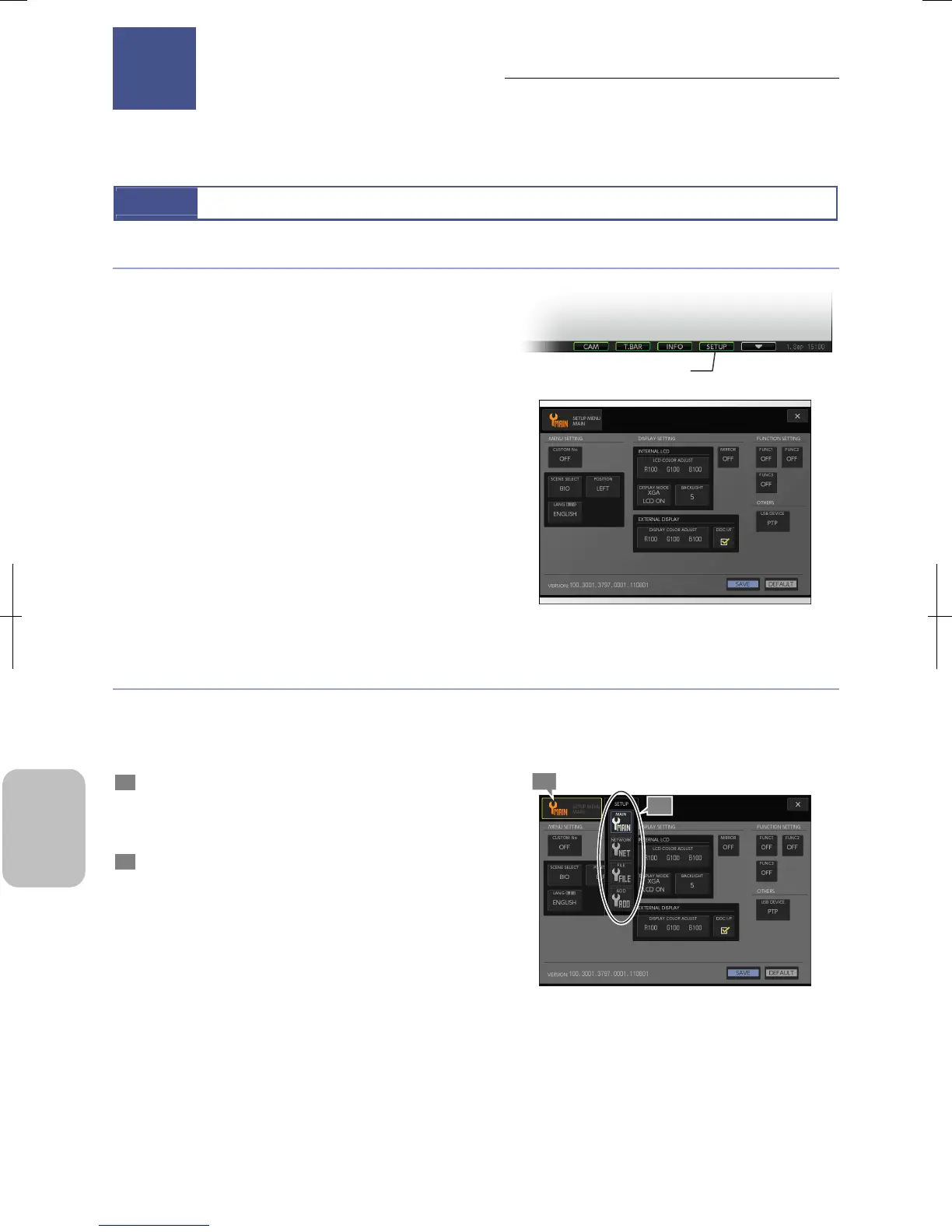
Press the [SETUP] button on the task bar to display [SETUP
MENU].
When you display the [SETUP MENU] screen, the status bar
and other operating menus will automatically disappear.
Displaying Setup Menu
Switching the [SETUP MENU] screens
There is the [MENU SELECT] button on the top left corner of the [SETUP MENU] screen.
If you press this button, [SETUP] submenu is displayed. You can switch the [SETUP MENU] screen to any of the following
screens.
1 Press the [MENU SELECT] button of the [SETUP
MENU].
The [MENU] submenu opens and four buttons are
displayed: [MAIN], [NETWORK], [FILE] and [ADD].
2 Press a desired button.
The setup menu display changes.
Note: For display information of each screen, see the next
page.
Switching Setup Menu Screen
Changing Settings
13
1
[SETUP] button
2
Chapter











 To Next Page