Chapter 5 Working with Touch Panel
34
Please
Read First
5.2.3
Switching the Menu
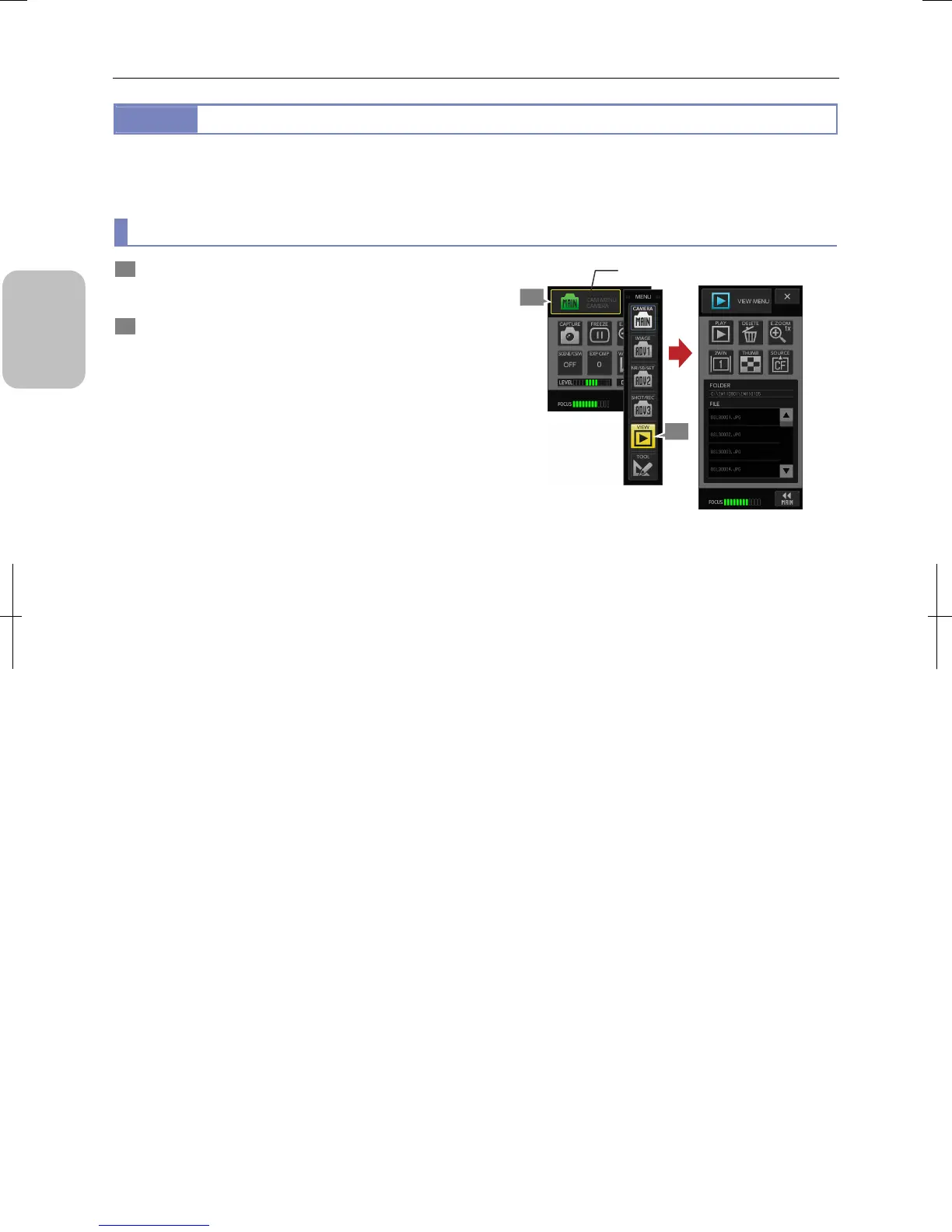
[MENU SELECT] is displayed in the title area of [CAMERA MENU], [TOOL SET MENU], [INFO MENU], and [SETUP MENU].
Pressing this button switches between screens of different menus and windows.
(1) Switching operation menus
1 Press the [MENU SELECT] button on a menu screen.
The [MENU] submenu is opened.
2 Press a desired button.
The menu switches to the desired menu.
Switching operation menus
([CAMERA MENU] → [VIEW MENU])
2
1
[MENU SELECT] button











 To Next Page