Chapter 16 Connecting to Network
221
Connecting to
PC, Printer, and
Network
(2) Operating [ROOM1]
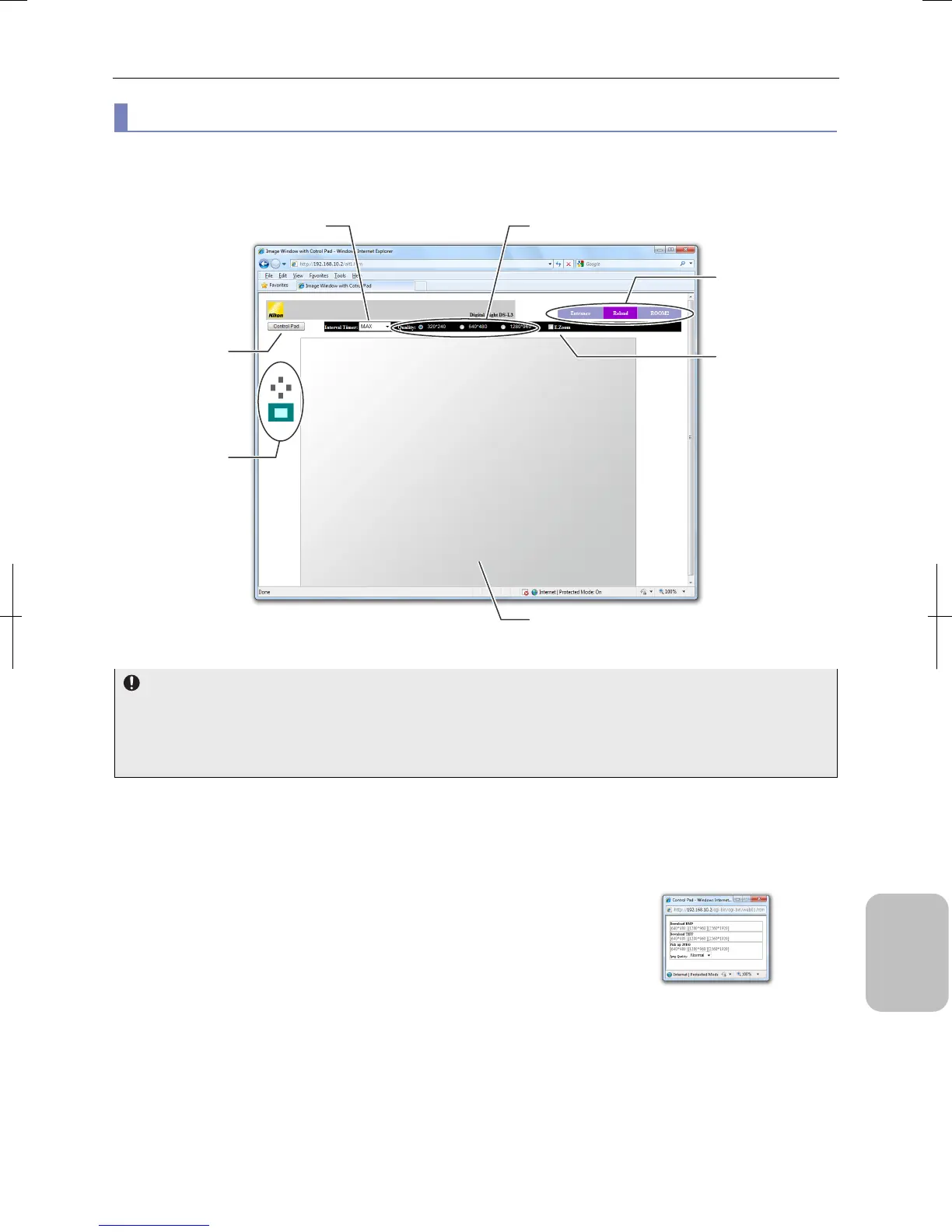
On the [ROOM1] screen, preview of the live image of this system is displayed. You can capture the image when you want.
When the [ROOM1] screen is opened, a live image preview of this system is displayed in specified size. You can
automatically update the preview image by specifying interval.
[ROOM1] Screen
In case live image is not displayed
• Use of Java applets must be enabled in order to use the [ROOM1] screen. See “16.3.1 Configuring PC and Web
Browser”.
• If the live image preview is not displayed in [ROOM1], check if the personal firewall of your virus protection software is
blocking communication with the system.
• Screen switch buttons (Tabs)
- [Entrance] button: Return to the [Entrance] screen.
- [Reload] button: Update the [ROOM1] screen.
- [ROOM2] button: Display the [ROOM2] screen.
• [Control Pad] button
Display the [Control Pad] window.
You can save the latest live image to a file in BMP, TIFF, or JPEG format on
this window through operations for changing image capture conditions and
image adjustment.
Click the top right [X] button to close the [Control Pad] window. If you move to
another window (Entrance or ROOM2), the sub window will automatically
close.
[Control Pad] Window
Direction buttons
image map
[Control Pad] button
[Interval Timer] menu
[Quality] button
Live image (preview)
Screen switch buttons
(tabs)
[E. Zoom] checkbox











 To Next Page