Chapter 13 Changing Settings
186
Changing
Settings
13.4.2
Configuring File Naming Convention
— [FILE NAME] Area —
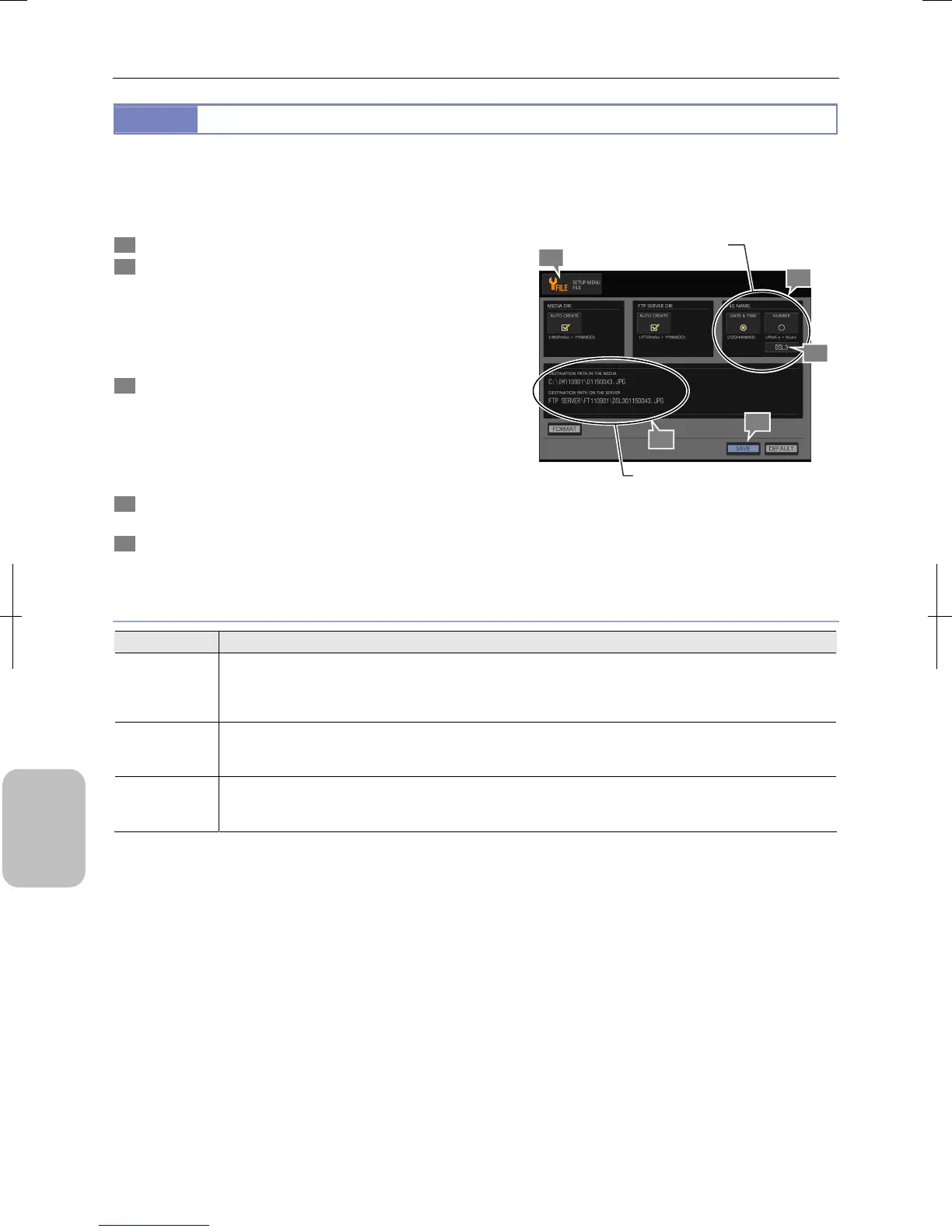
The [FILE NAME] area allows you to specify file name convention for an image file to be saved.
There are two types of setting: [DATE & TIME] setting based on capturing date and time and [NUMBER] setting based on a
serial number.
1 Display the [SETUP MENU: FILE] screen.
2 Select image file name convention from the radio
button on the [FILE NAME] area:
For details of the setting, see “File Naming Convention
Setting” below.
• [DATE & TIME] (Initial setting)
• [NUMBER]
3 To change the file name prefix, enter a desired prefix of
up to four characters in the prefix input field:
Press the input field. A keypad appears. Enter a desired
prefix. Press [ENTER] to commit the value.
Note: When set to [DATE & TIME], the prefix is not
attached to the file saved onto a recording medium.
4 Check the file name settings in the Path information
area.
5 Press the [SAVE] button.
The file naming convention setting is saved.
Configuring File Naming Convention
File Naming Convention Setting
Choice Setting
DATE & TIME
A file is named based on capturing date (DD) and time (HHMMSS). (Initial setting) When the file name is saved
in a medium, no prefix is added.
Example: “DDHHMMSS.extension” (saving in a medium)
“DSL3 + DDHHMMSS.extension” (saving in FTP server)
NUMBER
A file is named based on a 4-digit serial number. If the destination folder name or the file name is changed, the
number is reset to “0001”.
Example: “DSL3 + 4-digit serial number.extension”
Prefix
Set a prefix of up to four characters at the top of an image file name. (Initial setting: DSL3) When the input field
is specified, a keypad appears.
Note: When [DATE & TIME] is selected, no prefix is added to files saved in a recording medium.
1
Configure file naming
convention.
5
2
3
Check file name settings
4











 To Next Page