Chapter 13 Changing Settings
193
Changing
Settings
13.5.5
Configuring Other Settings
— [OTHERS] area —
The [OTHERS] area allows you to configure miscellaneous settings related to handling of this system.
Item Setting Initial setting See
(1) Setting the power-saving timer 00 (OFF) to 99 minutes 30 minutes p.193
(2) Setting the mouse pointer speed [FAST], [NORM], [SLOW] [NORM] p.193
(3) Setting the capture sound volume [OFF], [1] to [7] [3] p.194
(4) Displaying a test chart Test chart display: ON/OFF - p.194
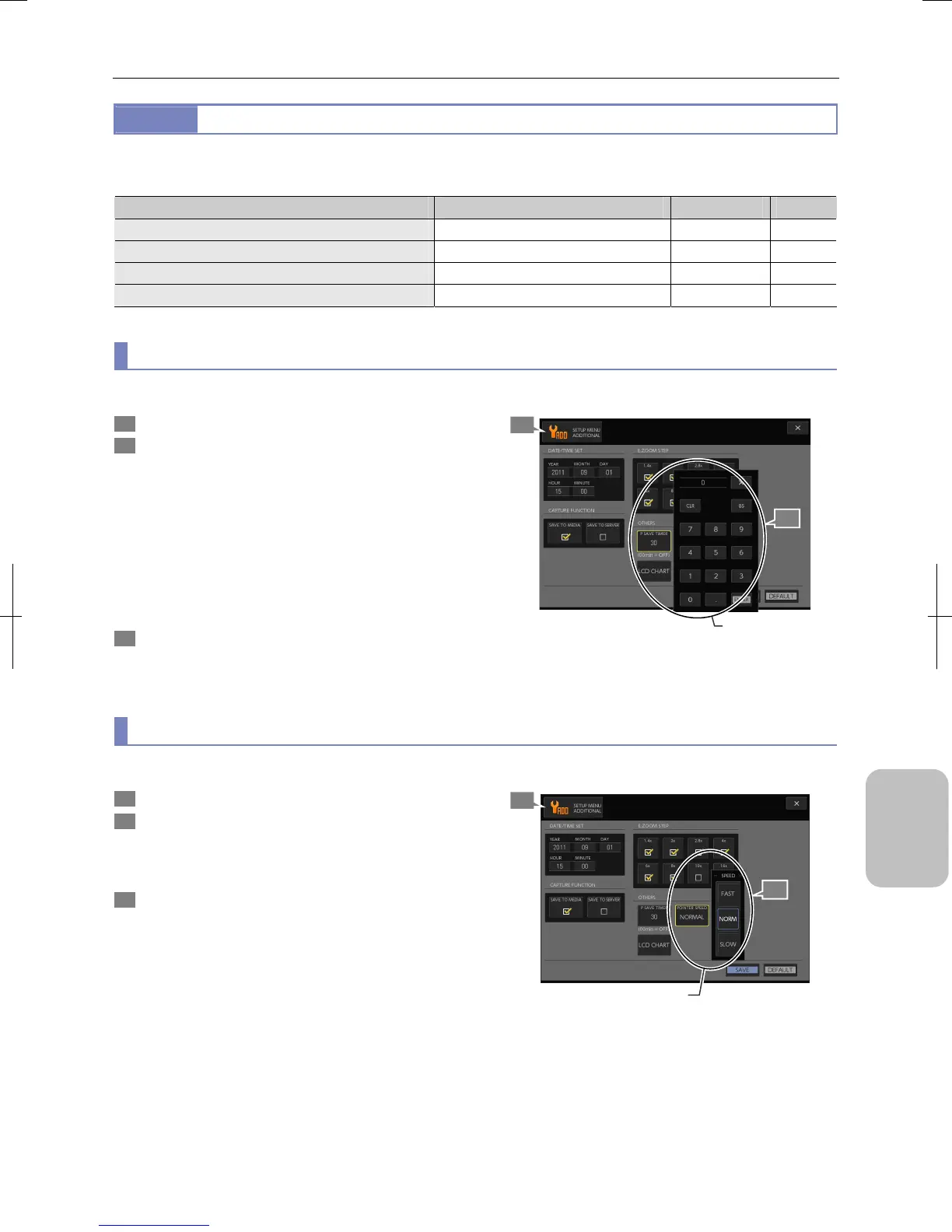
(1) Setting the power-saving timer
Specify time to wait until the DS-L3 enters the standby mode while it is not being operated.
1 Display the [SETUP MENU: ADDITIONAL] screen.
2 Press the [P SAVE TIMER] button in the [OTHERS] area
and specify time to wait until the DS-L3 enters the
standby mode.
When the [P SAVE TIMER] button is pressed, a keypad for
numerical input appears. Enter a correct value and press
the [ENTER] button to determine the setting.
• Setting range: 0 to 99 minutes (Initial setting: 30 minutes)
Setting zero (0) disables power saving feature. In this case
the system never enters standby mode however long the
system remains not operated.
3 Press the [SAVE] button.
The power-saving timer setting is saved.
Configuring the power saving timer
(2) Setting the mouse pointer speed
Specify the mouse pointer moving speed when a mouse is connected to the DS-L3.
1 Display the [SETUP MENU: ADDITIONAL] screen.
2 Press the [POINTER SPEED] button in the [OTHERS]
area and select the mouse pointer moving speed with
the buttons of the [POINTER SPEED] submenu.
• [FAST], [NORM], [SLOW] (Initial setting: NORM)
3 Press the [SAVE] button.
The mouse speed setting is saved.
Setting the Mouse Pointer Speed
1
2
Set the time to wait
before the system
enters standby mode.
1
2
Set the mouse pointe
moving speed.











 To Next Page