Chapter 13 Changing Settings
188
Changing
Settings
13.5
Changing Overall Settings
— [SETUP MENU: ADDITIONAL] Screen —
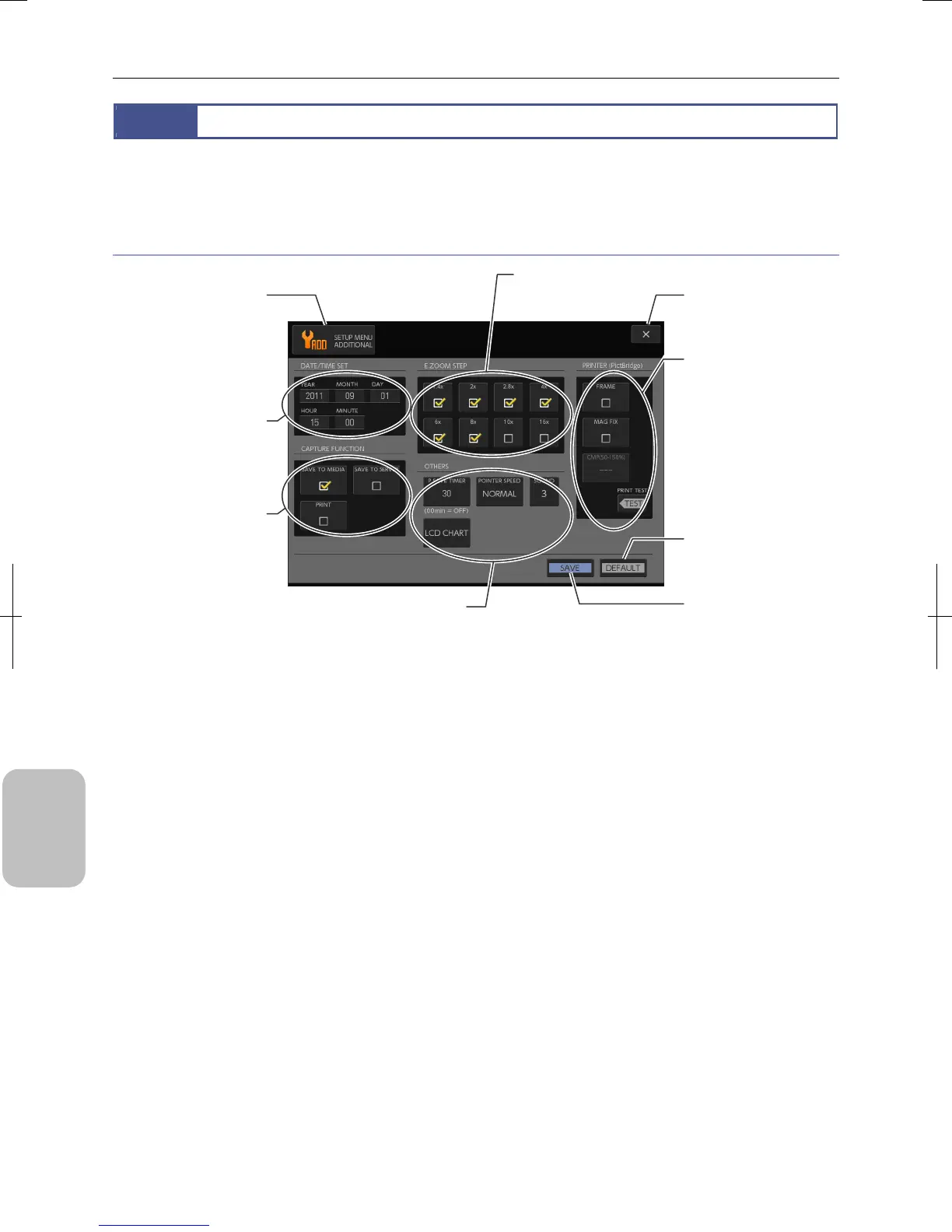
Select [ADD] using the [MENU SELECT] button in the [SETUP MENU] screen. The [SETUP MENU: ADDITIONAL] screen
appears. This screen allows you to configure various settings for handling this system.
Items on the [SETUP MENU: ADDITIONAL] screen
[SETUP MENU: ADDITIONAL] Screen Items
[X] (Close) button
Close Setup Menu screen.
[DATE/TIME SET] area
Sets the current date and
time.
[PRINTER (PictBridge)]
area
Configures settings for a
PictBridge-compatible printer
and performs test print.
Note:
This area is displayed when
[PRN] is selected from [USB
DEV] in the [SETUP MENU:
MAIN] screen.
[SAVE] button
Save settings of the screen
[MENU SELECT] button
Screen name is displayed.
Display a submenu fo
switching menus.
[DEFAULT] button
Restore settings of the
screen to initial values.
[OTHERS] area
Configures power saving timer,
mouse pointer speed and capture
sound, or display monito
adjustment chart.
[E ZOOM STEP] area
Sets electronic zoom
magnification.
[CAPTURE FUNCTION]
area
Configures output
destination for an image
captured.
Note:
Display items var
depending on the [USB
DEVICE] setting on the
[SETUP MENU: MAIN]
screen.











 To Next Page