Chapter 15 Performing Direct Printing
203
Connecting to
PC, Printer, and
Network
15.2.2
Printing a Saved Image
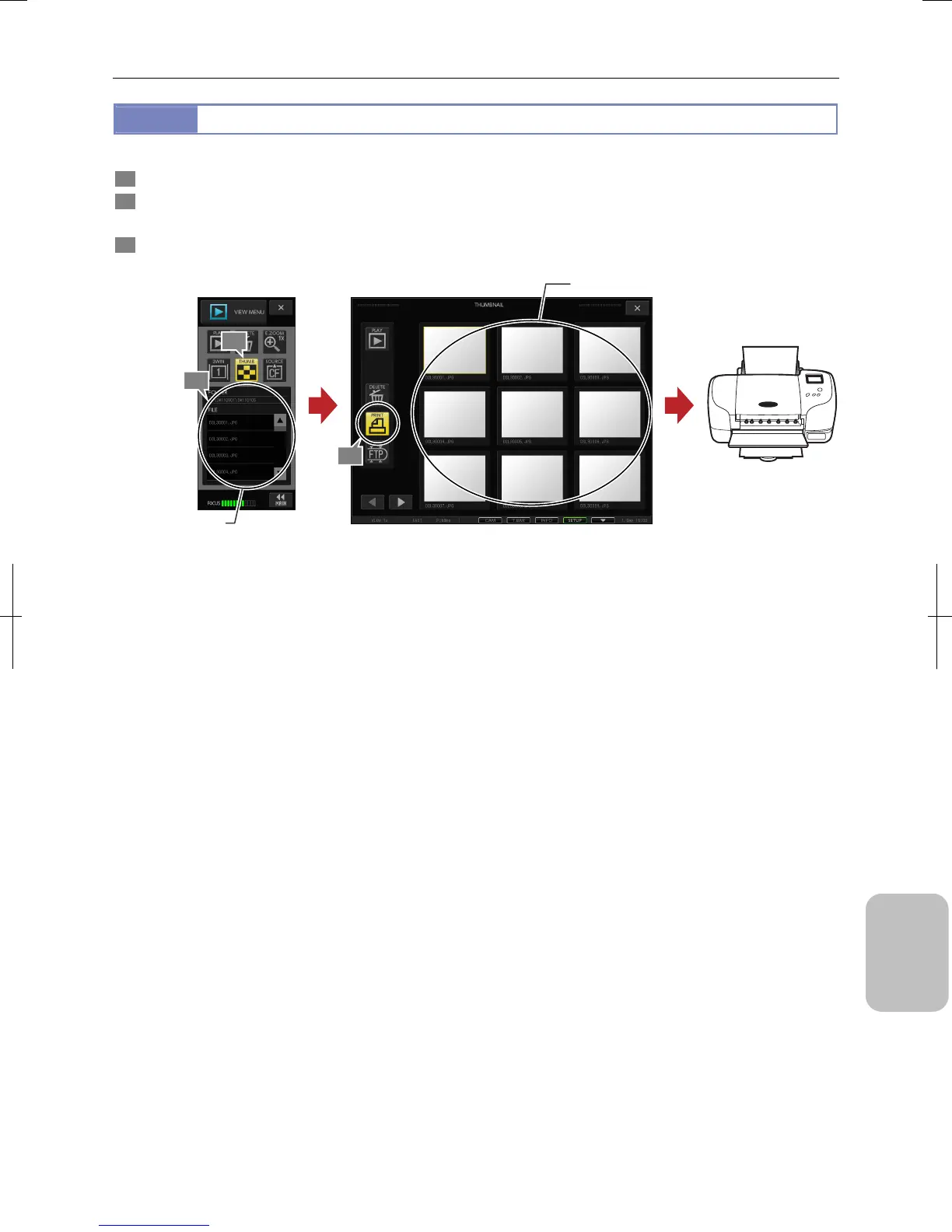
To print images saved in the recording medium, perform the following procedure from the thumbnail screen.
1 Press the [SOURCE] button in the [VIEW MENU] and select a desired folder by switching drives and folders.
2 Press the [THUMB] button in the [VIEW MENU].
The [THUMBNAIL] screen opens and all image files in the selected folder are displayed.
3 Select a desired image and press the [PRINT] button.
The selected image is sent to the printer.
Printing a Saved Image
1
3
Select an image.
Select a desired
folder.
Printer
2











 To Next Page