Chapter 13 Changing Settings
164
Changing
Settings
(4) Switching the language
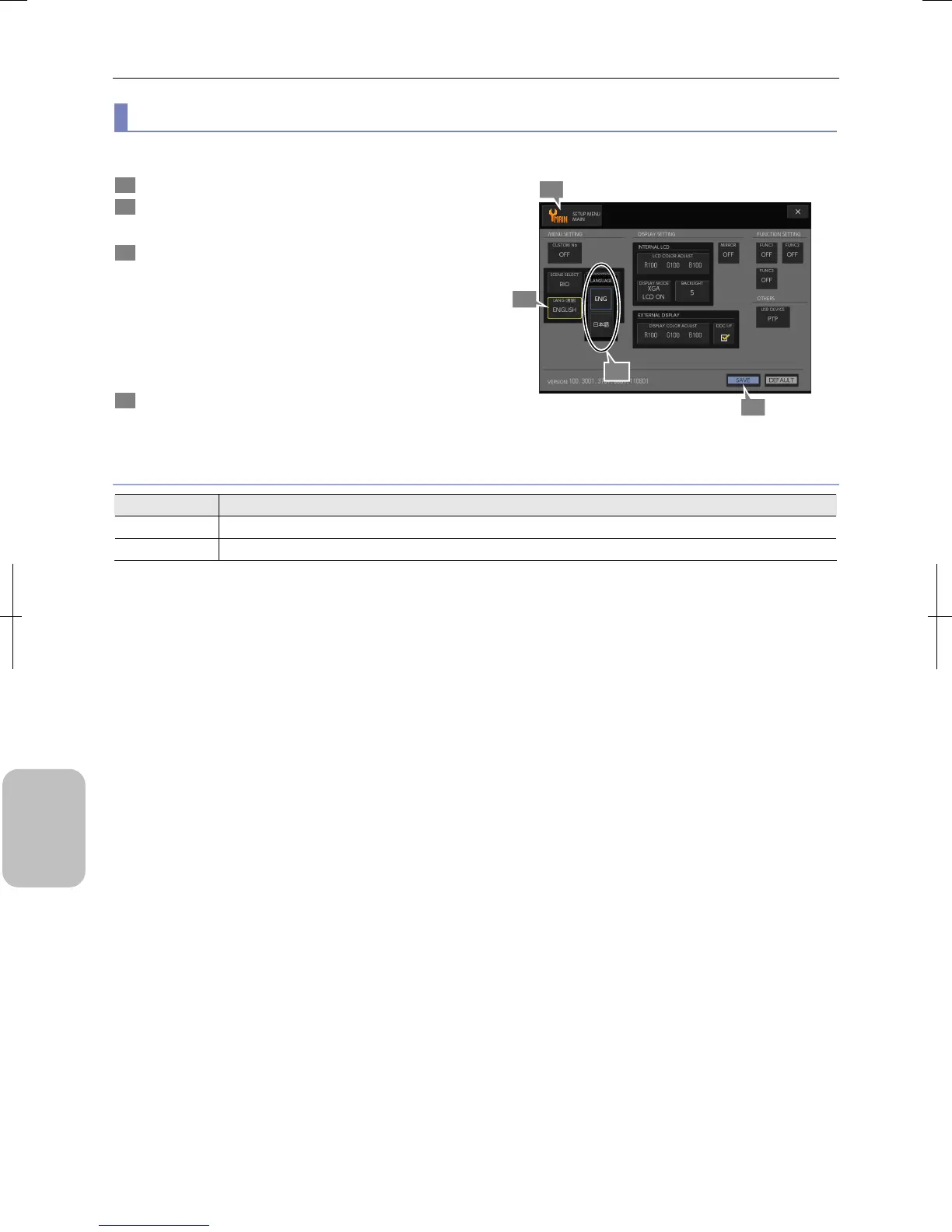
You can switch display language on the screen between English and Japanese.
1 Display the [SETUP MENU: MAIN] screen.
2 Press the [LANG] button on the [MENU SETTING] area.
The [LANG] submenu appears.
3 Select the desired language.
For details of choice, see the table below.
• [ENG] (initial setting)
• [日本語]
When one of these has been selected, the submenu closes
and the selected content is displayed in the [LANG (言語)]
button.
4 Press the [SAVE] button.
The display language of menu screens changes.
Switching Language
Choice of Language
Choice Seting
ENG Switches the display language to English. (Initial setting)
日本語 Switches the display language to Japanese.
4
3
1
2











 To Next Page