Chapter 13 Changing Settings
173
Changing
Settings
(2) Configuring the cooling camera
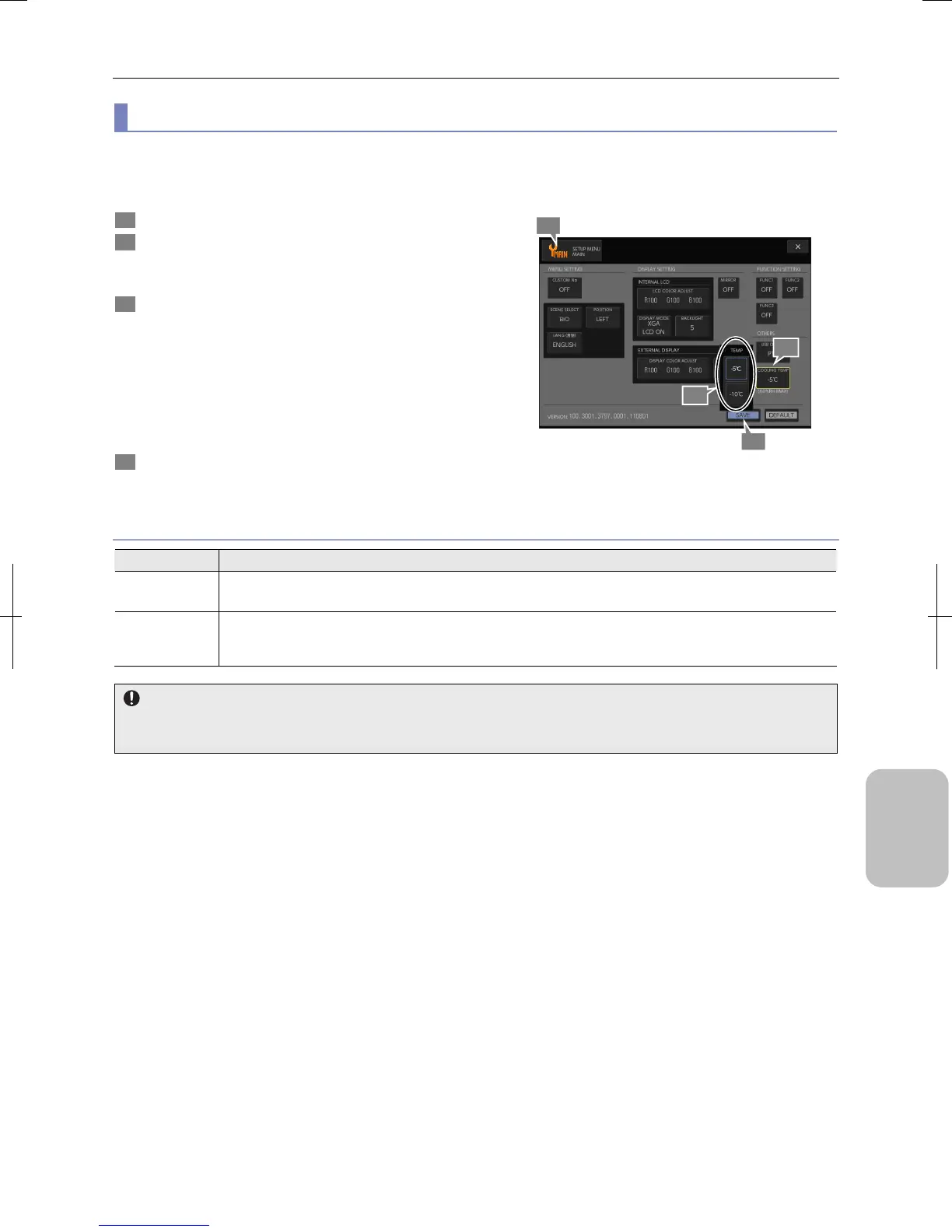
When a DS cooled camera head DS-Qi1Mc or DS-Ri1 is connected, the [COOLING TEMP] button is displayed in the
[OTHERS] area of the [SETUP MENU: MAIN] screen. Use this button to set the image pickup device cooling temperature of
the DS cooled camera head.
1 Display the [SETUP MENU: MAIN] screen.
2 Press the [COOLING TEMP] button in the [OTHERS]
area.
The [COOLING TEMP] submenu appears.
3 Select the cooling temperature of the image pickup
device.
For details of the setting, see the table below.
• -5°C (initial setting)
• -10°C
When one of these has been selected, the submenu closes
and the selected content is displayed in the [COOLING
TEMP] button.
4 Press the [SAVE] button.
The cooling temperature setting is saved.
Configuring Cooling Camera
Cooling Temperature Setting
Choice Setting
-5°C
Sets the image pickup device cooling temperature to “Ambient temperature -5°C” (Initial setting).
Note: This choice is available at an ambient humidity of 80%RH or less.
-10°C
Sets the image pickup device cooling temperature to “Ambient temperature -10°C”.
Note: This choice is available only at an ambient humidity of 60%RH or less. When the DS-L3 is turned off, the
cooling temperature setting automatically returns to -5°C.
Note on condensation
When the cooling temperature is set to -10°C at a high ambient humidity, condensation is formed. When you set the
cooling temperature to -10°C, be sure to make sure that the ambient humidity is not more than 60%RH.
4
3
1
2











 To Next Page