Chapter 13 Changing Settings
159
Changing
Settings
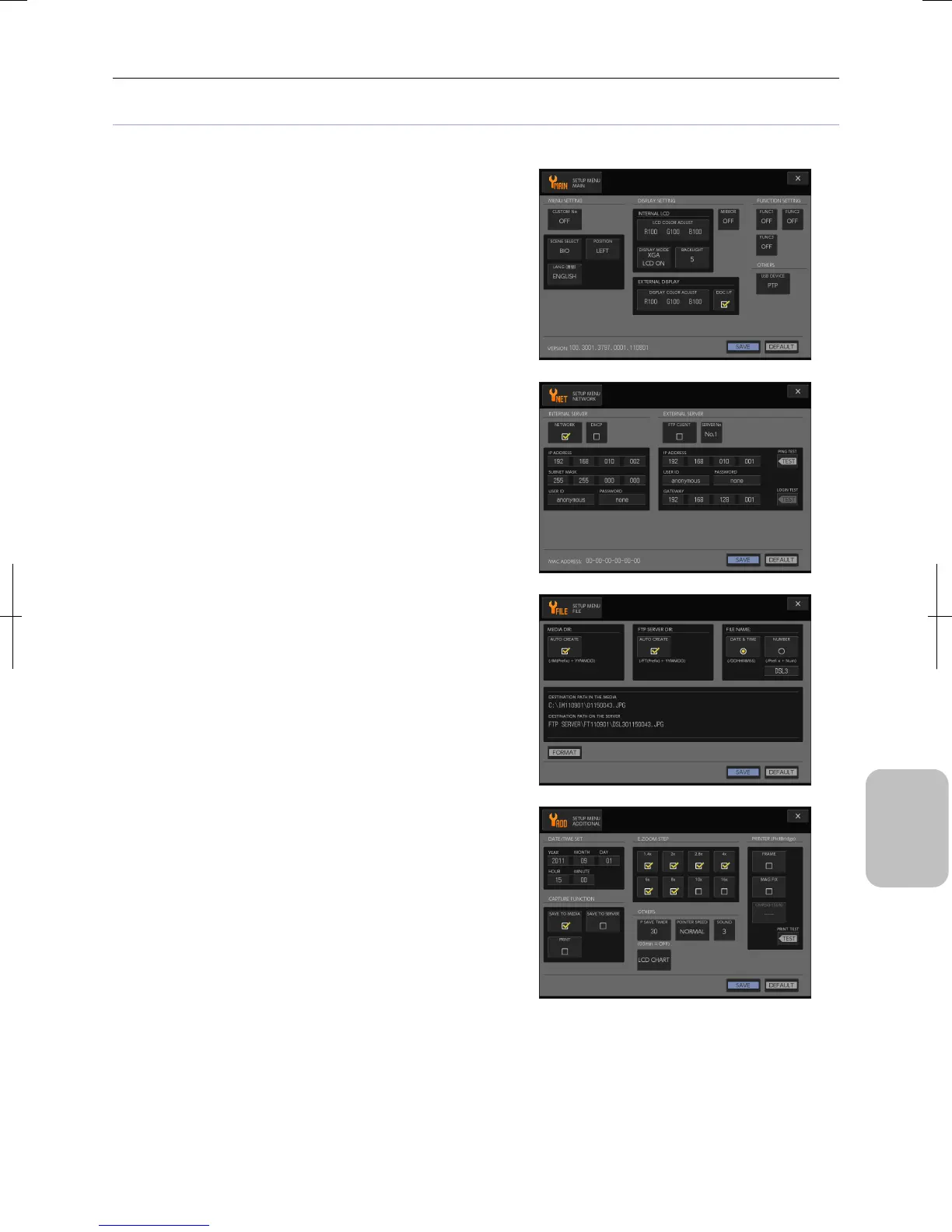
[SETUP MENU] screens
The Setup Menu has the following screens:
• [SETUP MENU: MAIN] screen
Configures basic settings of the DS-L3 including custom
settings used for startup, menu display settings,
internal/external monitor settings, function button settings,
USB device mode settings, and cooling temperature settings
when a DS cooled camera head is used.
• [SETUP MENU: NETWORK] screen
Configures several settings for connecting the system to the
network including basic settings, HTTP server settings, and
settings for connecting to an FTP server.
• [SETUP MENU: FILE] screen
Configures folders and files for saving images including folders
on a recording medium and FTP server, file names and
initialization of medium.
• [SETUP MENU: ADDITIONAL] screen
Configures overall settings of this system including date and
time, capture operation, electronic zoom factor, printer and
others.











 To Next Page