Chapter 13 Changing Settings
160
Changing
Settings
Resetting the settings to initial state
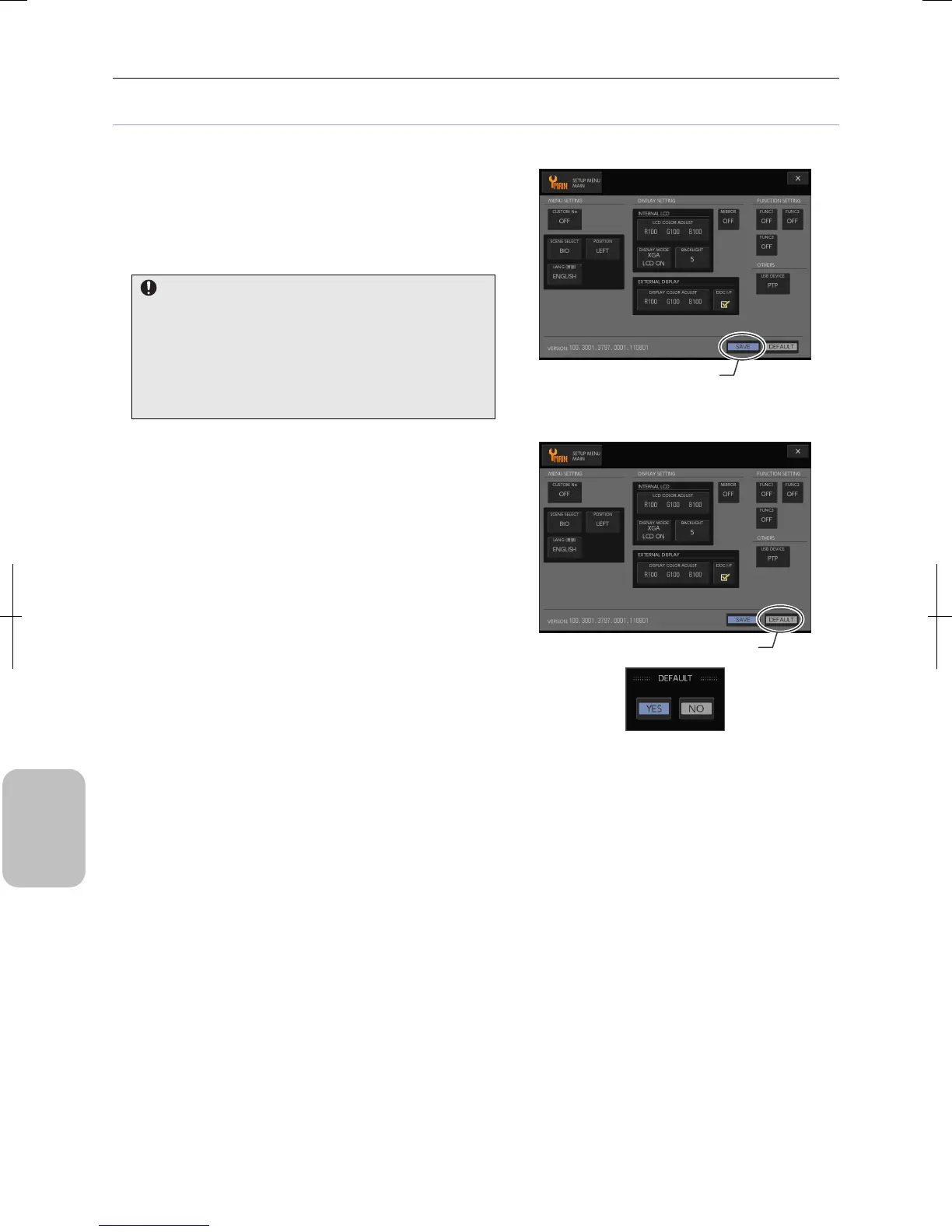
All [SETUP MENU] screens have [SAVE] and [DEFAULT] buttons on the bottom right corner of each screen.
• Saving settings
Settings configured in each screen are saved by pressing the
[SAVE] button. Note that pressing the [X] (close) button,
instead of the [SAVE] button, restores to the state before
change.
Save settings in each screen.
When settings are changed, be sure to save the updated
settings before going to another screen of the [SETUP
MENU].
If you go to another screen or close the screen without
saving the settings, the updated settings are lost and the
previous settings are restored.
Saving Settings
• Resetting settings to initial settings
To clear settings of each screen, press the [DEFAULT] button.
A confirmation message appears. To reset the settings to initial
settings, select [YES]. The updated settings are lost and the
initial state of each item is saved.
To close the confirmation message without resetting the
settings, select [NO].
Resetting Settings to Initial Settings
Save settings.
Reset settings to initial settings.











 To Next Page