Chapter 16 Connecting to Network
215
Connecting to
PC, Printer, and
Network
Firefox
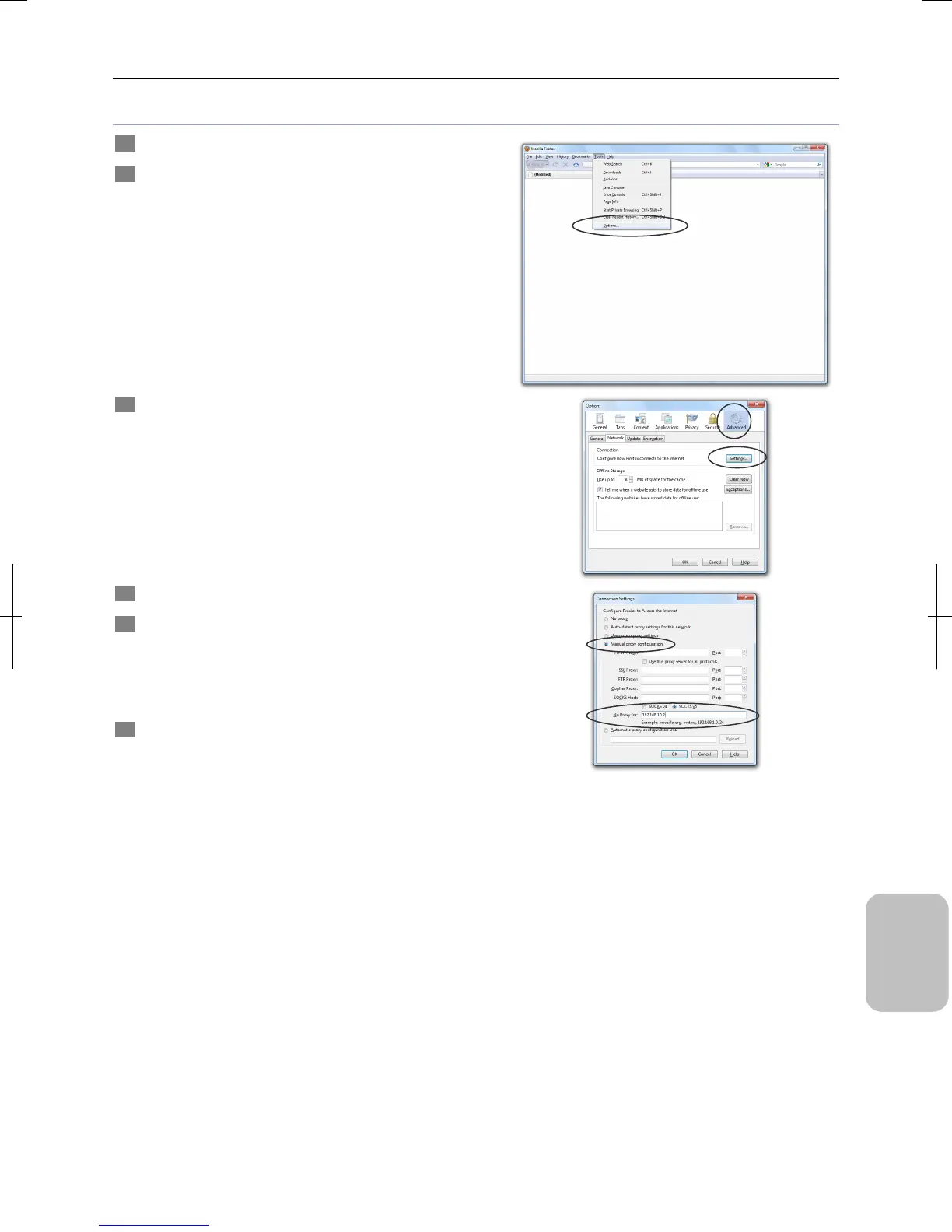
1 Start Firefox on your PC.
2 Select [Options] from the [Tools] Menu.
The [Options] dialog box appears.
3 Select [Advanced] and click [Settings] on the [Network]
tab.
The [Connection Settings] dialog box appears.
4 Select [Manual proxy configuration].
5 Write the IP address of this system in the [No Proxy
for:] field.
Enter a dot (period) per three-digit IP address component. I
the component starts with “0” or “00”, skip “0” or “00” and
enter the IP address.
6 Click [OK] for every open dialog box to close the dialog
boxes.
The settings are enabled.











 To Next Page