Chapter 16 Connecting to Network
217
Connecting to
PC, Printer, and
Network
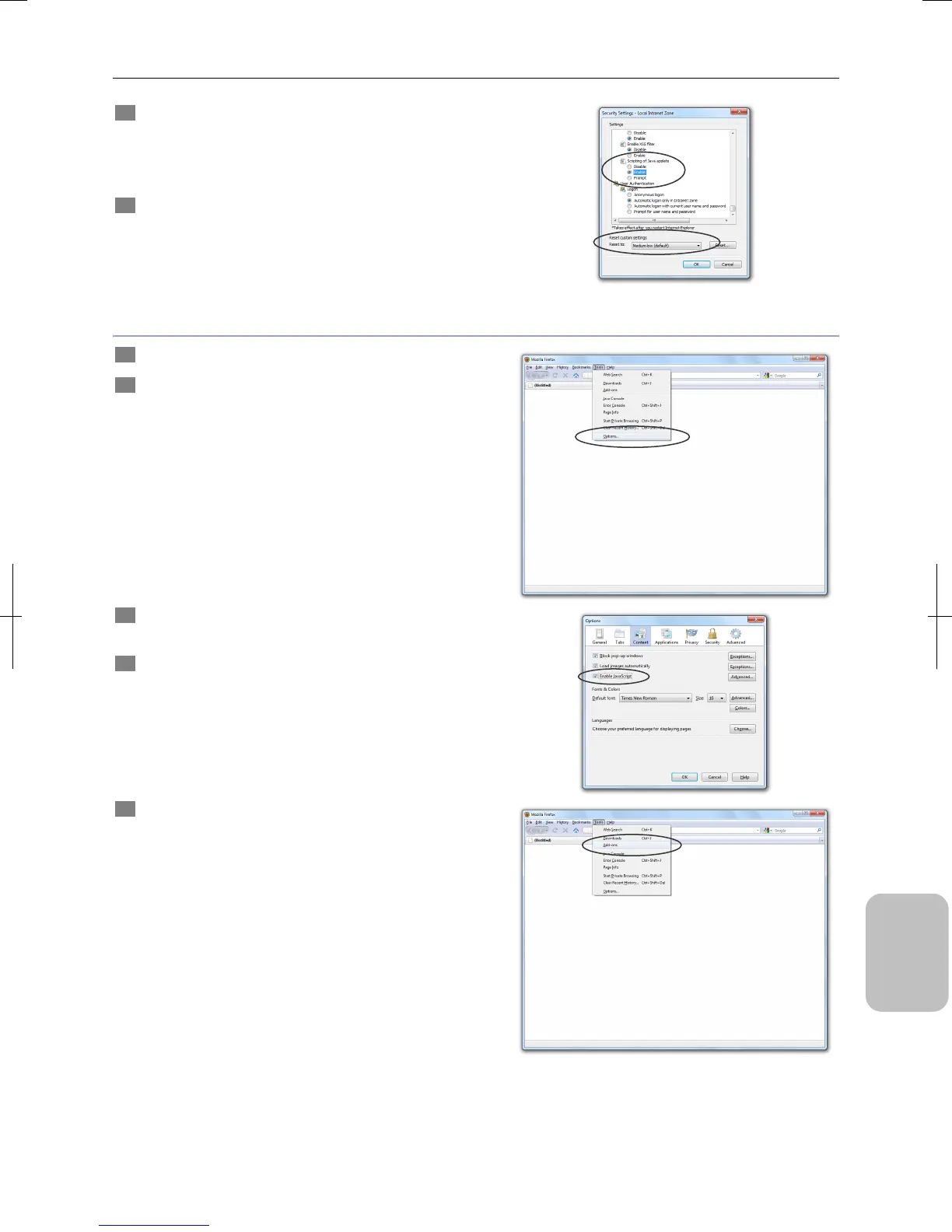
4 Configure [Java VM].
Enable Java execution by selecting any security level of
[High], [Medium-High] or [Medium].
Set [Scripting of Java Applets] in [Settings] to [Enable].
5 Click [OK] for every open dialog box.
The settings are enabled.
Firefox (Windows)
1 Start Firefox on your PC.
2 Select [Options] from the [Tools] menu.
The [Options] dialog box appears.
3 Open the [Content] tab in the [Options] dialog box and
select the [Enable JavaScript] checkbox.
4 Click [OK] to close the dialog box.
5 Select [Add-ons] from the [Tools] menu.
The [Add-ons] dialog box appears.











 To Next Page