Chapter 17 Differences in Operation Depending on DS Camera Head Models
240
Other
Information
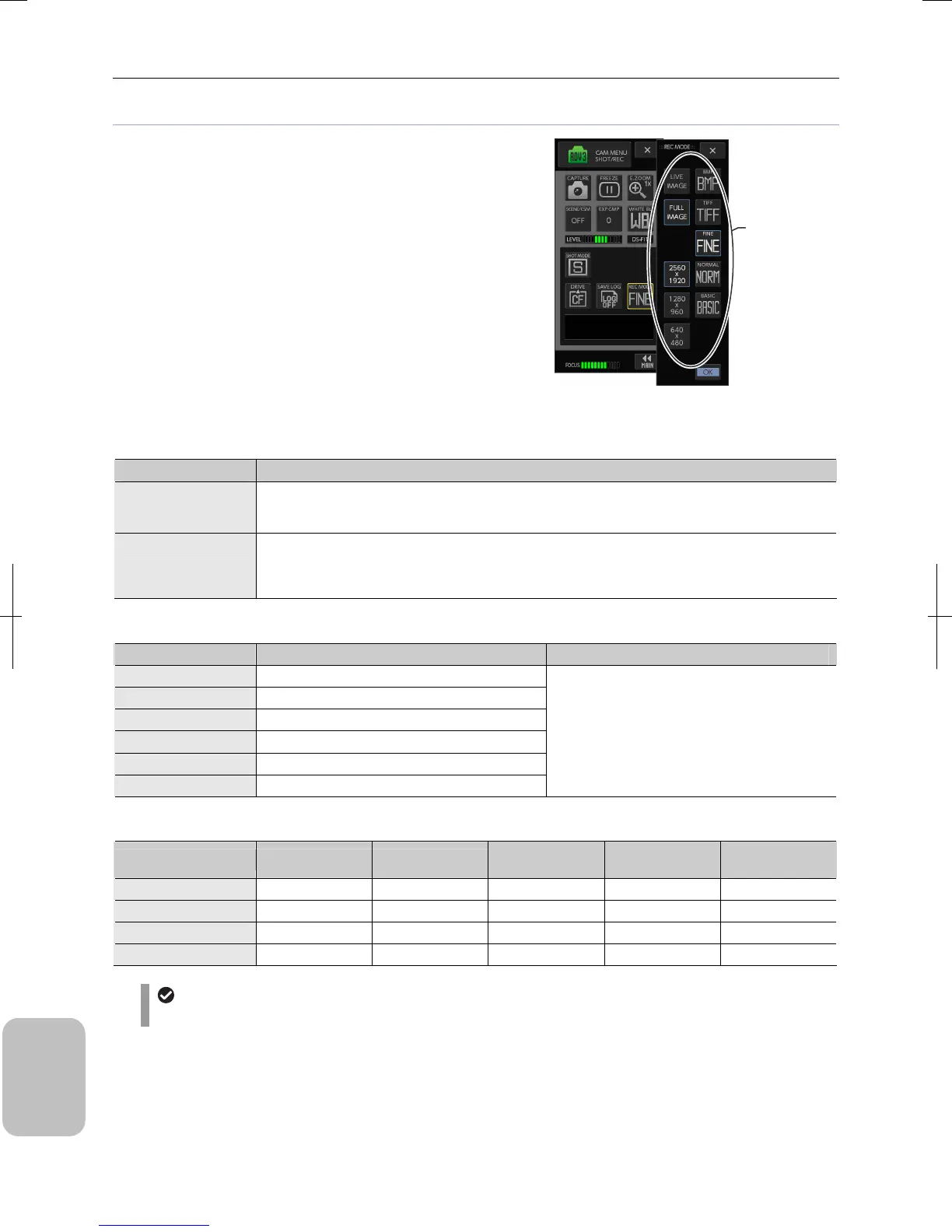
Setting recording mode when DS-Fi1 or DS-Fi1c is used
Image source, image size, and file type to be stored when an
image is captured are set with the [REC MODE] submenu of the
[CAM MENU: SHOT/REC] screen.
• Image source:
Select live image or full image as an image to be captured.
• Image size:
Selectable sizes are displayed in the buttons according to
image mode and image source.
• File type:
Select the type of image to be stored. The capacity of image
file to be stored varies depending on image size and file type
settings.
Note: For details of setting items, see the table below.
Setting Recording Mode (DS-Fi1/DS-Fi1c)
Selection of Image Source (Live Image and Full Image)
Choice Setting
Live Image
An image is recorded based on the live image on the monitor when the image is captured. Image
resolution varies depending on the image size setting, but the image on the monitor is recorded as it is
in principle.
Full Image
An image is recorded based on the image pickup device output when the image is captured. When
[FAST] or [ROI] image mode is selected, image size on the monitor is small. However, if the recording
mode is set to [FULL], a high-definition image can be recorded based on the output of all pixels of the
image pickup device when the image is captured.
Image Size Setting
Image Mode Image Size (Live Image) Image Size (Full Image)
FULL 2560 x 1920, 1280 x 960, 640 x 480
2x2 1280 x 960, 640 x 480
4x4 640 x 480
FAST 1280 x 960, 640 x 480
ROI-L 1280 x 960, 640 x 480
ROI-S 1280 x 480, 640 x 480
2560 x 1920, 1280 x 960, 640 x 480
File Size of Each File Type
Image Size BMP Format TIFF Format
JPEG Format
FINE
JPEG Format
NORMAL
JPEG Format
BASIC
2560 x 1920 14 MB 14 MB 4 MB 1.9 MB 1.2 MB
1280 x 960 3.6 MB 3.6 MB 1.0 MB 480 kB 320 kB
1280 x 480 1.8 MB 1.8 MB 520 kB 240 kB 160 kB
640 x 480 900 kB 900 kB 260 kB 120 kB 80 kB
JPEG image file size
JPEG image file size varies greatly depending on objects. Use the file size values in this table as guideline.
Select image
source (live or
full), image size,
and file type.











 To Next Page