36
The interface is based on Blockly, a Google library, which is also used on the Scratch
project made by the MIT.
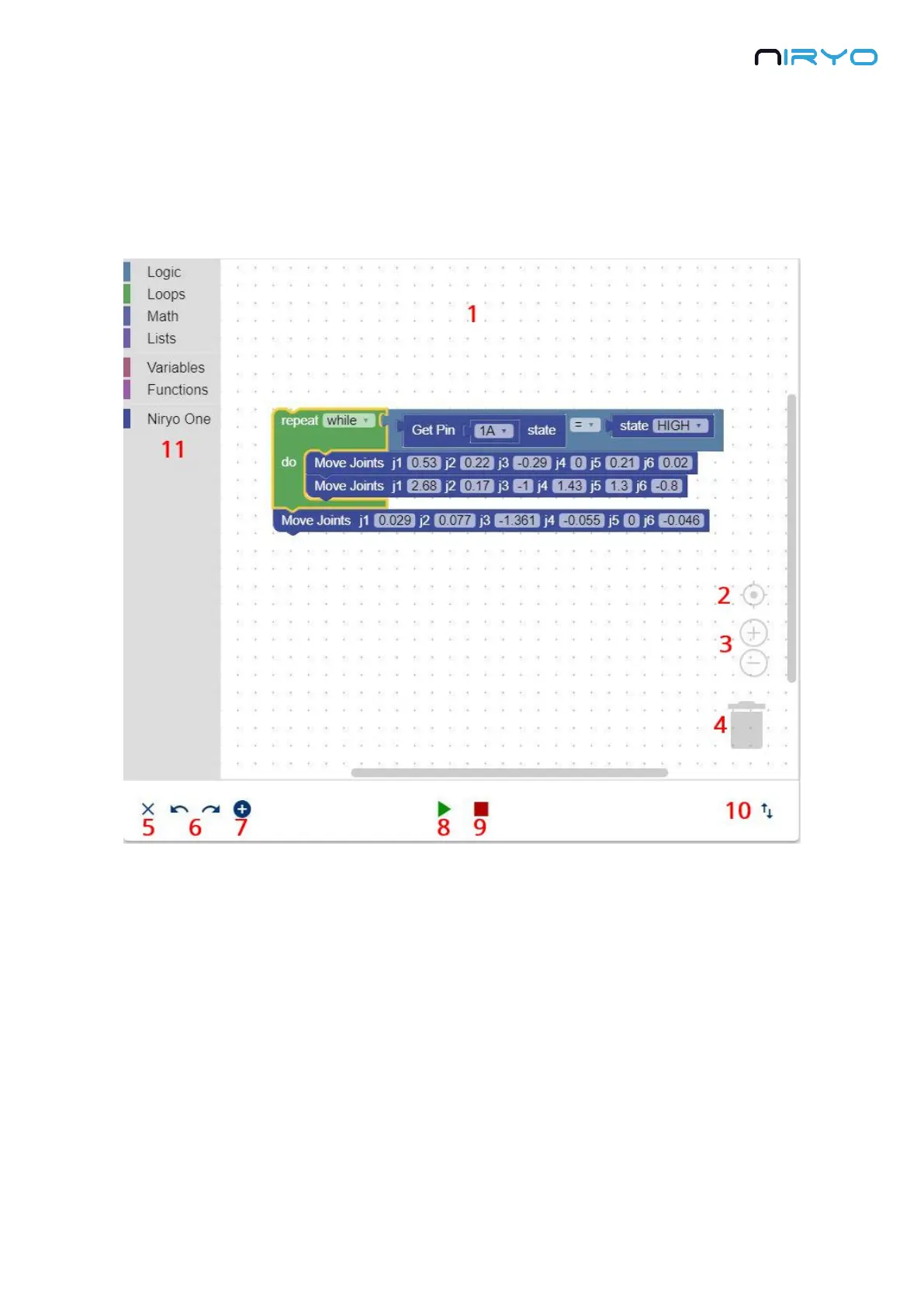
To create a program, use any of the standard and Niryo One specific blocks on the left. Drag
them to the workspace and assemble them in the order you want.
1. This is the workspace. Your whole program will be there.
2. Clicking on this icon will center the workspace on your blocks.
3. Workspace zoom control.
4. To delete a block, simply drag it and drop it onto the trash. You can also select it and press
the delete key on your keyboard.
5. Clear the current workspace.
6. Undo/Redo. You can also use CTRL + Z, and CTRL + MAJ + Z.



 To Next Page