prw2101a0600p_01
32 / 105
5.2.3. Putting the MultiCONT into operation
Switching on initiates a 40 sec test process, during which MultiCONT tests the integrity of the memory where its settings are stored (See 5.9 The Boot Process).
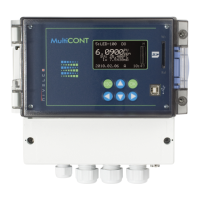
If everything goes perfectly, then the following
No HART device
message appears on the screen, implying that the device table - the object
of the query - is empty yet.
To choose a programming Language (English, German, French, Hungarian) select the Language menu item under ”Main menu”/”MultiCONT
config”/”Language” using the and buttons and confirm it using the button.
From here on, the device will function using the selected language.
To detect devices in the loop select the ”Main menu”/”MultiCONT config”/” DEV detect” program.
It is essential not to confuse the Short address with the List-tag of the units. In order to make possible to search and identify HART-capable devices, it is necessary
to assign Short addresses ranging from 1 …. 15 to the devices during their (laboratory) programming. MultiCONT however registers the devices on the basis of the
List-tags ranging from 1, … 8, 9, A, B, … F.
At this stage configure the settings specific to the functioning of the system (display, backlight, etc.) under “Main menu” / “MultiCONT config”. See chapter 5.4.
Relays (see chapter 5.7) and current outputs (see chapter 5.8) should be programmed in accordance with the requirements of the application.
Settings can be protected via “Main menu”/“MultiCONT config”/”Password” with a secret code (software protection) and by using the program protection switch
K1 (hardware protection) on the back of the front panel (see chapter 7).


 To Next Page