prw2101a0600p_01
66 / 105
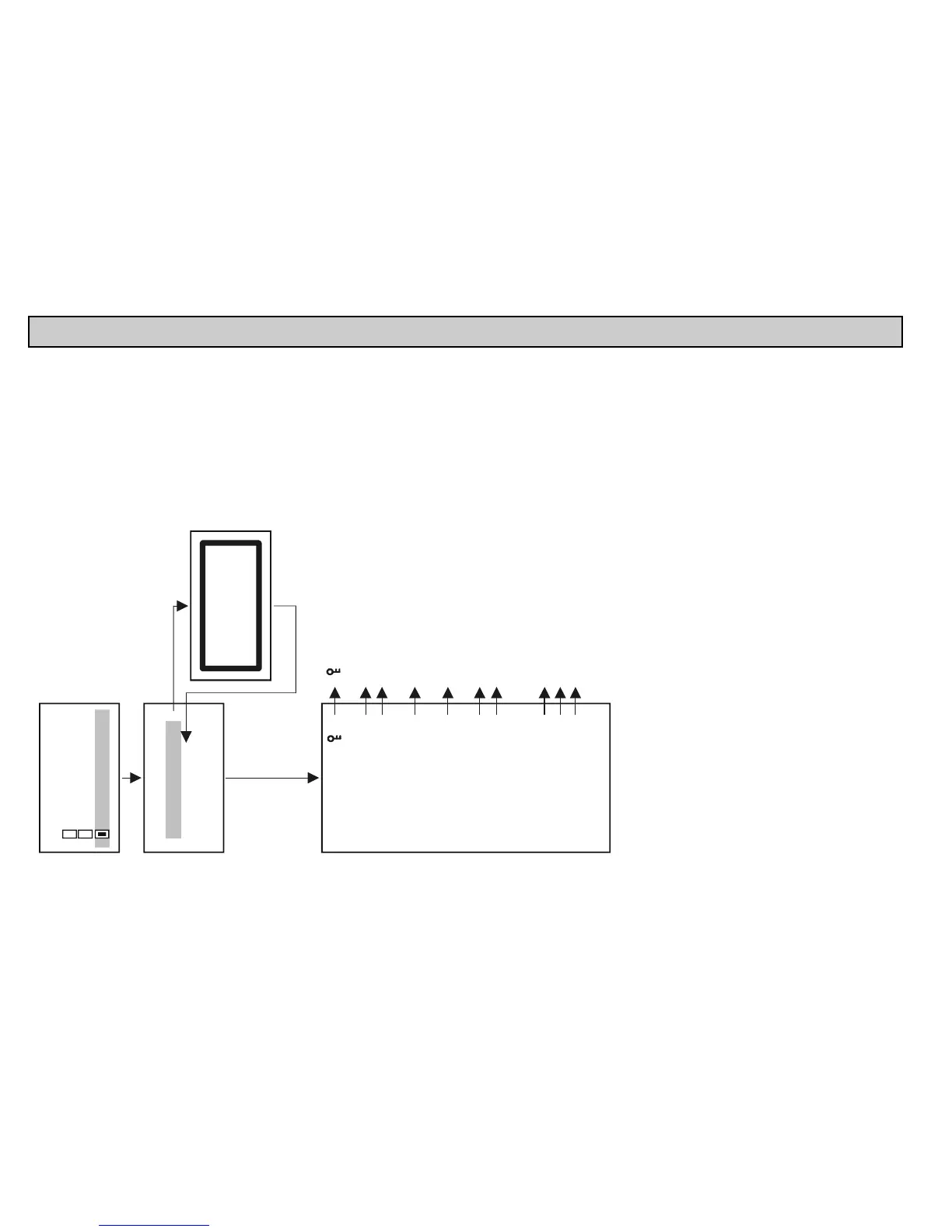
5.6. REMOTE PROGRAMMING
Select the device to be programmed as described above.
Secret unlock
Secret mod.
App. parameters
Parameters
Linear table
Echo
Clear TOT1
Factory defaults
Service
HART protection
Press OK
"OK"
"OK"
Remote programming
Short TAG
Short address
Device: SG300
07
"key" shows that the device configuration is protected by a
(see programming manual of the device)
Unlocking the
Entering or changing the To change an existing code
the old one should be unlocked!! *
Parameter for NIVELCO instruments for selecting the
unit to be used (Metric: m, cm, US: ft, inch)
Querying and modifying the parameters of the device. **
If the device is password protected parameters are only readable. *
Editing the linearisation table (see chapter 5.6.1.)
Draws the Echo-map for ultrasonic transmitters***.
(returns with "unknown DEV/comm" error for devices where
this is not defined)
Clears TOT1 for with flow measurement function devices
"Password"
"Password"
"Password".
Return to default settings.
Clear TOT2, temperature calibration, DIST calibration,
write Device ID (service code is needed for access)
Devices
06
02: SE300
01: ST300
03: SG300
Remote programming
"OK"
"OK"
Quit programming mode
or wait for automatic
exiting of PROG mode
(max. 30 min)
08
The device is in PROG mode,
remote programming is not allowed.
*, **, *** See next page for explanation
Note: Content of this menu is depended on the type of the transmitter!
For example: MicroTREK see: appendix 6.
LEP-100 see: appendix 7.


 To Next Page