prw2101a0600p_01
69 / 105
5.7. RELAY CONFIGURATION
First of all it is recommended to decide which relay is to be assigned to which device(s), and to which measured value (PV=primary value, SV=secondary value, …. )
in Main menu/Relays/ Program/Source. Relays can be assigned to one or more sources (difference, average). Secondly the relay function should be selected in Main
menu/Relays/ Program/Function. Finally the parameters have to be specified in Main menu/Relays/Program/Parameter such that the dimensions of RP1 and RP2 are
determined by the devices assigned to them. Thus if the chosen value is LEVEL [m] then the RPx parameters also have to be entered in LEVEL [m].
5.7.1. Relay Selection
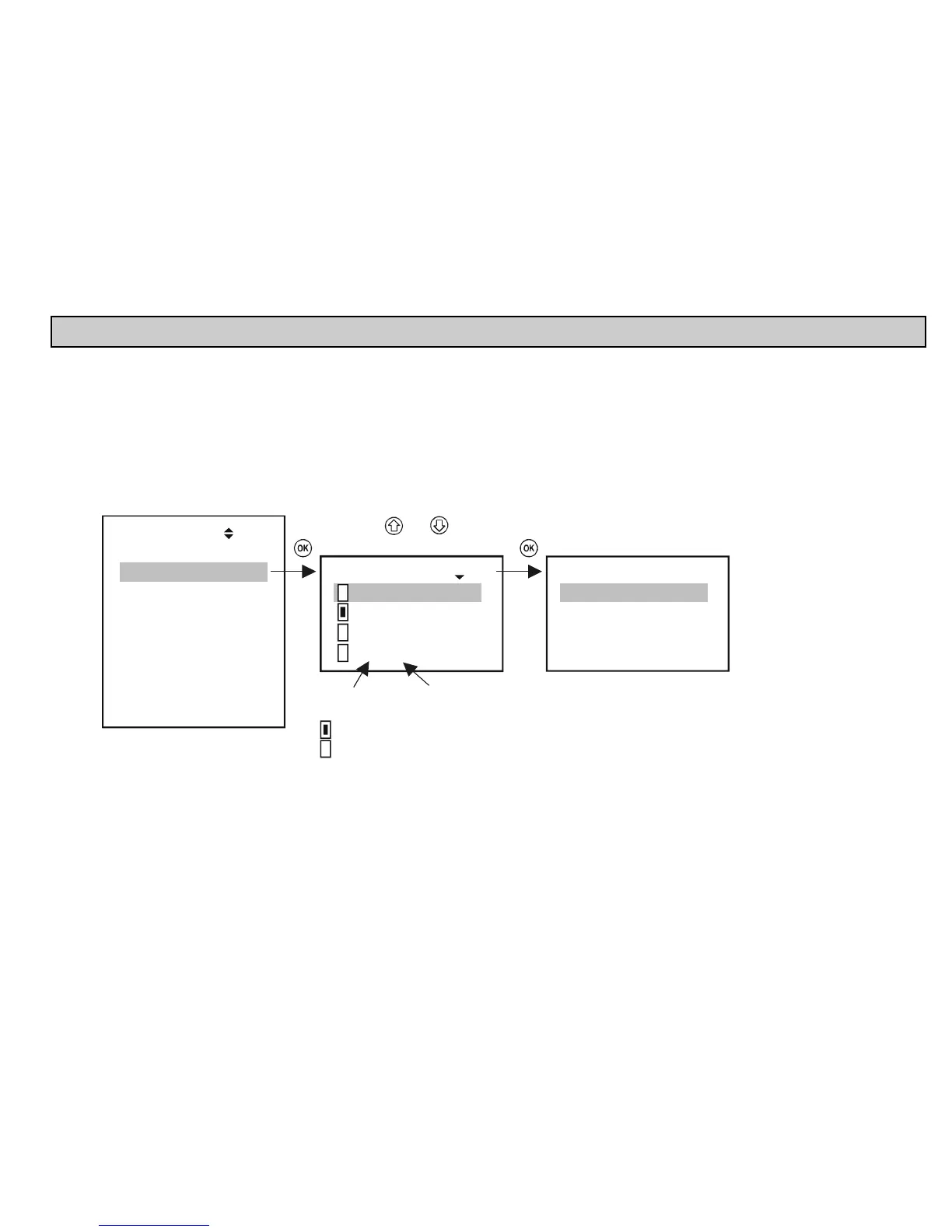
It is impossible to enter the relay menu if the system does not contain a single relay. The number of relays in the system can be viewed under Main menu/MultiCONT
config/ Report. (See chapter 5.4.12.)
Devices
Relays
Current outs.
Inputs
UIM-s
Default config
MultiCONT config.
Save config
Load config.
Main menu
05
Select using and
Relays 18
01: R1_IN
02: R12
:
12: R12n
01: R1_IN 19
Program
Short TAG
Info
List number
of relay
Relay ID
Short TAG
Active
Inactive, de-energised relay


 To Next Page