prw2101a0600p_01
33 / 105
5.3. MAIN MENU
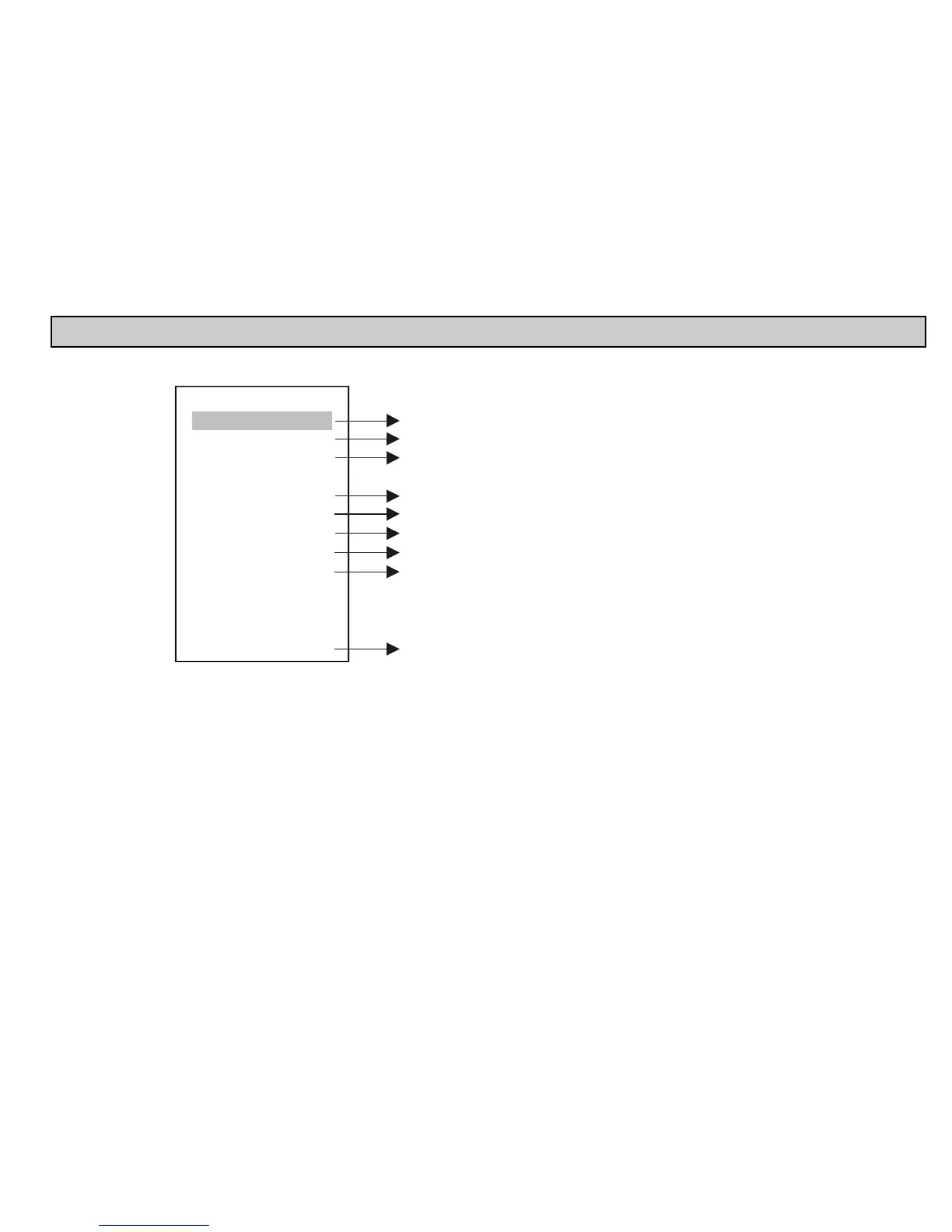
The Main menu can always be accessed from measurement mode by pressing OK.
MultiCONT conf.
Save config.
Load config.
Default config
Restart
Devices
Relays
Current outs
Inputs
UIM-s
Main menu
01
Setting features of devices (see chapter 5.5)
Programming relay mode of operation and parameters (see chapter 5.7)
Programming current generator mode of operation and parameters (see chapter 5.8)
Information about UIM-s, TAG modification
Programming of parameters affecting operation (see chapter 5.4)
Saves the actual configuration
Loads the saved configuration
Reset to default. Clears device list, relay and current output
assignments and resets the parameters of "MultiCONT conf."
Does not clear the switching number and work time.
The steps in 5.2.3 have to be repeated (Putting the MultiCONT into operation).
Simulate repowering ( RESET )
(see chapter 5.11)
parameters,


 To Next Page