prw2101a0600p_01
65 / 105
5.5. PROGRAMMING DEVICES
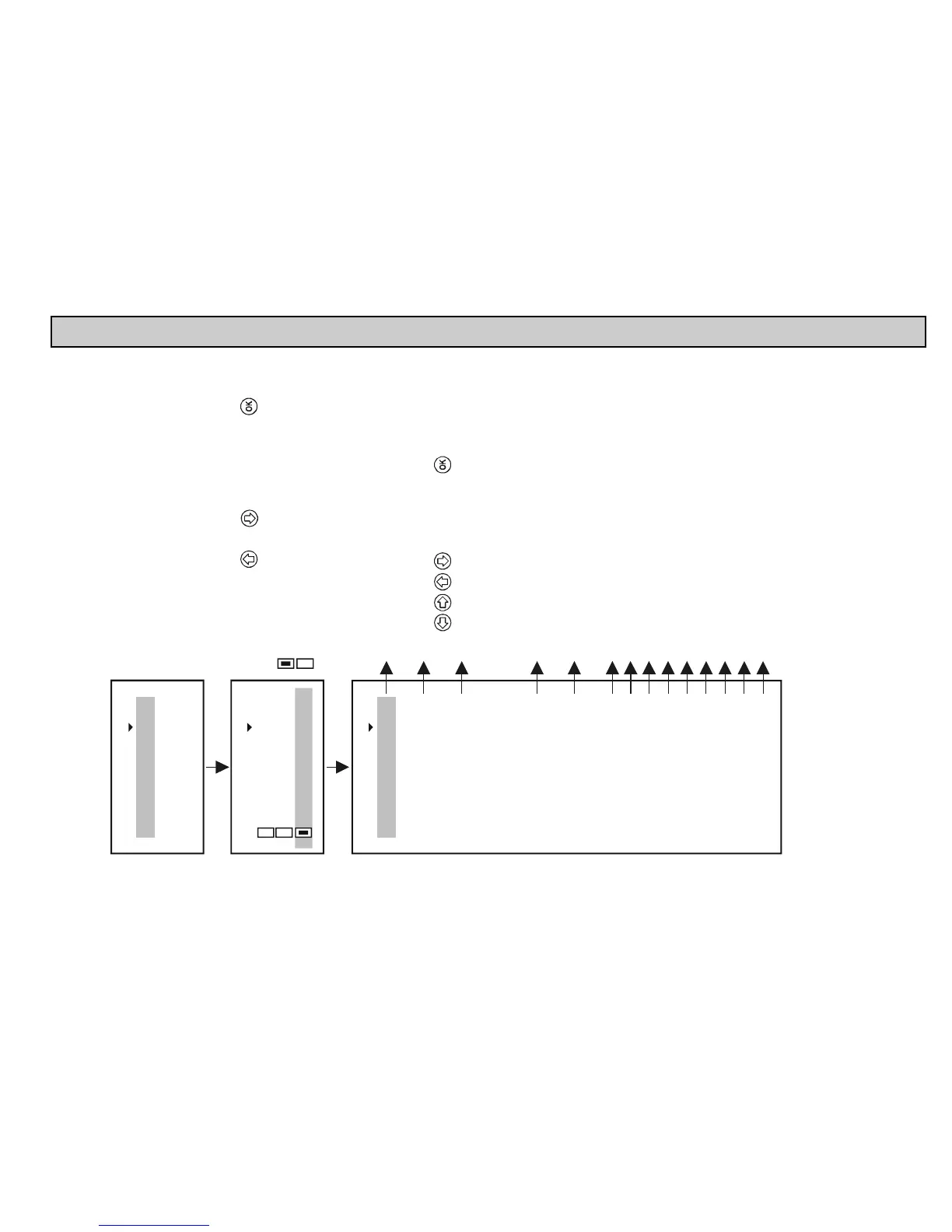
Devices 06
02: SE300
01: ST300
Main menu
01
Current outs
Devices
Relays
"OK"
"OK"
Remote programming
Short TAG
Short address
Message
Description
Date:
Final ass. number
Factory ID
Device type ID
SW version
HW version
Device ID
Major revision
Device revision
Device: SG300
07
Programming the device and querying parameters
see: chapter 5.6.*
Short TAG
use and after press
Short address** (1...15), used during detection
will search for the device with this address
Secret code* not needed for modification
Modification should be done with care
Arbitrary text assigned to the device
(usually related to operation, max 32 char)
Arbitrary text assigned to the device
(usually related to the material, max 16 char)
Date assigned to the device
Factory setting = 0
Factory ID, for NIVELCO devices = 151
Device type ID
Software version of the transmitter (see manual)
H version of the transmitter (see amnual)
To query and modify the
ardware
Manufacturer's electronic serial number
HART revision
0
Device selection with and buttons, then press to
query and modify parameters.
Device is active
Device is not active, but can be programmed as if it were active
03: G300S
* In case of the NIVELCO non-compatible transmitters, only the assigned 4-20 mA values and damping time can be
programmed”.
** In this menu point the short address of the device will shown when pressing OK button. Detected “Short address”
is stored in the operative memory, turning off the device the memory content is erased. In case of this “??” will
appear. It has no effect on the operation, because communication is performed via “Long address” (cannot modified)
after the detection. The transmitter will have the modified address at the next detection!


 To Next Page