prw2101a0600p_01
87 / 105
Note:
1. The device will display an error if the selected mode is “Variable” and CP1=CP2
2. Value of the output current will not change (HOLD), if the assigned device does not respond or responds with an “Err xx” error!
3. If the current output is not active the output will be 0 mA.
4. If the Error function is selected, then no Source assignment is required since errors of all active devices will be monitored.
5. The modified parameters can only be saved when the cursor is on CP3 by pressing .
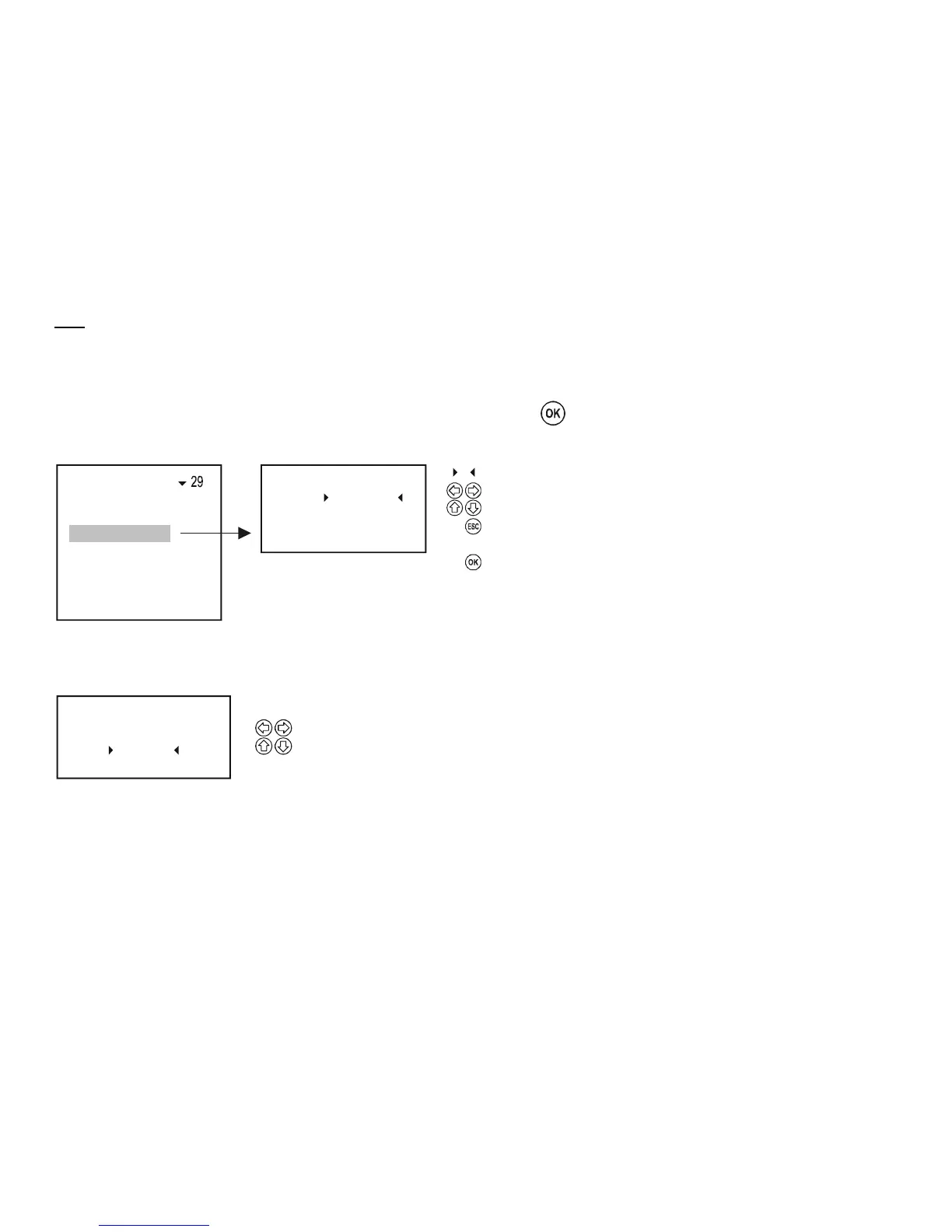
5.8.3.3 Parameter configuration
CP3 = 0
CP2 = 12.45
Parameter 32
CP1 =
+ 0003.45
Program
Source
Function
Parameter
Te s t
Parameter to be edited
Selection of digit position
Sign and number modification
from P1: steps back to "Programming" sub-menu,
from P2: and P3 steps back to the previous parameter
Accepts parameter change and steps to the next row.
Pressing when P3 is highlighted, loads the values of P1... P3 into
the memory and steps back to "Programming" sub-menu
C
CC
CCC
5.8.3.4 Testing
The current output can be tested in steps of 1A. Upon changing the numbers, the output changes immediately, and it is not necessary to press OK.
Tes t
12.125
33
Selecting the digit position
Sign and number modification


 To Next Page