prw2101a0600p_01
54 / 105
For using the trend logging function, the following data should be set:
In the “Source” menu point the transmitter can be selected which measured value will be logged and the additional three values can be selected to be logged
besides the primary value.
In the “Mode” menu point the logging mode (time-controlled, event-controlled or both) can be selected.
In case of time-controlled logging mode in the “Parameters” menu point the logging interval should be entered into LP3 in minutes.
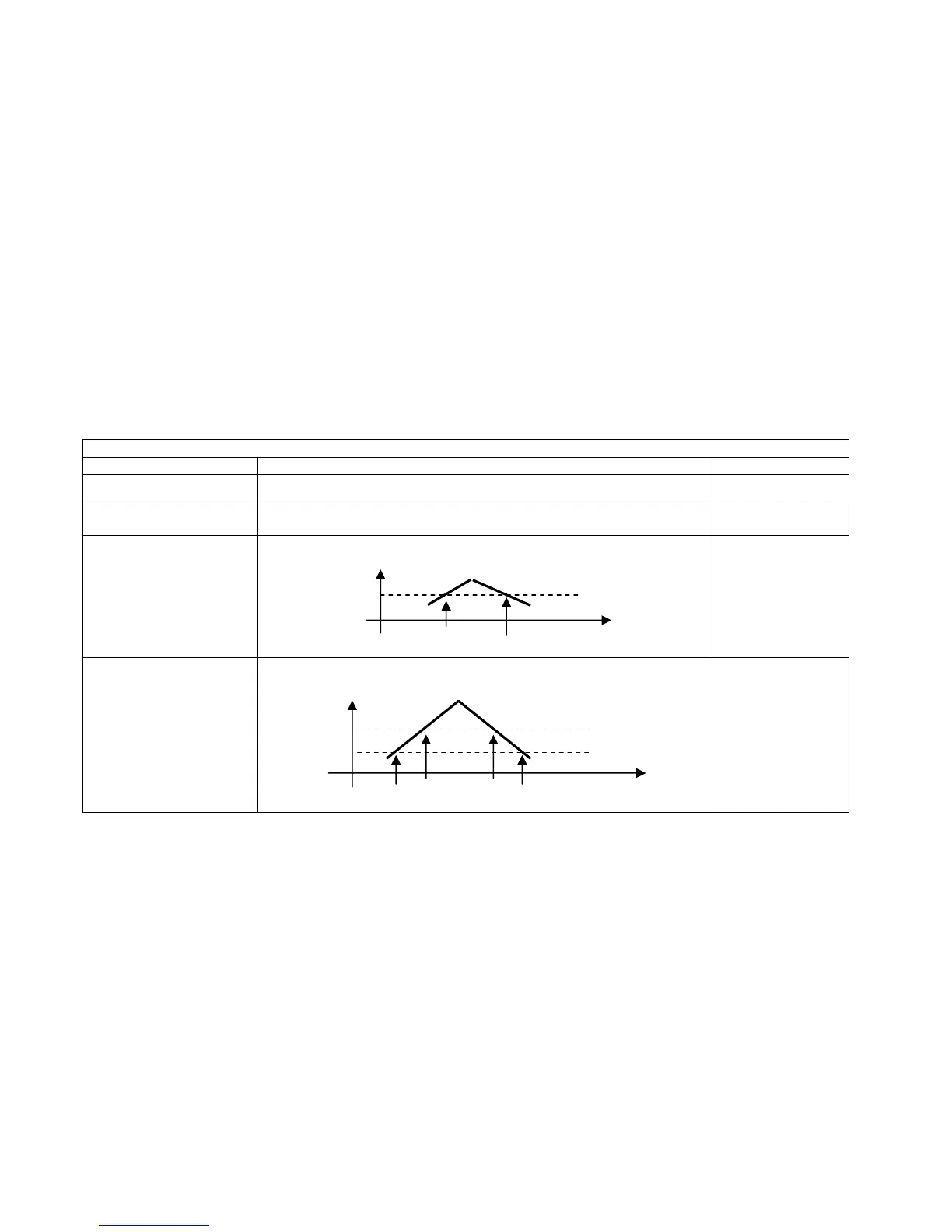
In case of event-controlled logging mode in the “Parameters” menu point LP1 and LP2 parameters should be set, according to the table below:
Event-controlled trend logging
Mode Operation Parameters
PV absolute change
Logging when (absolute) change of Primary value ( PV ) reaches the value in LP1
LP1
PV relative change in %
Logging when (relative) change of Primary value ( PV ) reaches the value in LP1 in
percentage
LP1
PV limit value monitoring
The logging monitors and stores the timestamps when Primary value ( PV ) exceeds
or falls under the value in LP1.
LP1
PV zone monitoring
The logging monitors and stores the timestamps when Primary value ( PV ) quits
from the zone defined by LP1-LP2, or when it returns into the zone.
LP1
LP2
In case of time-controlled trend logging the average of the selected values will be stored within the time interval which is set in LP3 parameter.
Mode and parameters of the logging are the same for all transmitters. Logging function commences when exiting the “LOG”/”Settings” menu point.
Besides the measurement values of the transmitters there are many events (which affect the operation of the whole system) stored in the trend logger regardless the
programming (see chapter 5.4.8.5).


 To Next Page