33
BathSettings
Light :Set
Sensor :Set
Control :Int.(P)
Fragrance :Set
P-Band :4°C
Esc Set
Settings
BathSettings:Set
Cylinder :4564
SC-System :Set
Language :English
Power Limit :100%
Esc Set
– Humidity signal input from analogue humidity sensor connected to the signal input on the power
board of the steam generator (caldarium operation).
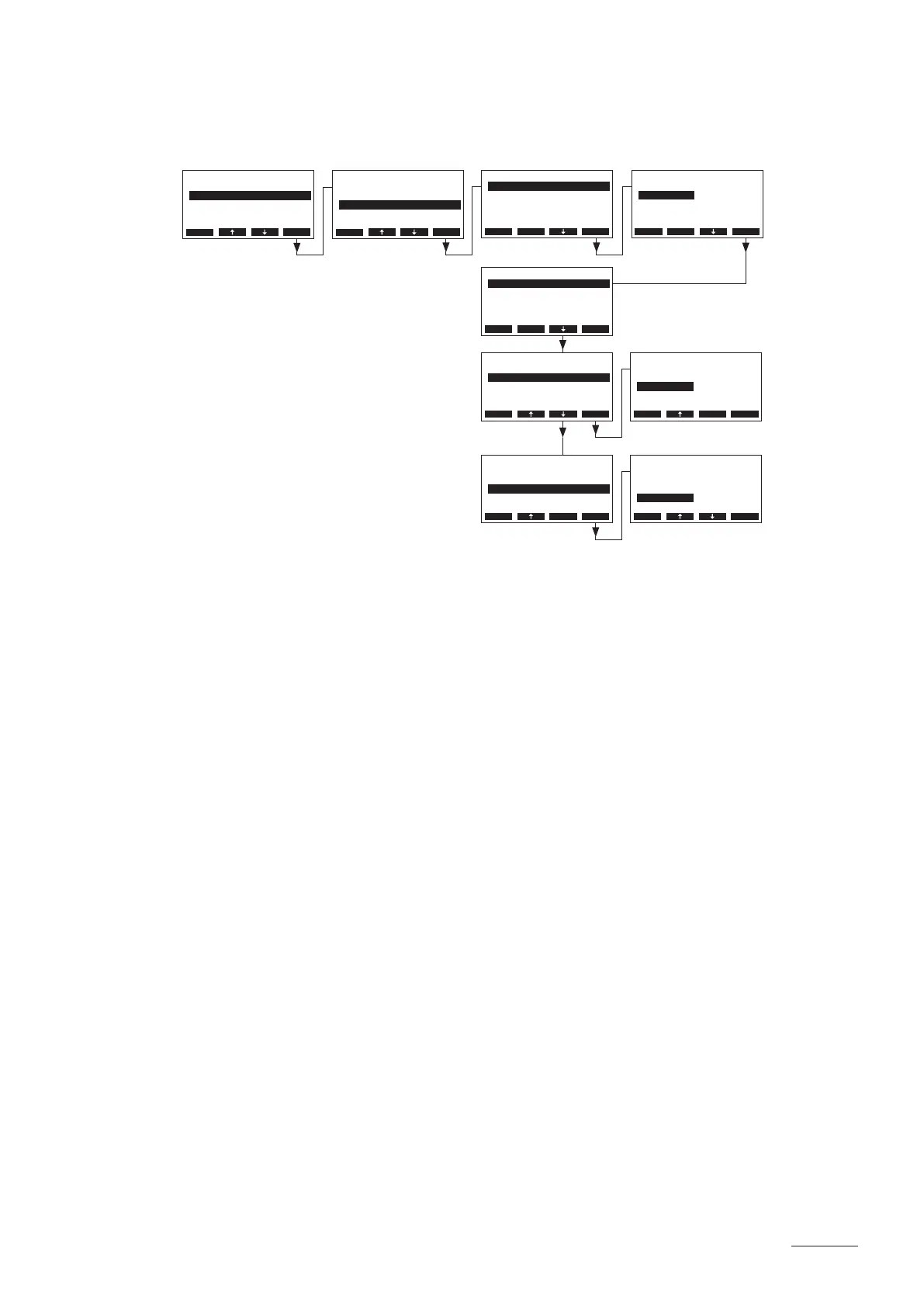
Select “Sensor” in the steam bath settings menu, then press the <Set> key.
Adjust the parameters in the submenu “Sensor” as follows:
• “SignalSource”: “Analog”
• “Mode”: “Humidity”
• “Type”: Sensor signal type (Factory setting: 0–10V, Options: 0–5V, 1–5V, 0–10V,
2–10V, 0–16V, 3.2–16V, 0–20mA, 4–20mA)
Sensor
Mode :Temp.
Type :0-10V
SignalSource:Analog
Esc Set
SignalSource
Analog
Modbus
Analog
Esc Set
Sensor
Mode :Humidity
Type :0-10V
SignalSource:Analog
Esc Set
Sensor
Mode :Humidity
Type :0-10V
SignalSource:Analog
Esc Set
Mode
Temp.
Humidity
Humidity
0-10V
Esc Set
Type
0-5VPoti
1-5V
1-10V
0-10V
2-10V
Esc Set
Sensor
Mode :Temp.
Type :KTY
Oset :0.0°C
SignalSource:Analog
Esc Set


 To Next Page