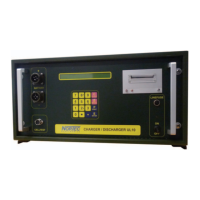
10 Change printer paper and ink ribbon 9.1 Changing of ink ribbon
© Nortec Electronics 2018 117
10 Change printer paper and ink ribbon
Preparation:
Untighten 2 finger screws at the printer
Pull the printer by handle out of the printer housing from the front side
Continue with chapter 9.1 and/or 9.2
9.1 Changing of ink ribbon
Name: Ink ribbon (pack of two) HTZ/TKZ: 101 033 111 000
For changing of the ink ribbon use the following procedure:
Pull out the used ink ribbon from the opened printer
Pull out the printer paper for several centimetres
9.2 Changing of printer paper roll:
Name: printer paper roll (pack of six) HTZ/TKZ: BT2000.40071
For changing of the printer paper proceed as follows:
Remove ink ribbon from the opened printer
Pull down the consumed paper roll from the printer. Here pressing the retaining brack-
ets to the side. Tear through printer paper.
Pull the remaining paper out of the printer from the front in the direction of the paper
feed.
Thread printer paper through the printer housing and insert the printer.
Reassembling:
Arrange the printer paper in ink ribbon and insert the ink ribbon in the printer pressing softly.
Position for inserting ink ribbon: the exposed ink ribbon must be at the bottom, the wheel of the
transportation mechanical system at the left side
Insert the front panel of the printer
Move the printer in the printer housing
Fix the 2 finger screws at the printer
Connect the device to the 230 V-net
Start the printer selftest: printer does proof copy if the device is switched on while pressing the
button for paperfeed
Switch off device


 To Next Page